Your Cart is Empty


Design Software History: Enabling Immersive Browser-Based CAD Review: WebXR, glTF, USD, WebAssembly, and WebGPU
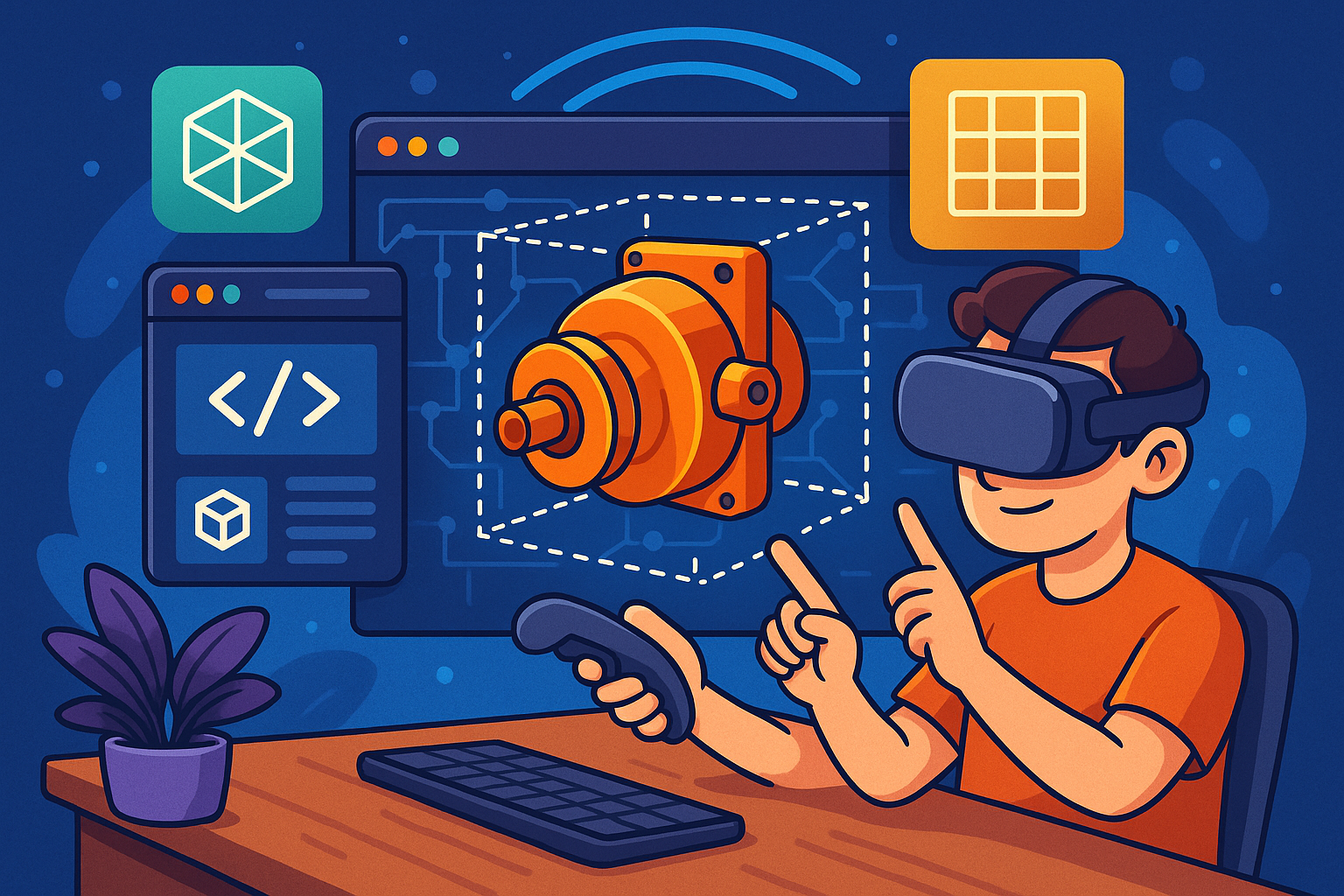


Immersive CAD review in the browser has travelled from speculative experiments to dependable daily tooling in engineering and AEC. Today’s expectations—instant access, high fidelity, rich interaction, and multi-user presence—were made possible by a layered stack of open standards, web runtimes, and purpose-built viewers. This article traces the enabling technologies, details the workflows that matter in practice, and maps the key organizations and people who drove progress. It emphasizes how WebXR Device API, glTF 2.0 and USD, high-performance JavaScript engines, WebAssembly, compression toolchains like Draco and meshopt, and newer GPU access via WebGPU converged with industrial translators, PLM integrations, and intuitive frameworks to make browser-based immersive review a reality. While the journey has been collaborative—spanning Khronos, W3C, Pixar, Autodesk, Tech Soft 3D, Trimble, Onshape, 3D Repo, Mozilla, Google, and an army of open-source contributors—the outcome is remarkably coherent: a zero-install, standards-first ecosystem that lets teams step inside products and buildings from any device, anywhere. With that context, let’s look at the origins and stack, the canonical review workflows, the milestones and players, and the path ahead.
Origins and the enabling stack
From VRML and X3D to the WebXR Device API
Browser-native 3D began in the 1990s with VRML, later standardized as X3D under the Web3D Consortium, with advocates such as Tony Parisi pressing for an open, interoperable scene format for the web. Those early efforts proved the concept of web 3D, but they were limited by plugin-era sandboxes and inconsistent runtimes. The breakthrough arrived with WebGL, incubated by Khronos with contributions from Vladimir Vukićević and stewardship by figures like Ken Russell, enabling direct GPU-accelerated rendering in the browser without plugins. This democratized interactive 3D, made it secure via the web’s origin model, and opened the door to real-time visualization of engineered content. Mozilla and Google then prototyped WebVR, a first pass at bringing headsets to the browser. Although WebVR was never finalized, it catalyzed the community to pursue a broader, device-agnostic standard. The effort crystallized as the WebXR Device API, standardized through the W3C Immersive Web Working Group with Brandon Jones as co-editor. WebXR unified VR and AR device access and lifecycle management, set consistent input semantics, and provided the bedrock for headset-class review directly in the browser—no native app required, and with room for rapid iteration as devices evolved.
Frameworks that lowered the barrier: Three.js, Babylon.js, A‑Frame, and model-viewer
Even with WebGL, authoring robust 3D viewers from scratch remained a high bar. The emergence of Three.js (founded by Ricardo “mrdoob” Cabello) and Babylon.js (backed by Microsoft) introduced industrial-strength scene graphs, PBR materials, post-processing, and extensibility that could be molded into CAD-grade viewers. Mozilla’s A‑Frame abstracted WebGL/WebXR boilerplate into declarative HTML-like components, enabling web developers to prototype VR/AR interactions rapidly. Google’s model-viewer distilled product visualization into a single tag supporting AR Quick Look on iOS and WebXR on capable browsers, which helped product teams validate asset pipelines and UX patterns without building custom engines. These frameworks hid low-level buffer management, provided loaders for glTF 2.0 and USD derivatives, and incubated best practices such as image-based lighting, environment maps, and material consistency. For teams migrating CAD content to the web, such frameworks became de facto toolkits: plugin loaders for Draco-compressed meshes, utilities for scene instancing and LOD management, and controls suited to engineering review (orbit/first-person, section box plugins, measurement helpers). Over time, framework maintainers and contributors like Don McCurdy (glTF in Three.js) also served as invaluable “glue,” harmonizing asset conventions across engines and clarifying how PBR material models should behave for technical content.
File and scene foundations: from IGES/STEP/JT to glTF 2.0 and USD/USDZ with PBR
Traditional CAD interchange—IGES, STEP, JT—was designed for precise B‑rep definitions, long-term archiving, and heavyweight collaboration, not low-latency streaming over HTTP. The web, meanwhile, needed compact, self-contained payloads compatible with GPU buffers and PBR materials. Khronos’s glTF 2.0 (“the JPEG of 3D”) answered by standardizing binary buffer layouts, image-based materials, and robust extension hooks, along with validators and converters that raised interoperability confidence. At the same time, Pixar’s USD (and Apple-backed USDZ for packaging) defined a scalable scene composition model—variant sets, references, layers—well-suited for large assemblies and evolving hierarchies. For immersive CAD review, this pairing became strategic: glTF for compact runtime visualization and broad web compatibility; USD/USDZ where composition semantics, asset referencing, and DCC/CAD toolchain breadth matter. Critically, both ecosystems embraced PBR materials, ensuring that manufacturing finish, coatings, and lighting behavior read correctly in the browser. Tool vendors added exporters and translators to target these formats from B‑rep kernels and PLM-managed assemblies. This alignment around web-native payloads shifted expectations from “viewer screenshots” to faithful, interactive, material-accurate representations directly in a tab.
CAD-to-web pipelines take shape: zero-install becomes table stakes
As web-native assets matured, industrial pipelines emerged to automate model conversion, hierarchy preservation, and metadata carryover. Autodesk’s cloud efforts—Autodesk 360 and later Forge (now APS) Viewer—popularized the idea that large assemblies could be uploaded, translated, and shared for in-browser review with no installs. Tech Soft 3D HOOPS Communicator bundled mature translators (JT, STEP, Parasolid) and high-performance web renderers, powering many OEM viewers and enabling customers to add immersive modes. Onshape proved that parametric modeling and co-editing were feasible in the browser and inspired lean review workflows at version/branch boundaries. Trimble Connect offered a browser viewer aligned with field tools and HoloLens, underscoring continuity from web to device. 3D Repo pioneered a BIM-first web viewer with issue/risk workflows that later gained WebXR safety walk-throughs. Together, these platforms set expectations that review should be: zero-install; permission-aware; able to pull PMI/MBD, BOMs, and properties; and robust under change. They also proved out the logistics of session sharing, snapshotting feedback, and synchronizing with PDM/PLM sources—critical for engineering traceability and for making XR an extension of authoritative data, not an island.
Performance unlocks and the WebGPU horizon: WASM, SIMD/threads, compression, and next-gen APIs
Performance determined whether immersive review would delight or disappoint. The introduction of WebAssembly, driven by Emscripten and Alon Zakai, made it practical to run native-grade translators and geometric kernels in the browser, sometimes with SIMD and multi-threading via SharedArrayBuffer. That let teams move precise operations (tessellation, sectioning, measurement) client-side when servers weren’t ideal. Mesh compression became non-negotiable: Draco offered substantial size reductions for triangles and attributes, while meshopt optimized vertex/index order and added fast codecs tailored for the GPU. Progressive and instanced streaming pipelines emerged so that million-part assemblies would draw useful structure and context immediately, then refine detail with priority for the user’s frustum and interest. On the API front, WebGPU—a multi-vendor effort spanning Google, Mozilla, Apple, Intel under W3C/Khronos collaboration—began lifting WebGL bottlenecks, exposing modern GPU features, explicit resource control, and compute passes. Early prototypes combining WebXR with WebGPU hinted at richer shading, faster culling, GPU-based picking, and better foveated rendering. Collectively, these advances made it feasible to navigate complex, metadata-rich scenes at comfort-inducing frame rates, even from commodity devices.
Canonical immersive CAD review workflows and core capabilities
Publishing pipelines: tessellation, LODs, instancing, and streaming-friendly scenes
The backbone of browser-based immersive review is a publishing pipeline that converts authoritative CAD into web-native payloads without losing identity or intent. Typical flows perform server-side tessellation from kernels or translators—Parasolid or ACIS via HOOPS Exchange, or open-source routes like Open Cascade—into glTF 2.0 or USD. The tessellator encodes adaptive LODs, respects per-part instancing, and preserves material assignments. Metadata (assemblies, properties, design IDs) becomes structured JSON or is attached through glTF/USDCustomData, ensuring properties are retrievable in the viewer. To achieve “time-to-first-pixel” in seconds, the export process slices geometry into streamable chunks keyed by hierarchy and spatial locality, often preparing separate index buffers per LOD and merging small meshes to reduce draw calls. The scene graph reflects product structure (subassemblies, body/face nodes) and primes culling. Instancing is leveraged for fast repetition of hardware, lattice structures, or tiled components. Finally, the pipeline writes a manifest describing content-addressed assets, enabling cache re-use and patch-based updates—vital when pushing frequent PLM revisions without re-sending entire assemblies.
- Server-side tessellation: Parasolid/ACIS (HOOPS Exchange), Open Cascade
- Targets: glTF 2.0, USD/USDZ with PBR materials
- Scene hygiene: LOD tiers, instancing, hierarchy-aligned chunks
- Incrementality: content-addressed manifests and patch updates tied to PLM change sets
PMI/MBD fidelity: from STEP AP242 to legible and semantic overlays
Manufacturing documentation lives in PMI/MBD—datums, GD&T, notes, surface finish—and must survive the journey from CAD to browser without being flattened into unreadable pixels. Practical pipelines ingest STEP AP242 PMI and convert it to overlay geometries and text with accurate reprojection onto tessellated faces. Leader lines remain attached to their references; tolerances keep units and symbols; and camera bookmarks assure that what was authored remains legible in review. More advanced systems capture semantic links so that clicking a datum or feature highlights its dependencies, enabling reviewers to navigate intent rather than hunt faces. In XR, PMI must remain comfortable at both “dollhouse” and 1:1 scales: that implies dynamic DPI-aware sizing, view-aligned billboards, and occlusion controls. The web runtime handles fonts, right-to-left scripts, and color conventions so global teams recognize what they see. When publishing to glTF/USD, vendors either embed PMI as layered nodes or reference separate overlays, maintaining editability. The outcome is that immersive sessions include the same manufacturing truth as desktop PDM, aligning comments and sign-offs with authoritative semantics.
- Convert STEP AP242 PMI into vector text + leaders; preserve units, symbols, and associations
- Maintain semantic references: datum-feature links, callout-to-face mapping
- XR readability: dynamic sizing, occlusion control, camera bookmarks
- Persistence: store PMI layers as structured nodes in glTF/USD or sidecar JSON
Viewer essentials and lightweight analytics inside the browser
A credible immersive reviewer must equal and often exceed desktop viewer affordances. Core “inspect” tools include orthographic/perspective toggles, sectioning via GPU clipping planes (with multi-plane section boxes), explode and isolate to expose interior assemblies, x‑ray modes for tracing routings, dynamic measurement snapping to edges, faces, and circles, and visualizations for curvature or normals to spot surfacing issues. BOM drill-down and part search filter the tree rapidly, with highlight and fit-to-view. To move from inspection to decision-making, modern web viewers incorporate lightweight analytics: clash checks that leverage BVHs for rapid contact testing; clearance heatmaps that visualize minimum distances; markup tools that attach notes or sketches to selections; and snapshot-to-issue creation that syncs with systems like BIM 360, 3DEXPERIENCE, or Teamcenter via APIs. Performance-wise, GPU-accelerated picking, occlusion culling, and instanced drawing keep frame time predictable even for dense assemblies. Usability matters just as much: reviewers need undo, history of selections, keyboard shortcuts, mobile-compatible gestures, and accessible UI for color-blind-friendly palettes. These capabilities, delivered in a tab, collapse the gap between encountering a problem and capturing an actionable, traceable issue.
- Inspection: sectioning, explode/isolate, x‑ray, measurement snapping, curvature/normal views
- Analytics: fast clash, clearance visualization, on-model markup and snapshot-to-issue
- Navigation: BOM drill-down, search and filter, highlight + fit-to-view
- Performance: BVH-based picking, occlusion culling, draw-call minimization
Identity and traceability: persistent UUIDs and PLM continuity
Review is only valuable when findings tie back to the source of truth. That demands persistent UUIDs that survive CAD-to-web conversion and version churn. Good pipelines mint and track stable IDs per part, body, and sometimes face/edge, mapping them to PDM/PLM item numbers, revisions, and change histories. This lets comments, measurements, and clashes anchor to enduring identities rather than transient mesh indices. The viewer exposes deep links that open PLM records and fetch lifecycle status. When geometry updates, a differ detects added/removed/modified items, remaps annotations, and flags mismatches. Security also rides on identity: permission models cascade from PLM groups, with tokenized access to assets, signed manifests, and audit logs of who viewed what. For regulated industries, provenance metadata and hashing protect against tampering, and optional DRM-like controls prevent raw geometry exfiltration. Combined with in-app presence indicators and history timelines, traceability transforms XR from a “wow” moment into a managed collaboration surface embedded in enterprise process.
- Stable identifiers from CAD → web for parts/bodies and optionally faces/edges
- Direct links to PDM/PLM items, revisions, and workflows
- Change-aware remapping of annotations across versions
- Security and provenance: scoped tokens, hashing, audit trails, optional DRM controls
Interaction patterns in XR: VR, AR, and multi-user presence
Immersive review succeeds when interaction feels natural for the task. In VR, comfortable locomotion (teleport), scale controls that jump from “dollhouse” to 1:1, laser-pointer selection, and two-handed transforms help teams spatially reason about assemblies and rooms. Fatigue-aware menus favor radial layouts, large targets, and minimal clutching. In AR, anchors and robust world tracking are critical: aligning models to survey or control points, managing occlusion so real structures correctly hide virtual ones, and providing checklists tailored to install/QA tasks. On devices that support it, persistent anchors let teams revisit aligned sessions across days. Multi-user scenarios layer presence on top: avatars, spatial voice, and shared pointers/markups that synchronize states through WebRTC data channels with CRDT/OT strategies to avoid conflicts. Permissioning gates who can author markup versus observe, while history allows stepping through a session’s decisions. The browser’s advantage is universality: the same URL admits desktop orbiters, VR headsets via WebXR, and AR-capable mobiles, all sharing one synchronized state so stakeholders contribute from their best-fit device.
- VR: teleport + scale, laser-pointer selection, two-handed transforms, ergonomic menus
- AR: anchors to survey points, occlusion, alignment workflows, install/QA checklists
- Multi-user: avatars, spatial voice, shared markups via WebRTC + CRDT/OT, presence and permissions
Milestones, players, and illustrative deployments
Standards and champions building the highway
Open standards are the reason immersive review works across vendors and devices. The W3C Immersive Web Working Group—championed by Brandon Jones and Ada Rose Cannon—shepherded the WebXR Device API, ensuring consistent device abstraction and input handling. Khronos sustained the graphics substrate with WebGL, pushed asset ubiquity with glTF, and now leads WebGPU, under the guidance of leaders like Neil Trevett. Pixar advanced the conversation on scalable scene description through USD, while Apple operationalized packaging with USDZ across its platforms. Community figures bridged ecosystems: Don McCurdy’s work connected glTF with engines like Three.js, clarified PBR interpretations, and maintained essential tooling (validators, loaders). These efforts did more than ship specs—they incubated conformance test suites, implementation notes, and cross-vendor dialogue. The result is a highway, not just paving stones: device makers, browser vendors, DCC/CAD developers, and platform providers can independently innovate while staying interoperable. For industrial teams, that translates into reduced lock-in, faster procurement cycles, and the confidence to scale immersive review across suppliers and regions.
- W3C Immersive Web WG: WebXR Device API (Brandon Jones, Ada Rose Cannon)
- Khronos: WebGL, glTF 2.0, WebGPU (Neil Trevett)
- Pixar/Apple: USD/USDZ for scalable scene composition and packaging
- Community glue: Don McCurdy on glTF + Three.js alignment and tooling
Frameworks and platforms that made it practical
On the framework side, Three.js, Babylon.js, and A‑Frame turned WebXR from an API into a practical toolkit with controllers, teleport, and rendering pipelines. Google’s model-viewer made embedding AR/VR for product teams almost trivial. Platform-wise, Autodesk’s APS (formerly Forge) Viewer normalized cloud-centric review for PD&M and AEC; Autodesk’s 2022 acquisition of The Wild/IrisVR added production-grade immersive review workflows and modeling context. Tech Soft 3D HOOPS Communicator enabled OEMs to stand up sophisticated web viewers with JT/STEP/Parasolid ingest, PMI, and optional XR modes without building engines from scratch. Onshape validated real-time co-editing in the browser; community prototypes latched WebXR onto versions/branches to let teams step into deltas. 3D Repo advanced browser BIM with risk/issue workflows and extended them into WebXR walk-throughs emphasizing safety. Trimble Connect harmonized a web viewer with HoloLens workflows, showing continuity from URL to headset; Microsoft Edge’s WebXR support streamlined access in enterprise environments. Upstream data flow became more flexible through Speckle (parametric streams common in AEC) and ShapeDiver (server-side NURBS from Rhino), both of which feed web/XR review with procedural or evaluated geometry. And Sketchfab popularized glTF pipelines and WebXR demos at scale, influencing how CAD teams think about packaging, materials, and performance for public or semi-public sharing.
- Turnkey XR in engines: Three.js, Babylon.js, A‑Frame, model-viewer
- Industrial viewers: Autodesk APS Viewer + The Wild/IrisVR; HOOPS Communicator
- Web-first CAD and BIM: Onshape, 3D Repo, Trimble Connect + HoloLens continuity
- Flexible pipelines: Speckle, ShapeDiver; influence from Sketchfab
Patterns in practice across industries
Immersive review presents recognizable patterns across sectors. In automotive and aerospace, enormous assemblies lean on progressive streaming, instancing, and server-prepared LODs to stay interactive; teams conduct VR design reviews centered on sectioning, PMI, and clearance checks around tight packaging zones. In AEC, AR at the jobsite uses USDZ and Quick Look for quick product placement, while WebXR pilots align full models to survey control points for install QA; occlusion and anchor persistence are key to preventing confusion between virtual and built elements. Commerce and configurators export CAD-driven variants as glTF with high-quality PBR, enabling stakeholders to examine options in VR/AR before sign-off—reducing ambiguity between engineering intent and customer expectation. Across all patterns, a few technical motifs recur: identity preservation so annotations survive revisions; reliable multi-user state sync via WebRTC; and ubiquitous access, since links must open on laptops, tablets, and headsets without installs. By following these motifs, teams institutionalize immersive review as a standard gate in design and construction, not a special event.
- Automotive/aerospace: progressive streaming + instancing for multi‑million parts; section/PMI-centric VR sessions
- AEC jobsite AR: USDZ/Quick Look placement; WebXR alignment to site control for install QA
- Commerce/configurators: CAD variants to glTF; AR/VR previews to accelerate stakeholder agreement
Conclusion
What matured, and what still needs work
Browser-based immersive CAD review has matured from WebGL tech demos into WebXR-powered, PLM-connected workflows—driven by open standards (WebXR, glTF, USD), high-performance runtimes (WebAssembly, WebGPU), and robust viewers (APS, HOOPS, Three.js/Babylon.js). Yet challenges remain. Fidelity versus performance is perennial: exact B‑rep needs clash with tessellated displays; hybrids—server assists or WASM kernels—are required for precise section/measure. Semantics are fragile on the web: preserving PMI/MBD richness, assembly constraints, and feature intent across glTF/USD without lossy translation still demands better conventions and extensions. Scale is relentless: out-of-core streaming, smarter occlusion/cluster culling, and, for extreme cases, edge or CloudXR-style render streaming mitigate device limits. Interop and security need constant tending: lifecycle IDs across CAD→web, provenance and optional DRM, safe scripting, and variance in device capabilities across the WebXR landscape. The good news is that each of these fronts has active communities and roadmaps, often coordinated through the same standards bodies and platforms that carried us this far.
- Fidelity vs. performance: combine tessellated display with selective exact operations
- Robust semantics: PMI/MBD, assemblies, constraints across glTF/USD with minimal loss
- Scale: out-of-core, occlusion/cluster culling, optional render streaming
- Interop/security: stable IDs, provenance/DRM, safe scripting, device capability gaps
Near-term trajectory: WebGPU-native, USD-rich, and deeply collaborative
The next two years will likely see WebGPU-native viewers with XR affordances become the norm, delivering better culling, compute-driven picking, and denser shading while keeping frame rates comfortable on commodity hardware. USD pipelines will broaden, not by displacing glTF 2.0, but by complementing it where composition, variants, and cross-DCC interchange matter; expect more robust USD-in-the-browser through WASM and server acceleration. AR will anchor more reliably to digital twins via survey-grade alignment and cloud anchors, turning overlays from novelty into routine QA/commissioning tools. Multi-user state sync will move beyond “shared pointers” toward CRDT-backed co-annotation, presence-aware permissions, and archival playback of decisions. Perhaps most consequential, the surfaces will converge: the same web/XR reviewer will host CAD inspection, simulation visuals (fields, vectors, modes), and configuration paths, bringing decision-makers closer to source-of-truth geometry without installs or headcount-heavy prep steps. If the first decade of web 3D was about possibility, the next is about making immersive review routine—a default tab in every engineer and builder’s browser.
- WebGPU-first XR viewers with compute-driven culling and picking
- Broader USD adoption alongside glTF; richer composition in-browser
- AR anchoring tied to digital twins and persistent cloud anchors
- Convergence of review, simulation visuals, and configurators in one surface
Also in Design News