
Your Cart is Empty


Design Software History: From Sketchpad to D-Cubed: The Evolution and Algorithms of Constraint-Based Sketchers


Origins and milestones
Sketchpad and the birth of the variational sketch
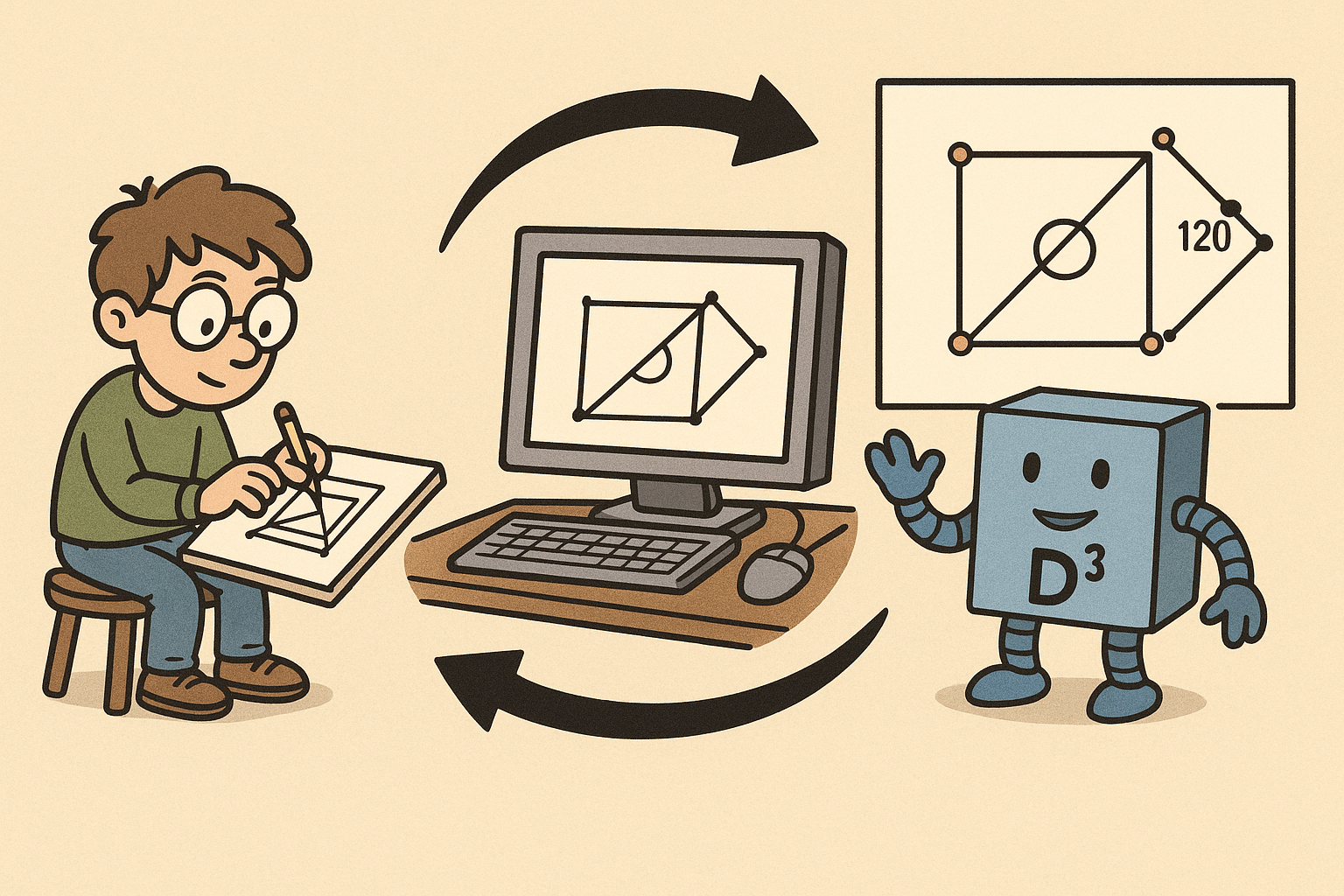
In 1963 at MIT, Ivan Sutherland’s “Sketchpad” introduced a deceptively simple idea that would become the keystone of modern computer-aided design: a drawing could be defined not only by geometry but by explicit relationships among entities. Using a light pen on a TX-2 display, users could impose geometric relationships such as coincidence and perpendicularity, and the system would interactively enforce them—what contemporary engineers would recognize as a constraint-based sketch. Sutherland’s innovation fused representation and computation: the sketch was both a picture and a system to be solved. Within Sketchpad’s symbolic data structures, lines, points, and arcs carried attributes describing how they related; routines propagated changes, effectively solving a small, specialized constraint problem at interactive speed. This was far more than a UI novelty. It planted the seed of the variational geometry paradigm, where shape is the outcome of constraints and dimensions, not just hand-drawn coordinates. As Sutherland’s students and successors moved into academia and industry, the idea of explicitly encoding and maintaining geometric conditions—coincidence, parallelism, perpendicularity, equal length, and later tangency—traveled with them. Over decades, this idea would be formalized, generalized, and industrialized, culminating in the sketchers that now serve as the front door to parametric 3D modeling in mechanical CAD (MCAD) and building information modeling (BIM). Even today, the feel of dragging a point and watching the rest of the sketch flex while constraints hold echoes the interactive solving that made Sketchpad legendary.
From intuition to formal methods: the late‑1980s–1990s research wave
By the late 1980s, a critical mass of researchers began transforming Sutherland’s intuitive constraint maintenance into a formal discipline. At Purdue University, Christoph M. Hoffmann and collaborators developed rigorous frameworks for geometric constraint solving, emphasizing definitional clarity (what is an instance? what is a constraint set’s consistency?) and algorithmic pathways to solution. Around the same period, Ilias Fudos worked on constructive methods that effectively “build” solutions by sequencing primitive constructions in an order consistent with a problem’s dependency structure. This led to graph-based formulations in which geometric entities and constraints form a network that can be decomposed, solved in parts, then recombined. Ideas from combinatorial rigidity—Laman-like counting in 2D—helped define when a set is minimally rigid, underconstrained, or overconstrained, and how those states map to degrees of freedom (DOFs). The notion of a constraint graph and DR-plans (decomposition–recombination plans) became core vocabulary. Meanwhile, in the UK, John Owen was exploring practical engines that could make these ideas work robustly on production geometry. His trajectory would lead to D-Cubed and a commercial solver that essentially operationalized the academic insights. What made this era decisive was the convergence of theory and pragmatics: symbolic graph reasoning combined with numerical methods—Newton–Raphson, Gauss–Newton, and later Levenberg–Marquardt—to handle nonlinear constraints like tangency with convergence control, while rank analysis of Jacobians offered diagnostics for redundancy and inconsistency.
Industrialization: from research code to engines embedded everywhere
Industrial CAD vendors recognized quickly that a dependable sketch solver could anchor a new modeling paradigm: parametric, history-based design. In 1988, PTC’s Pro/ENGINEER popularized dimension-driven features; its sketches, rich with constraints, drove solids via extrusion, revolve, and sweep. The mental model shifted from drafting to variational modeling: first declare intent with constraints and dimensions, then let features inherit those relationships. In the early-to-mid 1990s, John Owen founded D‑Cubed in Cambridge, and its 2D DCM (Dimensional Constraint Manager) became the de facto licensed kernel for sketch constraint solving across the industry. New MCAD entrants—SolidWorks (founded 1993), Solid Edge (Intergraph/UGS), and later Autodesk Inventor, Siemens NX, as well as cloud-era platforms like Onshape and Fusion 360—widely adopted D‑Cubed technology. Other routes also emerged. Dassault Systèmes (CATIA/SOLIDWORKS) and PTC evolved substantial in‑house solvers, tuned to their feature kernels and modeling workflows. From Novosibirsk, the LEDAS team shipped LGS (2D/3D), an alternative solver adopted in components and verticals beyond mainstream MCAD. Open-source communities added vibrancy: Jonathan Westhues’s SolveSpace demonstrated a compact, elegant solver with a transparent codebase, while FreeCAD’s Sketcher integrated a community-maintained nonlinear solver to democratize constraint-based design. In practice, the market coalesced around a few keystone engines with decades of hardening, complemented by specialty and open implementations that broadened access and experimentation.
Language and identity: terms that stabilized the ecosystem
With adoption came a shared vocabulary. Across MCAD and increasingly BIM tools, vendors converged on terms that reflected both algorithmic underpinnings and user-facing behavior. “Constraint-based sketcher” distinguished sketch modules that could reason about relationships from older drawing tools. “Dimensional Constraint Manager” labeled engines responsible for interpreting and solving numeric and geometric constraints, whether in 2D profiles or extended into 3D. The phrase “variational geometry” signaled a conceptual stance: geometry is a variable to be solved, not merely drawn. Within documentation and training, “driving” versus “driven” dimensions clarified the difference between inputs (that control shape) and outputs (that report results). The consistency diagnostics—underconstrained, well-constrained, overconstrained—increasingly mapped to visual cues and solver feedback, making constraint state a first-class interaction concept rather than a cryptic mathematical fact. This shared language enabled cross-pollination among vendors, researchers, and users, and helped new users build a correct mental model more quickly. As cloud-based and open-source tools emerged, they adopted the same terminology, ensuring that a designer switching from a desktop parametric modeler to a browser-based system would still recognize the grammar of constraints, DOFs, and solver state, even if engines differed under the hood.
Algorithms under the hood
Problem model: DOFs, constraints, and the meaning of “driving”
At the core of every sketch solver is a model that turns geometry into variables and relationships into equations. Points contribute coordinates; lines contribute parameters like angle and signed offset; arcs and circles add center coordinates and radii; splines carry control points or local frames. The solver counts degrees of freedom (DOFs) such as x/y position, rotation, and scale-related parameters. Constraints then become equalities or inequalities: coincidence places a point on a point or curve; parallel and perpendicular enforce angular conditions; distance, radius, and angle constraints assign lengths or orientations; tangency relates curve normals; equality ties measures together. A practical sketcher distinguishes driving dimensions—authoritative inputs—from driven dimensions that report measured values. Maintaining this separation makes regeneration predictable and supports design intent: when a driving length changes, the system recomputes free variables to satisfy constraints; a driven dimension updates passively. The engine must also detect and report state: an underconstrained sketch still has free DOFs; a well-constrained sketch has exactly the DOFs needed for rigid placement (often modulo global translation/rotation unless explicitly fixed); an overconstrained sketch includes redundant or inconsistent conditions. This state emerges from analyzing the Jacobian’s rank relative to parameterization, and drives user feedback about what to lock, relax, or fix.
Graph-based decomposition: structure before numbers
Real-world sketches can include hundreds of entities. Solving them wholesale with a monolithic nonlinear system is possible but slow and fragile. Graph-based decomposition imposes structure first. Entities become nodes; constraints become hyperedges that link nodes. From this, the solver builds a decomposition—often a DR-plan—that breaks the problem into subgraphs that can be solved independently or in a sequence. The Fudos–Hoffmann constructive methods identify build orders akin to classical compass-and-straightedge constructions: if you know two points, you can place a line; with a point and a distance, place a circle; intersections produce new points, and so on. Combinatorial rigidity ideas, echoing Laman’s conditions in 2D, provide quick tests for minimal rigidity and guide whether to add constraints, relax redundancy, or anticipate flexibility. The decomposition phase also helps isolate difficult neighborhoods—clusters with many high-order constraints like tangencies—so the numerical solver tackles compact systems rather than the whole sketch. Recombination then assembles local solutions, sometimes resolving alternative placements (e.g., mirrored intersections) via preference rules or the user’s last-known configuration. The payoff is twofold: performance scales better, and numerical stability improves because each local solve operates on a better-conditioned subsystem before the global fit aligns them.
Numerical methods: from Newton to Levenberg–Marquardt with rank-aware diagnostics
Once the solver has a structured representation, it must solve a nonlinear system whose variables are geometric parameters and whose residuals encode constraint violations. The workhorse is typically Newton–Raphson or Gauss–Newton, enhanced with Levenberg–Marquardt damping for robustness. Lagrange multipliers impose constraints in a principled way, turning constrained optimization into a system whose Jacobian blends geometry sensitivities with constraint gradients. Because sketches are interactive, solvers exploit good initial guesses: the previous solution, perturbed by the user’s drag input, provides a near start that reduces iterations. To manage singularities and near-degeneracies—near-parallel lines, nearly coincident points—engines normalize variable scales to unit ranges, use trust regions to avoid overshooting, and regularize ill-conditioned Jacobians. A crucial capability is rank analysis: by inspecting the Jacobian’s rank and nullity, the solver detects dependencies and conflicts, flagging overconstraints and offering candidates for removal. Reparameterization is another practical tactic; for instance, representing lines by angle and offset in a local frame often conditions the equations better than raw endpoint coordinates. Production solvers cache factorizations when possible, exploit sparsity, and switch to robust fallback strategies—like temporarily relaxing low-priority constraints—if the main loop stalls. All of this occurs within milliseconds during a drag, making “feels right” behavior a triumph of numerical engineering as much as geometry.
Algebraic approaches and special constraints: exactness meets complexity
While numerical methods dominate, algebraic techniques occasionally play a role. For small, specialized clusters—say, a triangle of circles with tangency relations—symbolic elimination via resultants or Gröbner bases can deliver exact solutions and help enumerate discrete alternatives. However, algebraic methods are brittle in floating-point contexts and scale poorly with problem size and nonlinearity, so production sketchers confine them to niche routines or validation. Special constraints amplify difficulty. Tangency is already nonlinear; equal curvature (G2 continuity) raises order again, affecting splines and fillets. Symmetry and pattern constraints layer group structure on top of geometry, complicating Jacobian rank because a set may be rigid as a whole yet flexible internally. Reference geometry—planes, axes, construction lines—simplifies modeling intent but adds “soft” anchors that the solver must respect without overconstraining the system. Robust engines encode these subtleties in constraint priority schemes and alternative parameterizations, fall back to approximate enforcement during drag, and snap to exact satisfaction at mouse-up. The result is a hybrid landscape: algebra when it’s compact and decisive; numerics for the general case; and specialized parameterizations for notorious edge cases, all orchestrated to present the user with smooth, predictable behavior rather than the jagged reality of nonlinear algebraic geometry.
Performance and usability co‑evolution
Interactive performance engineering: incremental work and robust numerics
Sketchers feel live because they solve only what’s necessary and do it with numerical care. When a user drags a point, engines compute an affected region by tracing the constraint graph outward until influence diminishes; only that incremental region gets re-solved. Partitioning the graph into components allows partial regeneration, while caches of Jacobian structures and factorizations avoid recomputation if topology hasn’t changed. Some constraints—multiple tangencies, curvature equalities—are deferred or approximated during drag to keep the loop under a frame budget, then solved exactly at rest. Robustness tactics are everywhere: variables are scaled to similar numeric magnitudes; comparisons use tolerances to avoid oscillation when values are within sensor noise; degeneracies (near-parallel lines, coincident points) are detected early and handled by switching parameterizations or temporarily relaxing fragile equations. In addition, engines track user intent heuristically: if the user is dragging horizontally, the solver biases toward preserving vertical alignment where possible. Small touches—ordering constraints so that the cheapest, most stabilizing ones are enforced first, maintaining warm starts for local subsystems, and retrying with relaxed priorities—collectively make the difference between sticky, thrashing motion and silky, predictable updates. The engineering art lies in blending mathematical rigor with pragmatic shortcuts that respect design intent.
Real‑time drag behavior: stabilization, DOF cues, and priority of intent
Users experience a solver primarily through drag. During drag, engines fight two pathologies: thrash—rapid switching among multiple valid configurations—and flips—sudden, discontinuous changes like an angle jumping from 179° to −181°. Stabilization heuristics help. The solver prefers the branch of a constraint that’s closest to the last frame, locking that choice until a threshold is crossed. Tangency constraints track contact points to avoid popping to a different intersection. Constraint priorities reflect intent: strong dimensions and explicit relations outrank inferred or weak constraints; during drag, lower-priority constraints may be softened to maintain smooth motion. Visual feedback is equally important. DOF glyphs and counts tell users what still moves; color cues mark constraints as satisfied, violated (temporarily, during drag), or suppressed. On selection, engines highlight the constraint set that will resist motion and preview what will flex. Some systems show “ghost” positions that indicate alternate placements if a constraint were relaxed. Together these tactics enable drag solve to feel like manipulating a physical jig: the sketch flexes where allowed and resists where it must. It’s a careful choreography between solver numerics and UX design, turning an abstract nonlinear system into something intuitive under the mouse.
UX affordances: auto‑inference, modularity, and conflict explanation
Beyond raw solving, successful sketchers train users through smart defaults and clear explanations. Auto‑inference recognizes likely intent as you draw: horizontal/vertical, parallel, perpendicular, midpoint, and symmetry constraints are proposed transiently and committed with a click or gesture. This reduces cognitive load and accelerates modeling by converting muscle memory into precise relations. Modularity is another pillar. Features like “Fix/Lock,” “Rigid sets,” and “Blocks/Subsketches” let users partition a sketch into movable modules, decoupling design tasks and improving solver performance. Blocks embody local design intent—say, a hole pattern—then instances are reused or mirrored with only placement DOFs exposed. When conflicts arise, explanation quality is decisive. Good systems list redundant or contradictory constraints, rank them by diagnostic evidence (e.g., Jacobian dependency), and suggest candidates for deletion or demotion from driving to driven. Visual aids localize the problem and show how removing a constraint would free a DOF. This transforms failure modes into learning opportunities: users understand why the system refuses a change and how to resolve it without feeling punished by opaque math. Over time, such feedback cultivates fluency in the design language of constraints, making the tool feel less like a solver and more like a collaborative partner.
Scaling up and a useful contrast with UI layout engines
As sketches grow, naïve strategies crumble. Very large 2D profiles adopt partitioning and hierarchy: blocks within blocks, delayed evaluation for expensive constraints, and memoization for repeated patterns. When the action shifts to 3D sketching, complexity climbs again. Additional DOFs (3D positions, orientations) and orientation ambiguities expand the solution space; decomposition and robust numerics become even more critical, and reference planes/axes multiply as anchoring devices. Here, the solver’s diagnostics—Jacobian rank, nullspace visualization—help users manage complexity by exposing what still floats in space. A useful foil is the family of UI layout engines typified by Cassowary. These systems solve mostly linear constraints with inequalities and priorities, ideal for GUI layouts where boxes slide but don’t rotate. CAD sketchers, in contrast, handle dense, nonlinear, rotational geometry. Equality constraints like tangency are nonconvex; rotations couple variables nonlinearly; discrete alternatives (e.g., circle–line tangency on two sides) inject branch choices. As a result, CAD engines emphasize graph decomposition, nonlinear least squares, and stabilization heuristics, while layout systems lean on linear programming and simplex-like updates. Understanding this contrast clarifies why a sketcher demands careful parameterization and heavy numerics—and why its success depends on making these depths invisible while remaining responsive at interactive rates.
Conclusion
From Sketchpad’s vision to today’s front door of 3D
Constraint-based sketchers trace a straight intellectual line from Sutherland’s Sketchpad to the parametric modelers used daily in engineering and architecture. Research in the late 1980s and early 1990s, led by figures like Christoph M. Hoffmann and Ilias Fudos, gave the field structure: constraint graphs, constructive methods, and rigidity reasoning. John Owen translated those ideas into a commercial engine—D‑Cubed’s 2D DCM—that could shoulder industrial expectations of robustness and speed. Vendors such as PTC, Dassault Systèmes, Siemens, and Autodesk wove these capabilities into feature-based workflows, so that a sketch’s constraints and dimensions naturally drove extrusions, revolves, sweeps, and patterns. Open ecosystems—SolveSpace and FreeCAD—extended access and transparency, while alternative solvers like LEDAS LGS diversified the technical landscape. The result is that the sketcher has become the front door to parametric 3D design: it encodes intent, constrains possibilities to meaningful variants, and feeds solid and surface features with reliable geometric scaffolding. Whether the setting is a machine bracket, an organic enclosure, or a floor plan, the rhythmic loop—draw, infer, constrain, drive, drag—feels universal, disguising sophisticated mathematics behind familiar drafting gestures.
A three‑way balance and the road ahead
The enduring success of modern sketchers rests on a balance that is as organizational as it is technical. First, algorithmic rigor: graph decomposition, DOF counting, and nonlinear solvers with rank-aware diagnostics anchor the system in sound mathematics. Second, performance engineering: partial regeneration, caching, reparameterization, and robust numerics tame interactivity, so drags run at human tempo. Third, usability craft: smart auto‑inference, DOF visualization, modular blocks, and clear conflict explanations turn an expert system into a fluent design tool. Looking forward, several vectors seem likely. We should expect stronger 3D and hybrid solvers that unify profile constraints with surface and curve networks, enabling richer pre-feature design. Differentiable and optimization‑aware sketching—where gradients flow through constraints—could enable design exploration, sensitivity analysis, and AI-driven suggestion systems. ML‑assisted constraint inference can learn from user habits to propose not just horizontal and vertical, but intent-rich patterns and symmetries. GPU‑accelerated numerics may help large sketches converge faster, while improved provenance and explanation systems can make conflict resolution more transparent and teachable. The ecosystem will remain mixed: widely licensed cores like D‑Cubed will keep raising the baseline, open-source tools will innovate in the open, and in‑house solvers at PTC and Dassault will push specialized capabilities tightly coupled to their kernels.
What great sketchers teach: constraints as a fluent design language
The most important lesson is human, not algebraic: the best sketchers hide deep mathematics behind immediate, predictable interaction. Constraints aren’t burdens; they are a compact language for communicating intent to a machine. When a system makes that language fluid—auto‑inferring where helpful, explaining when it refuses, stabilizing motion while you drag—it elevates the designer’s focus from geometry to ideas. Underneath, of course, lie the choices we’ve traced: parameterizations that behave under stress, solvers that compromise gracefully, graph decompositions that keep complexity in check. The story from Sketchpad to today’s cloud modelers is one of continuous refinement: turning an elegant concept into the everyday tool of product designers, engineers, and architects. As AI and accelerated numerics arrive, the promise is not to replace constraint reasoning but to enrich it, suggesting useful constraints, proposing robust parameterizations, and revealing clearer “whys” behind failures. If that happens, constraint-based sketching will remain what it already is at its best: a medium in which constraints become creative enablers, and the machine becomes a partner that faithfully preserves intent while leaving room to explore.
Also in Design News


