Your Cart is Empty


Design Software History: Browser-Based CAD History: From File-Centric Desktop Modeling to Cloud-Native Collaborative Design


The Short Introduction: CAD Was Always Collaborative, Even When Its Architecture Was Not
The friction between design work and design software
Browser-based CAD did not appear because engineers suddenly wanted novelty in their toolbars. It emerged because the everyday structure of engineering work had outgrown the assumptions built into desktop CAD. Product design has always required exchange among designers, manufacturers, analysts, procurement teams, suppliers, service departments, and customers, yet for decades the central artifact of that exchange was a file sitting on a workstation, a network drive, or inside a managed vault. The computer-aided design system was powerful, but its power was often localized. The model lived somewhere specific, opened by someone specific, using a specific software version, on a machine configured with the right graphics card, kernel libraries, fonts, standards, and add-ins. The rise of the browser as a CAD platform is historically important because it attacked this mismatch directly. It asked whether geometry, metadata, permissions, revisions, and collaboration could occupy the same live environment. That question made browser-based CAD more than an interface change; it made it a new chapter in the organization of design labor.
From Desktop Workstations to the Web: Why Browser-Based CAD Was Inevitable
The long reign of the local CAD machine
The dominance of desktop CAD began with practical economics as much as with technology. In the 1980s, Autodesk’s AutoCAD helped democratize drafting by moving computer-aided drafting from expensive minicomputer and turnkey systems onto personal computers. John Walker and the early Autodesk team did not merely sell drawing software; they helped redefine who could afford digital drafting. AutoCAD running on IBM-compatible PCs turned the drafting room into a software market, allowing small engineering firms, architects, fabricators, and consultants to participate in digital production without purchasing highly specialized proprietary hardware. This was a major break from the earlier era of systems associated with companies such as Computervision, Calma, Applicon, and Intergraph, where the full cost of ownership placed CAD beyond many organizations. AutoCAD’s DWG format became a commercial and cultural fixture because it matched the personal computer revolution: inexpensive machines, local disks, plotters, and a rapidly expanding ecosystem of third-party tools. The desktop became the natural home of CAD because the desktop itself had become the symbol of digital productivity.
Parametric modeling strengthened the workstation-centered model
The workstation-centered culture became even stronger with the rise of 3D parametric and feature-based solid modeling. PTC’s Pro/ENGINEER, introduced in the late 1980s under the leadership of Samuel Geisberg and the company’s early technical team, transformed mechanical CAD by making dimensions, constraints, and feature history central to the model. Dassault Systèmes’ CATIA, originally tied to aerospace needs at Dassault Aviation and later commercialized internationally through IBM channels, became indispensable in complex vehicle, aircraft, and industrial design. Unigraphics, eventually developed under Siemens PLM Software after its long history through United Computing, McDonnell Douglas, EDS, and UGS, served high-end manufacturing environments. SolidWorks, founded by Jon Hirschtick and a team that proved Windows NT could support serious 3D CAD, brought parametric solid modeling into a more accessible desktop environment. Solid Edge and Autodesk Inventor followed similar currents. These tools made the local machine the place where geometry was regenerated, drawings were produced, assemblies were loaded, and design intent was encoded in feature trees. The more capable CAD became, the more it depended on controlled local computational conditions.
Geometry kernels made CAD powerful, but also heavy
Traditional CAD became tied to local machines because the underlying geometric machinery was computationally demanding. Solid modeling depends on robust representations of topology, surfaces, edges, vertices, Boolean operations, fillets, blends, shelling, offsets, and intersections. Kernels such as Parasolid, originally associated with Shape Data and later Siemens, ACIS from Spatial Technology, Dassault Systèmes’ CGM kernel, and PTC’s Granite gave commercial CAD systems their mathematical backbone. These kernels had to maintain model validity while performing operations that could fail for subtle geometric reasons: near-tangent intersections, tiny sliver faces, complex blends, tolerancing conflicts, and degeneracies in trimmed NURBS surfaces. In the 1990s and 2000s, asking a browser to host this kind of computation would have sounded unrealistic. Even on workstations, CAD users expected regeneration delays, memory exhaustion, and graphics slowdowns when assemblies grew large. The workstation was not merely a display endpoint; it was the arena where geometric truth was calculated. This explains why professional CAD remained deeply bonded to graphics hardware, local memory, file systems, and software installations long after many business applications had moved to the web.
Large assemblies reinforced local workflows
Large assemblies made the file-based desktop model even more entrenched. A mechanical assembly is not simply a collection of shapes; it is a network of references, constraints, configurations, drawings, bills of materials, purchased components, suppressed features, lightweight representations, and manufacturing annotations. Loading a complete aircraft subsystem, industrial machine, medical device, or automotive assembly required strong CPUs, dedicated graphics cards from companies such as NVIDIA or AMD, substantial RAM, and fast access to local or network storage. Engineering organizations built entire rituals around this reality. Designers checked files in and out of Product Data Management systems, copied assemblies to local working directories, resolved broken references, locked components, and coordinated release states through PDM and later PLM platforms. Companies such as Dassault Systèmes with ENOVIA, Siemens with Teamcenter, PTC with Windchill, and Autodesk with Vault formalized these practices. They improved control, but they also revealed the problem. The CAD model was collaborative in business importance, yet technically fragmented across files, folders, vaults, replicas, and software versions. The browser eventually became attractive because it promised to collapse much of this fragmentation into a shared environment.
- Desktop CAD succeeded because it matched the computing power and economics of its time.
- Parametric modeling increased dependence on local regeneration, graphics acceleration, and file references.
- PDM and PLM systems improved control, but did not fully eliminate file-centered friction.
- The web became compelling when collaboration became as important as modeling power.
The collaboration problem was architectural, not cultural
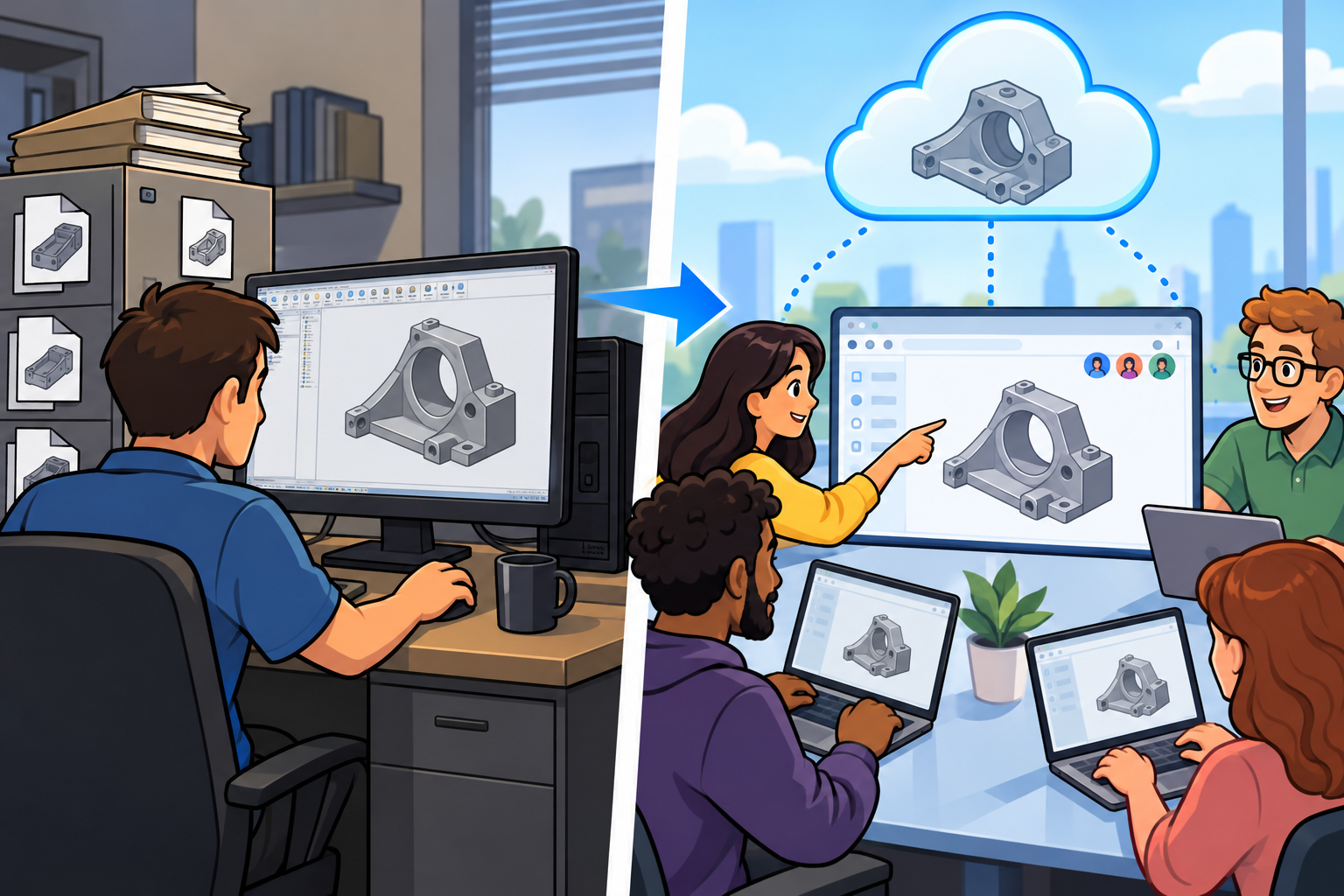
The historical tension was not that engineers resisted collaboration. Engineering teams had always collaborated through drawings, redlines, design reviews, supplier packages, transmittals, prototypes, and formal change orders. The tension was that desktop CAD architecture treated collaboration as something that happened around the model rather than inside the model’s living environment. An engineer in Boston could be changing a bracket while a supplier in Taiwan reviewed an outdated STEP export, a manufacturing engineer in Mexico worked from a PDF drawing, and a project manager in Germany tracked release status in a PLM dashboard. Each artifact might be valid in isolation, but the combined workflow created latency, ambiguity, and duplication. As companies globalized, time zones amplified these delays. Browser-based systems promised a different pattern: universal access through a standard client, centralized data, immediate review, and continuous version history. The appeal was not merely convenience. It was an attempt to align software architecture with the inherently distributed nature of design work. In that sense, browser-based CAD was inevitable once networks, browsers, graphics APIs, and cloud infrastructure matured enough to support the weight of professional geometry.
The Technological Roots: Web Graphics, Cloud Computing, and Database-Centered Design
From plugins and applets to native browser graphics
The browser did not become a CAD platform overnight. Early web-based 3D visualization was experimental, fragmented, and often dependent on plugins that felt disconnected from the smoothness of desktop software. In the 1990s, VRML promised shared 3D worlds on the web, but its adoption remained limited by bandwidth, tooling, browser support, and performance. Java applets, ActiveX controls, proprietary viewers, and specialized plugins allowed companies to display models, configurators, or lightweight design data, yet these approaches lacked the universality that later browser-based CAD required. They also created security concerns and installation burdens that undermined the very promise of browser access. The major breakthrough was WebGL, a JavaScript API derived from OpenGL ES and standardized through the Khronos Group, which allowed hardware-accelerated 3D rendering directly in the browser without plugins. With WebGL, browsers from Google, Mozilla, Apple, and Microsoft could display interactive 3D graphics using the machine’s GPU. This did not automatically produce CAD, but it provided a credible graphics layer for orbiting, selecting, highlighting, sectioning, and visually inspecting complex models inside a standard web page.
Browser APIs matured into application infrastructure
WebGL was necessary, but not sufficient. Serious browser-based CAD also depended on the broader evolution of browser APIs and JavaScript engines. Google’s V8 engine, Mozilla’s SpiderMonkey improvements, Apple’s JavaScriptCore, and Microsoft’s Chakra work during the modern browser-performance race changed expectations about what web applications could do. Technologies such as WebSockets enabled persistent bidirectional communication, which is essential for real-time collaboration and live update mechanisms. Web Workers allowed computational tasks to run without freezing the user interface. IndexedDB supported local caching of structured data. Later developments such as WebAssembly made it more practical to compile high-performance code for browser execution, opening the door to heavier mathematical and geometric routines running partly on the client. Meanwhile, HTML5 canvas, improved pointer events, high-DPI display handling, and better memory management helped browser applications behave less like static web pages and more like interactive engineering tools. The browser gradually became an operating environment. For CAD developers, this mattered because the challenge was not only to draw triangles; it was to create a responsive, precise, selection-rich, stateful modeling experience that engineers could trust for daily work.
Cloud infrastructure normalized remote computation
The other major enabler was the normalization of cloud infrastructure. Amazon Web Services, launched commercially in the mid-2000s, changed how software companies thought about scalable computation and storage. Microsoft Azure and Google Cloud followed with competing platforms that made elastic compute, managed databases, distributed storage, identity services, monitoring, and global deployment increasingly ordinary. For CAD, this was transformative because geometry workloads and collaboration workloads could be separated intelligently. The browser could handle interactive graphics, user input, view manipulation, and parts of the visual scene, while cloud servers could perform modeling operations, store authoritative design data, manage user permissions, maintain version histories, and coordinate simultaneous access. This split replaced the assumption that the workstation had to do everything. It also created new possibilities for burst computation: simulation, rendering, translation, tessellation, and CAM calculations could be submitted to remote services rather than monopolizing a local machine. Autodesk Fusion 360, Onshape, browser-based viewers, and cloud rendering services all drew from this broader infrastructure shift. The point was not that the cloud made all computation magically easy, but that it made remote computation operationally normal, commercially scalable, and continuously maintainable.
The database shift changed the identity of the CAD model
The most profound technological change was the move from traditional CAD files toward database-centered design. A file is a container that must be opened, copied, saved, closed, emailed, checked in, exported, archived, or translated. A database-centered system treats the model as a structured sequence of operations, states, references, permissions, comments, branches, and metadata managed by a central service. This shift is similar in spirit to what software development learned from source control systems, but CAD required its own concepts because geometric models are not plain text. In cloud-native CAD, every sketch edit, feature addition, mate change, configuration update, or drawing revision can become part of a continuously recorded design history. Instead of two engineers overwriting each other’s files or wondering which attachment is current, the system can maintain authoritative state and expose past states on demand. This allows automatic version history, branching-like design exploration, simultaneous collaboration, audit trails, granular permissions, and more reliable review. It also changes accountability. A design organization can see not just the final shape, but the lineage of decisions that produced it, linking geometry more closely to engineering process.
- WebGL provided plugin-free, GPU-accelerated 3D graphics in the browser.
- WebSockets, Web Workers, JavaScript engine improvements, and WebAssembly improved interactivity and computation.
- Cloud platforms made scalable storage, processing, identity, and deployment commercially practical.
- Database-centered CAD replaced isolated files with centrally managed design states and histories.
The hard problems arrived together
Browser-based CAD is often described as if the central difficulty were simply making models appear in a web page, but the deeper problem was that many hard problems had to be solved simultaneously. Latency affects user confidence because CAD interaction depends on immediate feedback: snapping, dragging, constraining, dimensioning, rotating, selecting edges, and regenerating features must feel precise. Graphics performance must remain stable even when assemblies contain thousands of parts. Geometric computation must preserve robustness, because a failed Boolean or unstable fillet is not acceptable simply because the software runs in a browser. Security must protect proprietary designs, export-controlled data, supplier information, and intellectual property. Data integrity must ensure that simultaneous access does not corrupt models or create ambiguous states. Offline expectations create additional complexity because professional users may work during travel, from factory floors, or in restricted network environments. Browser-based CAD therefore required a new engineering discipline combining computational geometry, distributed systems, graphics programming, security architecture, user experience design, and product data management. The successful systems did not merely port CAD to the browser; they redesigned the relationship between client, server, database, and user around the realities of engineering work.
The Companies and People Who Turned the Browser into a CAD Platform
Autodesk’s gradual web-connected evolution
Autodesk’s role in the rise of browser-connected design was evolutionary rather than singular. The company that had built its reputation around AutoCAD on personal computers understood that web access could change how drawings and models circulated. AutoCAD WS, which evolved from technologies associated with web and mobile DWG viewing and editing, helped normalize the idea that CAD documents could be accessed outside the installed desktop application. Autodesk 360, later represented through A360 branding and broader cloud services, extended collaboration, storage, viewing, and rendering into web-connected workflows. Browser-based viewers made it possible for non-CAD specialists to inspect models without installing heavyweight software. Forge, Autodesk’s developer platform, later provided APIs for model viewing, data translation, automation, and integration, letting companies build cloud-connected design applications around Autodesk data. Fusion 360 represented a more ambitious product shift, combining mechanical design, simulation, CAM, rendering, electronics connections, and cloud data management. Autodesk did not abandon the desktop; it blended local interaction with online services. This hybrid approach reflected the company’s vast existing user base and the reality that professional CAD adoption often proceeds through layered transitions rather than abrupt replacements.
Dassault Systèmes and the platform view of design
Dassault Systèmes approached the web and cloud from a platform perspective shaped by its aerospace, automotive, and industrial heritage. CATIA had long been associated with complex products requiring disciplined data management, configuration control, and lifecycle coordination. With ENOVIA, DELMIA, SIMULIA, and later the 3DEXPERIENCE platform, Dassault emphasized a broader environment in which design, simulation, manufacturing planning, lifecycle governance, and business processes could coexist. Bernard Charlès, one of the most visible leaders in Dassault Systèmes’ modern history, repeatedly framed design software as part of larger industrial experience platforms rather than isolated applications. The 3DEXPERIENCE strategy did not simply mean placing CATIA-like capability in a browser; it meant using cloud and platform technologies to connect roles, data, dashboards, requirements, simulation results, and collaboration spaces. This direction mattered because browser-based CAD did not develop only from lightweight modeling. It also grew from enterprise pressure to unify product knowledge across departments. Dassault’s platform thinking helped make the industry comfortable with the idea that design authoring, review, analysis, and governance could be mediated through connected environments rather than separate desktop islands.
Trimble, SketchUp, and accessible browser modeling
Trimble’s stewardship of SketchUp brought browser-based modeling into architecture, education, maker culture, and conceptual design in a distinctive way. SketchUp began at @Last Software, co-founded by Brad Schell and Joe Esch, and gained popularity because it made 3D modeling feel direct, almost conversational, compared with heavier CAD and BIM tools. Google acquired SketchUp in 2006, strengthening its association with geospatial visualization, the 3D Warehouse, and broad public accessibility. Trimble acquired SketchUp in 2012 and continued developing it as a design ecosystem for architecture, construction, education, and early-stage visualization. SketchUp for Web carried the product’s push-pull modeling language into the browser, showing that serious design participation did not always require a traditional installed CAD system. While SketchUp is not the same category of parametric mechanical CAD as CATIA, Creo, or SolidWorks, its web evolution was historically important because it lowered the psychological barrier to browser modeling. Architects, students, hobbyists, interior designers, and makers experienced 3D creation through accounts, online storage, and web access rather than through the older rituals of installation media, license servers, and workstation configuration.
Onshape made cloud-native CAD the central argument
Onshape was the most defining entrant because it treated cloud architecture not as an accessory, but as the product’s organizing principle. Founded by Jon Hirschtick, John McEleney, Dave Corcoran, and other former SolidWorks figures, Onshape carried deep knowledge of mainstream parametric CAD into a new technical architecture. Hirschtick’s earlier SolidWorks experience mattered greatly. SolidWorks had shown in the 1990s that Windows-based CAD could disrupt workstation assumptions; Onshape later asked whether cloud-native CAD could disrupt file-based assumptions. Instead of acting like a file editor stored online, Onshape organized documents, Part Studios, assemblies, drawings, versions, and branches through a centralized database model. Users could work from a browser without manual installations, while also using mobile devices for review and light interaction. Real-time collaboration was not bolted on after the modeling system was complete; it was a first-order product idea. Multiple users could view and edit the same design environment, observe changes, comment, and access history without exchanging files. The conceptual leap was that CAD could behave like a live database application while still delivering mechanical modeling functions familiar to professional designers.
PTC’s acquisition signaled strategic legitimacy
PTC’s acquisition of Onshape in 2019 was a major signal that browser-based CAD had moved from technical provocation to strategic asset. PTC had already shaped the CAD world with Pro/ENGINEER, later Creo, and had invested heavily in PLM through Windchill as well as industrial IoT through ThingWorx. By acquiring Onshape, PTC gained not merely another modeling tool, but a cloud-native architecture that complemented its broader vision of connected product development. The acquisition also carried symbolic weight because PTC was the company that had introduced parametric feature-based modeling to a generation of mechanical engineers. For that company to buy a born-cloud CAD platform suggested a historical continuity: the same industry that once reorganized design around parametric history was now reorganizing it around continuous, collaborative, database-managed history. Onshape’s model also changed expectations around updates and deployment. Instead of waiting for annual releases and service packs installed across hundreds of machines, users could receive continuous improvements through the service. That software-as-a-service rhythm challenged the traditional CAD business model as much as the technical model, influencing licensing, support, education, and administration.
Fusion 360 represented the hybrid cloud path
Autodesk Fusion 360 followed a different but equally important path. Rather than being purely browser-based in its authoring experience, Fusion combined a locally installed modeling environment with cloud-based data management, collaboration, simulation, generative design exploration, rendering, electronics integration, and CAM. This hybrid model acknowledged that many users still valued responsive desktop interaction, offline resilience, and deep local integration, while also needing cloud-era services. Fusion’s importance lies in how it blurred boundaries among industrial design, mechanical CAD, manufacturing preparation, and engineering analysis. A designer could model a part, prepare toolpaths, manage design versions, invite collaborators, render visualizations, and run some computations through connected services within a single ecosystem. Under Autodesk leaders such as Carl Bass during the company’s major cloud transition years and later Andrew Anagnost, Fusion became emblematic of a broader strategic shift: CAD was no longer just an installed program, but a continuously connected service environment. Fusion’s popularity among startups, educators, independent product developers, machinists, and smaller manufacturers showed that cloud-shaped CAD did not require every function to run in a browser. The deeper shift was the expectation that design data should be connected, shareable, and integrated with downstream work.
- Autodesk normalized web-connected design through viewers, A360 services, Forge APIs, and Fusion 360.
- Dassault Systèmes framed cloud design as part of the larger 3DEXPERIENCE platform strategy.
- Trimble’s SketchUp for Web made browser modeling familiar to architects, students, and makers.
- Onshape proved that professional mechanical CAD could be designed around a database-native cloud architecture.
- PTC’s purchase of Onshape confirmed that cloud-native CAD had become strategically important to established CAD vendors.
The industry impact reached beyond the browser window
The wider industry impact of browser-based CAD was visible in expectations that once seemed unrelated to modeling. Users began to question why CAD installations had to be so large, why updates disrupted entire departments, why collaborators needed identical application versions, why suppliers had to receive file exports, and why design history was so often buried in email threads or PDM comments rather than embedded in the design environment. Licensing also changed. Subscription and named-user models became more common, partly because cloud services made continuous access and identity management central. Remote work accelerated these expectations, especially when distributed engineering teams needed design review, markup, and lightweight access without VPN complexity or high-end machines. Browser-based tools also challenged the prestige assumption that serious CAD had to live entirely on an expensive workstation. That assumption did not disappear, because computationally intense work remains demanding, but it lost its inevitability. A younger engineer who had grown up with Google Docs, GitHub, Figma, Slack, and web-based development environments could reasonably ask why CAD collaboration should resemble a controlled file exchange from the 1990s. Browser-based CAD changed the cultural baseline of what design software should feel like.
Browser-Based CAD as a Historical Turning Point, Not Just a Convenience
The real shift was architectural
Browser-based CAD should be understood as more than CAD delivered through a different interface. Its deeper historical importance lies in changing the architecture of design work. The movement from files to databases altered the identity of the model from a saved object into a managed, queryable, shareable, permissioned, and continuously historized design record. The movement from isolated workstations to shared workspaces altered collaboration from a meeting-driven activity into a persistent software condition. The movement from manual version control to continuous design history reduced dependence on file names such as “final,” “final revised,” and “supplier final,” replacing them with explicit version states, branches, releases, and activity records. The movement from local installation cycles to constantly updated software services changed the economics of administration and the cadence of innovation. These changes are comparable in importance to earlier shifts in CAD history: wireframe to surface modeling, surface modeling to solids, explicit modeling to parametric modeling, and CAD-only environments to PLM-connected enterprises. Browser-based CAD belongs in that lineage because it changed assumptions about where design knowledge lives.
Desktop CAD remains powerful and necessary
The rise of browser-based CAD did not erase desktop CAD, nor should its history be told as a simple replacement narrative. High-end mechanical design, aerospace assemblies, automotive surfacing, shipbuilding, advanced simulation, specialized CAM, classified engineering environments, and very large product structures still often depend on powerful local or hybrid environments. CATIA, Siemens NX, Creo, SolidWorks, Inventor, Solid Edge, Rhino, Revit, and many other desktop or desktop-centered tools remain essential because they contain decades of specialized capability, partner ecosystems, automation scripts, translators, certified workflows, and industry trust. Advanced Class A surfacing, heavy finite element pre-processing, computational fluid dynamics, large BIM coordination, and complex manufacturing verification can require resources and integrations that do not fit neatly into a browser-only story. Many professional workflows now blend desktop modeling, cloud collaboration, browser-based review, mobile access, and PLM governance. This blended reality is important. The historical significance of browser-based CAD is not that it made every workstation obsolete. It is that it destroyed the assumption that professional design work must begin and end on the local machine. Once that assumption was broken, the entire software category became more flexible.
The model became a connected engineering environment
The real legacy of browser-based CAD is that it reframed what design software could be. CAD was once described primarily as a drafting tool, then as a modeling tool, then as a parametric engineering tool, then as part of lifecycle management. Browser-based CAD pushed it further toward a live connected engineering environment in which geometry, metadata, collaboration, permissions, revision history, and decision records exist together. That integration matters because modern products are too complex to be represented only as shapes. A bracket may carry material choices, supplier constraints, simulation assumptions, cost implications, machining operations, inspection requirements, regulatory meaning, and release status. A collaborative CAD environment can connect more of that information to the model’s living context rather than scattering it across spreadsheets, email, disconnected viewers, and separate databases. This does not solve every organizational problem, but it changes the medium in which those problems are addressed. It makes the design environment more conversational, more traceable, and more accessible to stakeholders who historically depended on exported derivatives. In that sense, browser-based CAD is part of a broader movement toward engineering systems that are not merely digital, but continuously connected.
A place beside parametric modeling, solid modeling, and PLM
In historical perspective, browser-based CAD belongs beside parametric modeling, solid modeling, geometric kernels, and PLM as one of the transformations that changed how engineering organizations think about design itself. Solid modeling gave designers a mathematically coherent representation of physical objects. Parametric modeling gave them a way to encode design intent and regenerate geometry through relationships. PLM gave organizations a framework for governing product data across lifecycles. Browser-based CAD added another layer: the possibility that the authoritative design environment could be shared, database-managed, continuously updated, and accessible through a universal client. Its importance is not limited to convenience, remote access, or reduced installation burden, although those benefits are real. Its deeper importance is that it aligned CAD architecture with the collaborative, distributed, revision-heavy reality of modern engineering. The browser became attractive not because it was glamorous, but because it could serve as a common doorway into centralized design intelligence. That is why the rise of browser-based CAD is not a minor chapter in software delivery. It is a turning point in the long history of how humans represent, negotiate, and manufacture designed objects through computation.
Also in Design News