
Your Cart is Empty


Design Software History: Autodesk Inventor and the Shift from AutoCAD Drafting to Parametric 3D Mechanical CAD
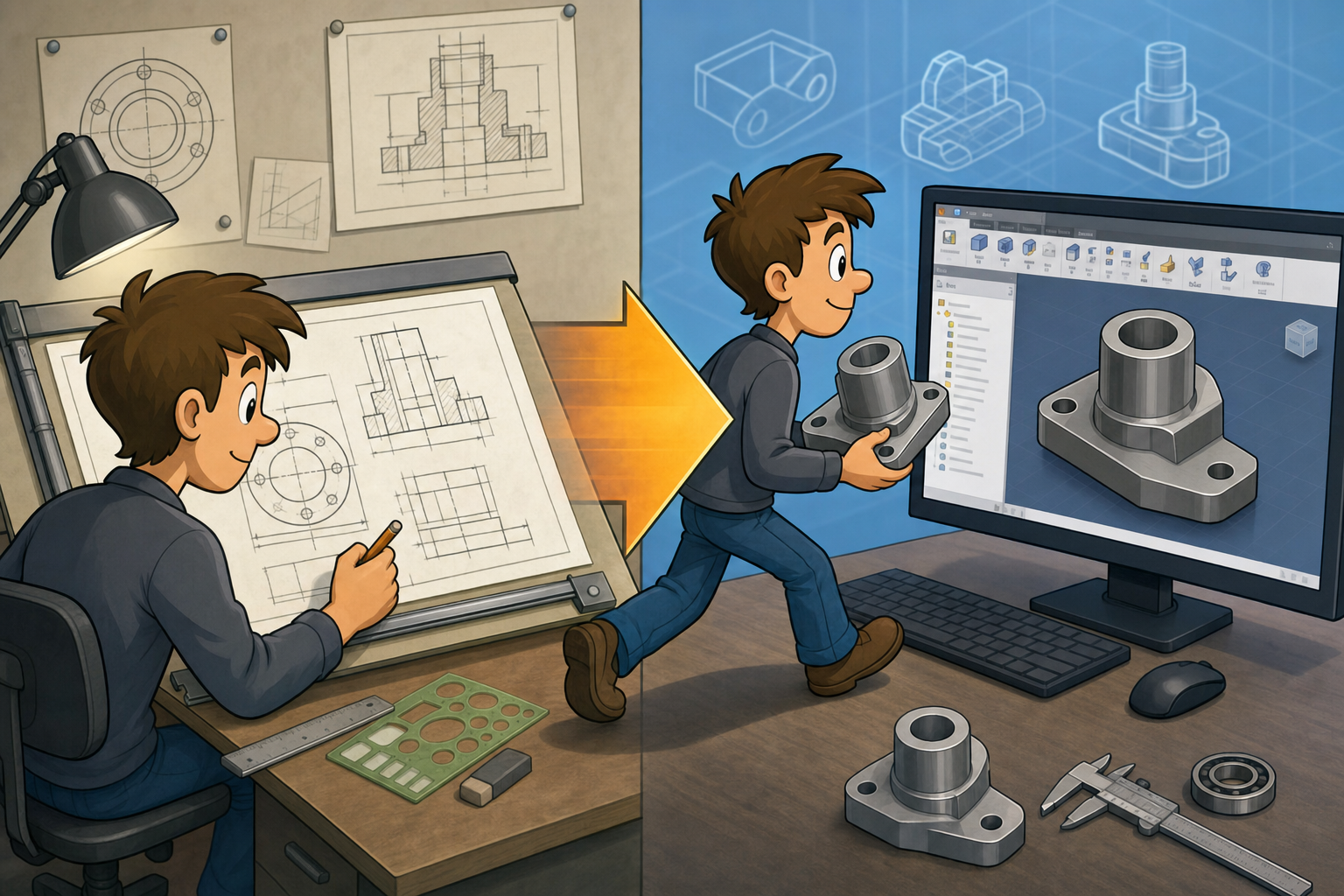


Autodesk Inventor’s history is inseparable from the larger shift from computer-aided drafting to computer-aided product definition. Autodesk had already changed design software once by making AutoCAD a practical desktop drafting standard, but the mechanical design market of the late 1990s no longer revolved around electronic drawing boards. It was moving toward parametric 3D solid modeling, assembly intelligence, manufacturing-aware features, and digital product data. Inventor was Autodesk’s answer to that change: not merely another AutoCAD add-on, but a deliberate attempt to build a modern mechanical CAD platform for the Windows PC era.
Autodesk’s AutoCAD Dominance Before the 3D Turning Point
The Desktop Drafting Revolution
Autodesk entered the 1980s CAD market with a sharply different proposition from the expensive turnkey systems sold by companies such as Computervision, Intergraph, Calma, Applicon, and IBM. AutoCAD, introduced in 1982 by Autodesk co-founder John Walker and the company’s early engineering team, ran on commodity personal computers at a time when professional CAD was still associated with specialized minicomputers, UNIX workstations, proprietary graphics terminals, and high capital investment. This mattered enormously because AutoCAD did not simply offer another drafting tool; it changed who could afford CAD, who could install it, and how quickly a design office could shift from manual drafting boards to digital drawing files. During the 1980s and 1990s, AutoCAD became the de facto standard for 2D drafting in architecture, manufacturing, civil engineering, plant layout, and countless regional engineering offices. Its DWG file format became a practical language of industry exchange, and the AutoLISP customization environment helped resellers, corporate CAD managers, and independent developers build vertical tools around Autodesk’s platform.
The Limits of Extending a Drafting System
AutoCAD’s power, however, also created a strategic constraint. Its core identity was rooted in geometry creation, editing commands, layers, blocks, dimensions, plotting, and drafting conventions. These capabilities were excellent for representing designs as drawings, but they did not automatically provide the deeper semantic structure needed for modern mechanical product development. A 2D drawing can describe a machined bracket, but it does not inherently know that a hole is a manufacturing feature, that a fillet belongs to a load-bearing edge, or that a change in one component should propagate through an assembly. By the mid-1990s, mechanical engineers increasingly expected the CAD model to behave as a product definition, not just a graphic representation. The market was shifting toward systems that could capture design intent through constraints, dimensions, features, histories, assemblies, and relationships. Autodesk’s enormous AutoCAD base was an asset, but it was also a reminder that the company’s center of gravity remained in a drafting paradigm just as mechanical CAD was moving beyond drafting.
The Competitive Pressure from Parametric and Windows-Based 3D CAD
Pro/ENGINEER and the Parametric Breakthrough
The most important warning signal came from Parametric Technology Corporation, better known as PTC. Founded in 1985 by Samuel Geisberg and others, PTC introduced Pro/ENGINEER in the late 1980s and made parametric, feature-based solid modeling the defining idea of high-end mechanical CAD. Pro/ENGINEER treated models as networks of relationships instead of static collections of lines and surfaces. A designer could sketch a profile, constrain it, extrude it, add holes and rounds, and later change a dimension while the model regenerated according to its feature history. This was a fundamental change in design practice. It allowed engineering teams to explore variations, reuse design logic, and connect geometry more closely to product engineering intent. PTC’s success proved that feature-based parametric modeling was not an academic idea or a luxury niche. It was a commercially powerful way to design mechanical products, and it directly challenged companies whose revenue and reputation were tied to drafting-centric workflows.
SolidWorks, Solid Edge, and the Mainstream PC Challenge
The next pressure point came from a younger generation of Windows-based CAD vendors. SolidWorks, founded in 1993 by Jon Hirschtick and launched commercially in 1995, demonstrated that serious 3D mechanical CAD could be delivered on mainstream Microsoft Windows PCs with a friendlier interface and lower total cost than traditional workstation systems. Dassault Systèmes acquired SolidWorks in 1997, giving the product both corporate backing and a strategic position alongside CATIA. Solid Edge, originally developed by Intergraph and later owned by Unigraphics Solutions and Siemens, pursued a similar mainstream mechanical CAD opportunity. Meanwhile, Dassault Systèmes, SDRC with I-DEAS, Unigraphics Solutions with Unigraphics, and PTC with Pro/ENGINEER were all broadening their offerings around digital product development, complex assemblies, simulation, manufacturing, and product data management. Autodesk could not ignore these movements. If mechanical design customers began standardizing on Windows-based 3D CAD from competitors, AutoCAD’s drafting dominance would no longer guarantee Autodesk’s relevance in mechanical engineering departments.
- PTC established the commercial credibility of parametric, feature-based solids.
- SolidWorks proved that Windows-based 3D CAD could be approachable and affordable.
- Solid Edge joined the same mainstream mechanical design battle with strong assembly and drafting workflows.
- Dassault Systèmes, SDRC, and Unigraphics pushed integrated digital product development beyond basic CAD geometry.
Mechanical Desktop and the Tension Inside Autodesk’s Transition
AutoCAD Mechanical as a Productivity Layer
Before Inventor, Autodesk attempted to serve mechanical designers by extending the AutoCAD environment. AutoCAD Mechanical offered specialized drafting productivity for manufacturing drawings, including standard parts, mechanical symbols, dimensioning tools, hole charts, bills of materials, and drawing automation aligned with mechanical documentation practice. For many companies, this was valuable because it preserved the familiar AutoCAD command structure and DWG-based workflows while reducing repetitive drafting labor. It fit shops where 2D manufacturing drawings remained the primary contractual and production artifact. Yet AutoCAD Mechanical did not transform the underlying model of design. It improved drafting, but it did not fully replace drawings with intelligent 3D product models. This distinction became increasingly important as customers compared Autodesk’s mechanical products with parametric solid modelers that started from a fundamentally different premise: build the 3D part and assembly first, then derive drawings, manufacturing information, and derivative geometry from that central model.
Mechanical Desktop as a Bridge Product
Mechanical Desktop, introduced in the 1990s, represented Autodesk’s more ambitious attempt to bring parametric solid modeling into the AutoCAD family. It added part modeling, assembly capabilities, constraints, and feature-like workflows while maintaining a connection to AutoCAD’s interface, file culture, and user expectations. This made it a bridge product in both a technical and cultural sense. Existing AutoCAD users could move toward 3D without fully abandoning their familiar environment. However, Mechanical Desktop also exposed the architectural difficulty of evolving a drafting platform into a modern 3D mechanical system. Legacy assumptions about drawing entities, command-driven interaction, and general-purpose CAD flexibility could become burdens when engineers needed robust regeneration, assembly constraint solving, feature histories, and large-scale associativity. The central question inside Autodesk was not whether mechanical CAD needed 3D; that answer had become obvious. The harder question was whether AutoCAD could be transformed enough to compete with SolidWorks and Solid Edge, or whether Autodesk needed a clean architectural break.
The Birth of Inventor as a Purpose-Built 3D Mechanical Platform
A Clean Break from Drafting-First Architecture
Autodesk Inventor was created because Autodesk needed more than an incremental extension of AutoCAD. Released at the end of the 1990s, Inventor was designed as a purpose-built 3D mechanical CAD system in which parts, assemblies, constraints, and drawings were core workflows rather than add-ons. This distinction was decisive. A drafting system extended into 3D begins with the habits of drawing production; a modern mechanical modeler begins with the logic of parts and assemblies. Inventor’s strategic goal was to give Autodesk’s large customer base a credible path into mainstream 3D design while competing directly with SolidWorks and Solid Edge. It had to appeal to engineers who were not necessarily high-end CATIA or Pro/ENGINEER users, but who increasingly expected professional 3D modeling, associative drawings, assembly validation, and manufacturing-oriented features on standard Windows workstations. Autodesk also had to overcome skepticism from customers who wondered whether the company best known for AutoCAD could deliver a native 3D product equal to the new generation of mechanical CAD competitors.
Windows PCs and the Timing of the Market
Inventor arrived during a major hardware and operating-system transition. The CAD industry was moving away from dependence on specialized UNIX workstations from Sun Microsystems, Hewlett-Packard, Silicon Graphics, and IBM. Intel processors, Microsoft Windows NT and later Windows 2000, OpenGL-capable graphics cards, and falling memory costs made capable 3D CAD possible on ordinary engineering desktops. This was the same technological wave that helped SolidWorks gain traction, and Autodesk recognized that the mainstream engineering market would be won on PCs, not on proprietary hardware stacks. Inventor’s interface, deployment model, and performance expectations were built for this environment. The product also had to support the practical habits of mechanical design offices: quick sketching, dimension-driven edits, assembly building, drawing output, standard parts, and collaboration with suppliers still using DWG. Autodesk therefore positioned Inventor not as a rejection of AutoCAD users, but as a new mechanical design center that could coexist with AutoCAD while gradually moving engineers toward model-based design.
- Inventor treated the 3D model as the primary engineering artifact.
- It used sketches, features, parameters, and constraints to capture design intent.
- It emphasized assemblies as structured product definitions rather than collections of unrelated files.
- It preserved Autodesk’s connection to established drafting and documentation workflows.
ShapeManager, ACIS, and the Geometric Foundation of Inventor
Why the Modeling Kernel Mattered
At the heart of any solid modeler is a geometric modeling kernel: the software component responsible for representing and calculating solid bodies, surfaces, edges, vertices, topology, Boolean operations, blends, intersections, offsets, shells, and transformations. For users, the kernel is mostly invisible, but it determines whether fillets succeed, whether complex cuts regenerate, whether assemblies remain reliable, and whether imported geometry can be repaired. Inventor’s technical foundation was connected to ACIS, the solid modeling kernel developed by Spatial Technology. Autodesk had licensed ACIS technology, as did many other CAD developers. After Dassault Systèmes acquired Spatial in 2000, Autodesk developed its own branch called Autodesk ShapeManager, derived from ACIS technology but maintained independently by Autodesk. ShapeManager became an important strategic asset because it reduced Autodesk’s dependence on a modeling kernel controlled by a major CAD competitor’s corporate family. It also allowed Autodesk to tune the kernel for Inventor’s feature modeling, translation, and mechanical design requirements without waiting on an external vendor’s roadmap.
Feature Modeling Above the Kernel
The kernel alone did not make Inventor a parametric modeler. ShapeManager handled deep geometric and topological operations, but Inventor’s value came from combining that foundation with a feature tree, sketch solver, constraint management, parameters, associativity, and user-facing mechanical workflows. When an engineer created an extrusion, the system had to store not merely the resulting solid body, but the sketch, dimension values, feature operation, direction, termination condition, dependency order, and downstream relationships. A later change to a sketch dimension could require multiple features to regenerate, drawings to update, and assembly constraints to remain valid. This stack of technologies is what separated modern mechanical CAD from pure geometric editing. Autodesk’s challenge was to make this complexity usable for mainstream designers. Inventor therefore represented both a geometric modeling project and an interaction-design project: it needed a reliable kernel, but also a disciplined workflow that helped designers understand how constraints, features, and assemblies affected one another across a complete product definition.
Inventor and the Shift from Drawings to Model-Based Design
The Model as the Source of Truth
Inventor reflected a broader industry transition in which engineers increasingly created 3D parts and assemblies first, then generated 2D drawings from the model. This did not eliminate drawings; manufacturing, inspection, purchasing, and regulatory processes still depended on them for many years and often still do. But it changed their role. Instead of serving as the primary place where design intent was created and managed, drawings became associative outputs derived from a central 3D definition. This reduced a long-standing source of errors in drafting workflows: the mismatch between multiple views, sections, details, and revisions. In a traditional 2D process, a hole moved in one view might need to be manually updated in another view, a section view, a dimension table, and a bill of materials. In a model-based workflow, the 3D part or assembly changed first, and dependent drawings could update from the same data structure. That improvement was one of the strongest practical arguments for adopting Inventor.
Visualization, Review, and Manufacturing Consequences
The central 3D model also improved communication. Engineers, machinists, managers, suppliers, and customers could understand spatial relationships more easily from shaded models and assemblies than from dense orthographic drawings alone. Inventor made it easier to inspect clearances, understand fit, evaluate component relationships, and detect design issues before physical prototypes were built. The practical effect was not simply prettier graphics; it altered the rhythm of mechanical design review. Problems that might once have appeared during assembly on the shop floor could be discovered in a digital assembly. Downstream manufacturing also benefited because 3D geometry could support toolpath generation, sheet-metal flat patterns, visualization, documentation, and later simulation. Autodesk’s broader mechanical strategy increasingly connected Inventor to adjacent tools so that the model could become a reusable asset across engineering and production. This was part of the larger historical movement from CAD as drawing automation to CAD as a hub for digital product workflows.
Parametric Part Modeling and the Capture of Design Intent
Sketches, Constraints, and Features
Inventor’s part modeling workflow followed the mainstream parametric pattern: begin with a sketch, control it with dimensions and geometric constraints, then turn that sketch into a feature such as an extrusion, revolve, sweep, or cut. Additional features such as holes, fillets, chamfers, ribs, shells, patterns, and work geometry allowed the model to accumulate mechanical meaning. This was very different from manually drawing every projected edge in 2D. A hole feature could contain information about diameter, depth, thread specification, termination, and placement. A pattern could define repeated geometry by count, spacing, direction, or circular distribution. A fillet could be associated with selected edges so that changes to earlier features attempted to preserve downstream design intent. Inventor users learned to think not only about final shape, but about modeling strategy: which feature should come first, which dimensions should drive the design, which constraints should lock relationships, and how much flexibility should remain for future variants.
Engineering Discipline Inside the Model
This was one of the quiet cultural changes introduced by parametric CAD. Poorly constrained sketches, careless feature order, and unstable references could make a model fragile. Well-structured models, by contrast, became reusable engineering assets. Inventor encouraged designers to encode relationships explicitly: concentricity, tangency, symmetry, parallelism, equal lengths, driven dimensions, and parameters were not decorative details but mechanisms for preserving intent. A designer could define a plate thickness as a parameter, use that parameter across multiple features, and adjust the design more reliably when requirements changed. This made CAD more mathematical and more procedural than traditional drafting. It also required training. Autodesk’s resellers, documentation teams, and product specialists had to help AutoCAD veterans move away from line editing and toward constraint-based thinking. The change was not purely technical; it altered the designer’s mental model of what CAD was supposed to store. Inventor’s significance lies partly in how it brought these habits to a much wider community of PC-based mechanical designers.
- Sketch dimensions became design variables rather than static annotations.
- Geometric constraints captured relationships such as perpendicularity, tangency, and symmetry.
- Feature histories recorded how a model was built, not just what it looked like.
- Parameters allowed controlled variation and reuse across part families.
Assembly Modeling and the Practical Definition of Products
From Parts to Product Structure
Mechanical products are rarely isolated parts, and Inventor’s assembly environment was central to its value. Assemblies allowed designers to place components, define relationships, manage product structure, and evaluate how parts interacted. Constraints such as mate, flush, insert, angle, tangent, and later more specialized joint-like behaviors helped describe how components fit together. This mattered because a product model needed to represent more than geometry occupying the same digital space. It needed to express intentional relationships: a shaft aligned with a bearing, a fastener seated in a hole, a cover offset from a housing, or two plates constrained by a weldment. Assembly modeling also supported bills of materials and structured documentation. The assembly became a bridge between engineering geometry and manufacturing organization, because the product structure could inform drawings, parts lists, purchasing, and downstream data management. In this sense, Inventor participated in the industry’s broader movement from isolated file creation toward integrated product definition.
Interference, Scale, and Change
Assembly workflows also introduced new kinds of validation. Interference checking helped designers detect collisions between components before fabrication. Motion-related constraints and positional representations supported design review by showing how components occupied space in different configurations. Large assemblies created performance and data-management challenges, pushing Autodesk to improve graphics handling, file references, simplified representations, and workflow practices for teams working on machinery, equipment, tooling, and manufactured products. The more complete the assembly became, the more valuable associativity became. A change to a part could update its drawing, affect its fit in an assembly, alter a bill of materials, and reveal new interference or clearance issues. This level of connectedness was both powerful and demanding. It required better file discipline, naming conventions, revision control, and team coordination than many loose DWG-based environments had required. Inventor therefore did not merely introduce 3D modeling commands; it forced organizations to confront the data structure of mechanical products.
Drawings, Manufacturing Features, and Production-Oriented Workflows
Associative Documentation
Inventor’s drawing generation capabilities were essential because the market could not jump overnight into drawing-free manufacturing. Engineering organizations still needed orthographic views, sections, details, dimensions, tolerances, notes, parts lists, revision tables, and title blocks. Inventor’s advantage was that these drawings were associative to the 3D model. When a part changed, drawing views and dimensions could update, reducing duplication and inconsistency. This preserved the practical role of 2D documentation while repositioning it as an output of model-based design. For Autodesk, this was strategically important because its customers trusted AutoCAD and DWG-based documentation culture. Inventor had to respect those expectations while teaching users that the authoritative design information increasingly lived in the 3D model. The product’s drawing environment therefore functioned as a transitional interface between two eras: the drafting era of plotted sheets and the 3D era of intelligent product models. Its success depended on making that transition feel productive rather than disruptive.
Sheet Metal, Weldments, Routed Systems, and Accelerators
Inventor also became more useful as Autodesk added workflows for real manufacturing contexts. Sheet metal tools supported bends, flanges, reliefs, corner treatments, and flat pattern generation, allowing designers to think about formed material rather than generic solids. Weldment tools helped represent preparation, weld beads, machining after welding, and documentation needs for fabricated structures. Routed systems extended usefulness into tubing, piping, and cabling-like design situations where paths, fittings, and constraints mattered. Design accelerators and standard component libraries addressed repetitive engineering tasks such as shafts, gears, fasteners, springs, bolted connections, and frame-like structures. These capabilities were important because mainstream mechanical CAD buyers did not want an abstract solid modeler alone; they wanted a production environment that understood recurring engineering work. Inventor’s steady expansion into these areas reflected Autodesk’s recognition that practical adoption depended on reducing everyday friction. A tool that handles only elegant demo parts is not enough for manufacturing organizations dealing with revisions, standards, suppliers, stock materials, fabrication constraints, and documentation deadlines.
- Associative drawings reduced inconsistencies between model geometry and documentation.
- Sheet metal workflows connected 3D design to bend logic and flat patterns.
- Weldment tools supported fabricated structure documentation and sequencing.
- Design accelerators helped automate recurring mechanical engineering calculations and component creation.
Autodesk’s Ecosystem Strategy Around Inventor
From Standalone CAD to Managed Design Data
Inventor became increasingly important as part of a broader Autodesk mechanical design ecosystem. One of the key additions was Autodesk Vault, a product data management system intended to help teams control files, versions, references, check-in/check-out workflows, and revision processes. This was not a glamorous feature compared with modeling commands, but it addressed a major practical obstacle in 3D CAD adoption. Parametric CAD creates networks of dependent files: parts reference sketches and features, assemblies reference parts and subassemblies, drawings reference models, and libraries reference standard components. In a loose folder structure, broken links, overwritten files, duplicate part numbers, and uncontrolled revisions can quickly undermine productivity. Vault gave Autodesk customers a more disciplined way to manage Inventor data as teams moved from individual drafting files to interconnected product models. This reflected a larger industry truth: once the model is the source of truth, data management becomes inseparable from design quality.
Connections to AutoCAD, Simulation, CAM, and Fusion 360
Autodesk also had to connect Inventor to both its legacy and its future. AutoCAD interoperability remained important because many manufacturers, suppliers, and contractors continued to work with DWG files and 2D documentation. Over time, Autodesk expanded links between Inventor and simulation tools, visualization workflows, CAM capabilities, and cloud-connected design services. The later emergence of Fusion 360 added another layer to Autodesk’s mechanical strategy, emphasizing cloud collaboration, integrated CAD/CAM/CAE, industrial design workflows, and subscription-era delivery. Inventor, however, continued to serve as Autodesk’s mature professional mechanical CAD platform for many manufacturing users who required deep assemblies, drawings, automation, and established desktop workflows. The relationship between Inventor and Fusion 360 illustrates Autodesk’s ongoing balancing act: protecting proven professional tools while investing in newer delivery models and integrated product development environments. That balancing act began earlier with AutoCAD and Inventor, and it remains one of the defining themes of Autodesk’s history.
Inventor’s Historical Significance in the Mainstreaming of 3D CAD
A Credible Autodesk Platform for Modern Mechanical Design
Inventor was not the first parametric modeler, and it did not invent mainstream Windows-based 3D CAD. PTC’s Pro/ENGINEER established the parametric paradigm with enormous influence, while SolidWorks made accessible Windows-based mechanical modeling a commercial phenomenon before Inventor reached the market. Solid Edge also played a major role in shaping expectations for midrange mechanical CAD. Inventor’s historical importance is different: it represented Autodesk’s serious and sustained shift from 2D drafting dominance toward modern 3D mechanical design. Because Autodesk had such a large AutoCAD user base, its movement into purpose-built 3D CAD affected a broad population of engineers, designers, educators, resellers, and manufacturing companies. Inventor gave Autodesk a credible platform in the same mainstream mechanical design race and helped normalize the expectation that PC-based CAD should include parametric parts, structured assemblies, associative drawings, specialized manufacturing workflows, and managed product data. It turned Autodesk from a company defending a drafting legacy into a company actively competing in 3D product development.
The Difficulty of Changing Eras
The larger lesson of Inventor’s history is that transitions are hardest for market leaders. Autodesk could not simply abandon AutoCAD, because AutoCAD was a revenue engine, a file-format standard, a customization platform, and a professional habit embedded across industries. Yet Autodesk also could not rely on AutoCAD alone as mechanical design moved toward intelligent 3D models. Inventor therefore shows the difficulty of protecting a legacy while building a new future. The company had to manage architectural change, customer education, reseller strategy, file interoperability, product positioning, and competitive pressure at the same time. This is why Inventor’s story remains historically interesting. It is not just a product launch story; it is a story about how design software companies survive paradigm shifts. The rise of mainstream 3D CAD redefined what engineers expected from their tools: not only accurate drawings, but intelligent, reusable, manufacturable digital models connected to assemblies, documentation, manufacturing, simulation, and product data management. Inventor became one of the key platforms in that redefinition.
Also in Design News






