Your Cart is Empty


Annotations, dimensions and tags| BricsCAD BIM Essentials V26 | Lesson 19/22
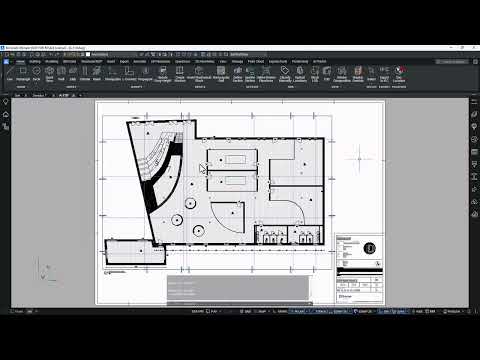

Video From YouTube: Octave BricsCAD
Graebert demonstrates how to produce clear, annotated BIM documentation by adding dimensions and tags to section drawings with BIMDIMENSION and BIMTAG. The tutorial explains Auto and Manual tag modes, cycling between tag types, and how tags remain linked to the 3D model for robust coordination. It also covers customization of tag blocks, multileader styles, and XML mappings to control appearance and behavior. Guidance on editing template files helps establish consistent annotation standards across projects. Ideal for users seeking reliable documentation workflows, the lesson emphasizes accuracy, repeatability, and efficient annotation management within BricsCAD BIM. Best practices and tips are demonstrated throughout.
If you like this content please subscribe to the Bricsys YouTube Channel

Browse Bricsys Products
Professional, familiar DWG‐based 2D & 3D CAD
Also in Design News