Your Cart is Empty


SolidWorks Drawing Cleanup Killers: 5 Automation Tools for Stable Views, Annotations, and Standards
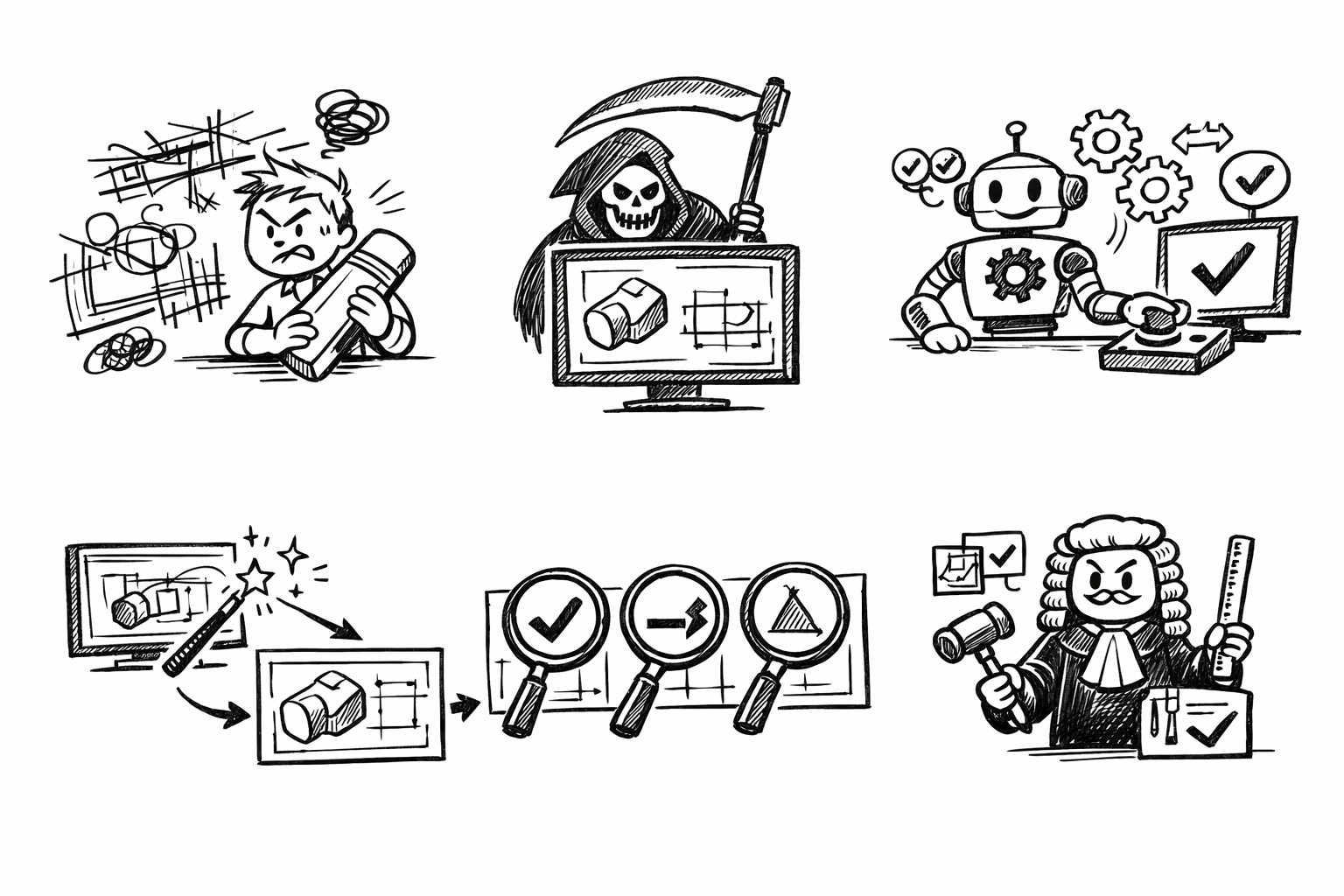


Most “messy” drawings aren’t a drafting skill issue—they’re a tool-selection and standards-automation issue. In SolidWorks, the difference between a drawing that stays readable through revisions and one that constantly needs cleanup is often whether clarity is enforced at the source: view layout behavior, annotation intent, and automated formatting that survives model change.
The goal here is to identify five SolidWorks drawing tools that reduce downstream cleanup by building order into views, annotations, and manufacturing documentation rules. The assumption is simple: you’re producing manufacturing-ready 2D documentation and you want fewer manual edits after revisions, scale changes, and engineering updates.
Auto-Arrange & Align Tools (Views + Annotations)
Why it matters
When drawings “fall apart,” it’s usually not because someone doesn’t know how to place a view. It’s because the drawing is being asked to adapt: a scale changes, a section view gets added, model geometry updates, or a sheet size shifts. That’s where overlap, uneven spacing, and annotation collisions appear—and that’s where cleanup time explodes.
SolidWorks provides layout tools that act less like “cosmetic cleanup” and more like constraint-based organization. Used early, they prevent the most common geometry-to-drawing cascade failures.
Core tools to use
- Auto Arrange View: quickly reflows drawing views to avoid overlaps after scale or sheet changes, preserving a cleaner, more consistent view field.
- Align (Horizontal/Vertical/To Grid): enforces consistent baselines, symmetrical spacing cues, and tidy margins that improve scan-readability.
- Magnetic Lines (dimensions/notes): snaps annotations into clean, parallel rails rather than free-floating clutter, improving legibility and reducing leader interference.
Best-practice workflow (repeatable)
The workflow that reduces churn is one that postpones “fine placement” until the drawing has stable anchors. A reliable order looks like this:
- Lay down primary views first (front, top, right, or your functional equivalent).
- Lock in scale as early as practical to avoid a later view-field collapse.
- Run Auto Arrange View to establish a no-overlap baseline.
- Do an alignment pass using Horizontal/Vertical/To Grid so views read as a system, not scattered images.
- Add dimensions and notes only after views are stable.
- Apply Magnetic Lines last to organize dimensions/notes into consistent channels.
This ordering matters because it avoids building annotation structure on top of unstable view structure. If the views later reflow, annotations can be re-railed instead of individually re-positioned.
Cleanup reduction payoff
When you add a section view, change sheet size, or update geometry, these tools prevent the common “death by nudging” scenario. Instead of manually nudging multiple views and then untangling dimensions one by one, you get a controlled redraw behavior where alignment and rails can restore order quickly.
Model Items + DimXpert / MBD-to-Drawing Conversion
Why it matters
If you want drawings that survive revisions, the best lever is reducing re-authoring. Dimensions and tolerances should be inherited from design intent as much as possible, not recreated on the drawing. Every dimension you manually recreate is another object that can drift out of sync with the model—or require rework every time the model changes.
SolidWorks supports a model-driven approach where the model carries critical definition, and drawings selectively reuse it. The result is not just speed; it’s reduced ambiguity, fewer discrepancies, and more predictable revision behavior.
Core tools to use
- Model Items: imports model dimensions, annotations, and reference geometry into selected drawing views. This is the main bridge between design intent and drawing documentation.
- DimXpert (and related MBD annotations): supports consistent GD&T and functional dimensioning workflows where applicable, especially when you want a defined scheme rather than ad-hoc symbols.
- View-scoped import controls: import by feature, by annotation view, by reference, or selected entities to avoid “dimension dumps” that create clutter.
Best-practice workflow (repeatable)
The key is to make the model annotation strategy intentional, then import with restraint:
- Define critical dimensions in the part/assembly model, including datums and GD&T where required by your standard.
- Create drawing views based on manufacturing communication needs (not just orthographic completeness).
- Use Model Items to import selectively into the appropriate views: choose the feature set or annotation view that matches the documentation intent.
- Prune and organize what’s imported (move to rails, adjust placement, remove redundancies), but avoid rewriting the definition unless you must.
Notice that “selectively” is doing most of the work here. Many teams try Model Items once, get a flood of dimensions, and abandon the method. The better approach is to decide which dimensions belong in which views, then import only those entities.
Cleanup reduction payoff
The payoff is twofold. First, you reduce discrepancies between model and drawing because the drawing inherits from the source. Second, revisions become less painful: if a feature changes, the owning model dimension updates, and the drawing is far less likely to require a complete re-dimensioning cycle.
In other words, you shift effort from repetitive editing to controlling the definition pipeline—exactly where revision stability comes from.
Auto Balloon + BOM (with Item Number Control and Stability)
Why it matters
Most documentation clutter in assemblies doesn’t come from the geometry; it comes from identification. Balloons and BOMs are high-density communication objects, and when they’re manual, they devolve quickly: inconsistent placement, renumbering cascades, and the classic “leader spaghetti” that makes prints hard to interpret.
SolidWorks can automate much of this while preserving a disciplined structure—if you set BOM rules early and keep item numbering stable whenever possible.
Core tools to use
- Auto Balloon: places balloons systematically based on layout options and view boundaries, removing the bias and randomness of manual placement.
-
BOM with controlled item numbering:
- Maintain stable item numbers across revisions when possible, so downstream references (shop travelers, inspection documentation, ERP mappings) don’t churn unnecessarily.
- Use subassemblies and display options intentionally (parts only vs. indented) to avoid rework and re-interpretation when assembly structure evolves.
- Magnetic Lines for balloons: keeps leader paths parallel and readable, preventing a web of crossing leaders and improving scanning speed.
Best-practice workflow (repeatable)
To reduce cleanup, build the assembly documentation in the right dependency order:
- Insert the BOM first so the drawing establishes the item structure and numbering rules as the source of truth.
- Choose the BOM structure deliberately (parts only vs. indented), aligned with how manufacturing will pick, build, or procure.
- Apply Auto Balloon to the target view once BOM rules exist, so balloons inherit item numbers cleanly.
- Resolve outliers: hidden parts, repeated instances, or callouts that need clearer leader routing.
- Lock down balloon style via templates so font, size, shape, and leader behavior are consistent across sheets and projects.
This workflow is about avoiding “late binding.” If you balloon first and then insert or restructure the BOM, you often trigger renumbering or formatting mismatches that require manual patching.
Cleanup reduction payoff
The reduced cleanup shows up immediately in assembly revisions. When an instance is added or suppressed, stable item numbering and automated balloon placement prevent manual renumbering cascades. And when leaders are constrained via Magnetic Lines, view updates are far less likely to produce a tangled leader field.
The drawing remains readable because identification is authored as a system, not as individual annotations.
Hole Callout + Smart Dimension (with Automated Formatting Rules)
Why it matters
Hole notes and repeated dimension patterns are high-volume and error-prone. They also tend to be the first thing questioned on the shop floor because a small formatting inconsistency can look like a specification difference, even when it isn’t.
Automating hole and dimension formatting is less about speed and more about eliminating manual text edits that introduce ambiguity. When callout standards are driven by templates and document properties, drawings become both faster to produce and more uniform across the team.
Core tools to use
- Hole Callout: auto-generates standardized callouts from Hole Wizard and recognized hole geometry, including thread and counterbore/countersink definitions when the feature is properly defined.
- Smart Dimension: fast placement with consistent extension/arrow behavior when document settings are tuned, avoiding repeated micro-edits to arrows, jogs, and extension gaps.
- Formatting control points:
- Link callout standards to document properties/templates: units, precision, dual dimension rules, and thread callout formats should be governed centrally.
- Standardize line fonts/weights and arrow styles to avoid per-sheet tweaking and the mixed-weight look that signals poor control.
Best-practice workflow (repeatable)
A repeatable approach here begins before you place a single callout:
- Confirm the drafting standard and document properties in the template (units, precision rules, tolerance display, dual dimensions, and thread format).
- Place Hole Callout notes early for Hole Wizard and recognized hole geometry, because they carry a lot of semantic information that you do not want to recreate manually.
- Use Smart Dimension for non-hole features and functional requirements not already defined in the model annotations.
- Avoid overriding callout text unless required by your standard; overrides create maintenance debt because they decouple displayed text from the feature definition.
In practice, the most impactful change is simply refusing to “type” hole callouts for standardized holes. Typed notes look fine until geometry changes, a thread spec is updated, or someone later wonders whether the note is authoritative or improvised.
Cleanup reduction payoff
This is where cleanup time can collapse dramatically. Automated callouts reduce the manual editing of hole strings, thread specs, and tolerance formatting—the highest-frequency annotation workload in many mechanical drawings.
Once templates govern units and formatting, revisions are less likely to introduce mismatched precision, inconsistent thread notation, or the subtle tolerance display differences that trigger rework during checking.
Layer Management + Drafting Standards Automation (Templates, Styles, and Design Checker)
Why it matters
“Clean” drawings aren’t just about geometry. Consistency in line weights, hidden lines, centerlines, and annotation styling prevents readability issues that trigger rework, re-checking, and manufacturing questions. If every drawing has slightly different arrows, fonts, or line thickness, the team spends time policing format instead of verifying engineering intent.
This is where standards automation becomes a multiplier. The goal is to make the correct output the default output—so a designer has to work to get it wrong.
Core tools to use
- Layers: segregate and control visibility/printing of centerlines, construction geometry, inspection dimensions, alternate positions, and other annotation categories. Layer discipline is a direct driver of readability and plot consistency.
-
Document Templates + Sheet Formats:
- Pre-define fonts, sizes, arrowheads, line thickness, GD&T style, and annotation behavior so drawings inherit consistency automatically.
- Embed title block properties that auto-populate from model custom properties, reducing release errors and ensuring metadata stays consistent after revisions.
- Design Checker (where available): validates drawings/parts against drafting standards (missing properties, fonts, thickness, dimensions outside allowed rules), turning standards from “tribal knowledge” into enforceable criteria.
Best-practice workflow (repeatable)
A standards-first workflow is the most reliable path to fewer manual edits, especially in multi-user environments:
- Build and standardize a drawing template library: separate templates for common sheet sizes and drafting standards if needed, but keep the core behaviors consistent.
- Enforce layer usage rules: decide what belongs on which layer (centerlines, hidden edges, notes, inspection characteristics) and ensure those layers are defined in the template.
- Run Design Checker before release to catch deviations early: missing custom properties, incorrect fonts, line weights, or non-compliant dimension formatting.
- Correct root causes in templates and standards files, not in one-off drawings. If you “fix it in the drawing,” you guarantee you’ll fix it again later.
The practical mindset shift is to treat templates as engineering infrastructure. If templates are weak, every drawing becomes a custom maintenance job. If templates are strong, drawings become predictable outputs of a controlled system.
Cleanup reduction payoff
This approach eliminates repetitive format policing and prevents inconsistent outputs across teams and projects. It also reduces risk: when a drawing checker can validate that required properties exist and annotation formats comply, fewer errors survive to release.
Most importantly, layered visibility and standardized line weights keep prints readable even as drawings evolve, which reduces the back-and-forth that often accompanies late-stage changes.
Conclusion
These five tools reduce cleanup by shifting effort from manual drafting to intent-driven automation and standards enforcement. The implementation path that tends to stick is to start with templates and standards, then adopt model-driven annotations, then stabilize view/annotation arrangement, then automate BOM/balloon behavior, and finalize with callout/dimension automation.
The result is faster revisions, fewer documentation errors, and more consistent drawings that survive engineering changes with minimal rework—because the drawing isn’t held together by manual adjustments, it’s held together by systems.
Also in Design News