
Your Cart is Empty




Introduction
The shift from tools to co-designers
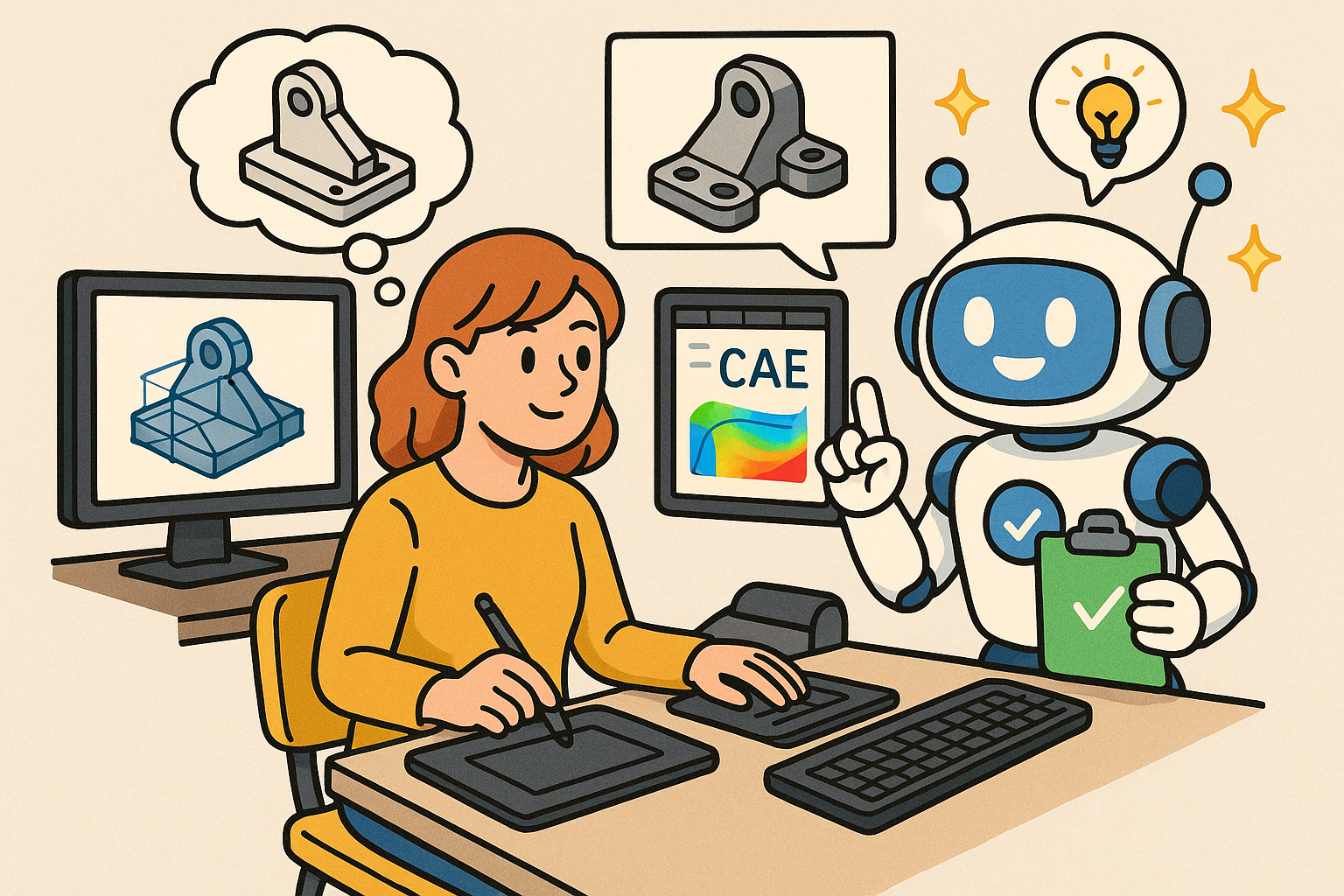
Across product development, architecture, and manufacturing, the complexity of requirements, materials, and supply chains has outpaced the linear workflows that once worked. Teams juggle specifications, 2D drawings, 3D models, simulation results, and operational data, yet most software treats these artifacts as silos. A new class of **multimodal design assistants** promises to unify this landscape by reading heterogeneous inputs, reasoning over engineering semantics, and proposing precise, verifiable edits. The goal is not to replace experts but to compress iteration cycles, surface risks earlier, and tie decisions to evidence. With cloud-native CAD/CAE APIs, browser-grade compute, and foundation models that “see” geometry and “speak” code, the ingredients are finally aligned for assistants that feel less like chatbots and more like rigorous collaborators.
Minimal ceremony, measurable outcomes
Achieving that vision requires a careful balance: **human-in-the-loop control**, **intent preservation** over naive geometry hacking, and an audit trail strong enough for certification. This article presents a concise blueprint—why now, how the reference architecture works, which workflows deliver immediate value, and how to benchmark performance. We focus on the mechanics: perceiving drawings and B-Rep graphs, grounding them in constraints, orchestrating parametric kernels and simulators, and producing signed evidence. If assistants can read what we read, act where we act, and verify as we do—only faster and with relentless consistency—they become trustworthy. The result is a co-designer that shortens time-to-approval, reduces rework, and safeguards IP, while steadily learning from each approval or rejection. The following sections outline how to get there with discipline, not hype.
Capabilities snapshot
Read: unifying specifications, drawings, and operational data
Modern assistants need to ingest the full stack of design context. That means parsing textual requirements, MBD/PMI callouts, 2D drawings with GD&T, and 3D sources from B-Rep, meshes, and point clouds. It also includes BOMs, supplier datasheets, and IoT logs that reflect field performance. Crucially, the assistant shouldn’t merely transcribe; it should normalize units, recognize standards, and annotate provenance. By treating these artifacts as a coherent knowledge substrate, the agent can reason about stack-ups, identify dependency chains, and map operational anomalies back to parts and tolerances.
- Read sources: specs, drawings, PMI/MBD, BOMs, requirements, supplier datasheets, IoT logs
- Normalize and tag: units, standards (ISO/ASME), tolerances, material properties
- Associate provenance: version, author, date, originating system
Understand: geometry, topology, and constraints
Reading is not enough; assistants must internalize engineering semantics. **Geometry/topology understanding** spans B-Rep entities (faces, edges, vertices), meshes, and point clouds, connected through constraint and assembly graphs. Recognizing feature patterns—extrudes, fillets, drafts—and mating rules unlocks intent. With GD&T extraction and stack-up interpretation, the assistant can reason over tolerances, stability, and fit classes, aligning edits with the designer’s objectives rather than corrupting them.
- Representations: B-Rep graphs, meshes, point clouds
- Semantics: feature graphs, constraint graphs, assembly graphs
- Tolerance reasoning: GD&T, stack-up, ISO fits, datum schemes
Act and simulate: precise edits with immediate verification
Action spans parametric edits, feature creation, assembly constraints, material changes, and variant configuration. The assistant should propose edits as parameterized plans, not destructive geometry. For speed and confidence, lightweight simulation backs each plan: structural, thermal, and CFD quick checks, surrogate-driven what-ifs, and **manufacturability/cost/LCA** estimates. This coupling lets the assistant suggest changes with quantified impacts and uncertainty bounds.
- Act: parametric edits, feature macros, assembly constraints, materials, variants
- Simulate: quick structural/thermal/CFD, surrogates, DfM/DfAM checks, cost/LCA
- Report: diffs, confidence intervals, provenance of results
Catalysts
Platform maturity: browser and cloud-native pipelines
Recent infrastructure advances remove the friction that previously made assistants impractical. **WebAssembly/WebGPU** enable browser-native compute for meshing, visualization, and inference; cloud-native CAD/CAE APIs expose parametric kernels and solvers; and USD/glTF pipelines standardize asset interchange. This trio provides a low-latency path from perception to action—rendering geometry, modifying parameters, and validating results without brittle desktop automation.
- WebAssembly/WebGPU for portable, GPU-accelerated compute
- Cloud-native CAD/CAE APIs/SDKs for precise edits and simulations
- USD/glTF pipelines for scalable visualization and interchange
Model capabilities: perception and tool-use
Foundation models now combine 2D/3D perception with code generation, enabling assistants to parse drawings, PMI, and meshes while emitting API calls to CAD/CAE toolchains. Tool-use “agents” plan multi-step workflows, handle retries, and reconcile partial failures. With careful scaffolding, they generate feature macros, design tables, and meshing scripts aligned to house standards, rather than hallucinated commands.
- Vision-language models that “see” drawings and PMI/MBD
- 3D encoders for meshes, point clouds, and B-Rep proxies
- Code generation for CAD/CAE SDKs and microservices
Digital thread readiness
Organizations have invested in PLM/ALM systems, sensor networks, and traceability. **Digital thread** maturity turns assistants into closed-loop systems: requirements map to parts and tests; field data feeds back into variants; and approvals generate signed evidence. With controlled vocabularies and access policies, assistants can traverse the lifecycle safely and consistently.
- PLM/ERP integrations for parts, revisions, and workflows
- Traceability across requirements, simulations, and test results
- Sensors and IoT logs linked to design entities
Design principles
Human-in-the-loop and intent preservation
The north star is to amplify expert judgment, not replace it. Assistants propose; humans approve. Every edit should reflect **intent preservation**—maintaining parametric structure and functional constraints—rather than triangulating surfaces or breaking feature trees. Semantic diffs, not just geometric diffs, give reviewers confidence that changes are minimal and purposeful.
- Approval gates with clear rationales and diffs
- Constraint-aware edits that survive regeneration
- Rollback-friendly plans instead of destructive operations
Auditability, safety, and IP protection
Trust requires verifiable evidence. Assistants must log inputs, decisions, and outputs with cryptographic signatures, and store artifacts in formats like USD/STEP with metadata. Safety involves sandboxed execution, least-privilege tool permissions, and toxicity/PII filters for text inputs. IP protection demands on-prem or secure enclaves and strict isolation between tenants.
- Immutable logs, signed deltas, model cards for actions
- Zero-trust access with just-in-time credentials
- Standards-based interoperability from day one
Perception and grounding
Multimodal encoders that speak engineering
Assistants require encoders tuned for engineering modalities: text for requirements and standards; 2D for drawings and symbols; 3D for B-Rep graphs, meshes, and point clouds; and tabular for BOMs and costs. Fusion layers align these representations to a common coordinate system of parts, datums, and tolerances. This alignment allows the agent to answer questions like “which requirement constrains this hole pattern?” and “which datums govern the ISO fit on this shaft?”
- Text, 2D, 3D, and tabular encoders with shared embeddings
- Cross-modal linking between features, notes, and parts
- Queries grounded in geometry and requirements
Document intelligence and standards awareness
Drawings demand more than OCR. Symbols must map to standards; GD&T must become machine-readable; and stack-ups must be reconstructed with datum references. PMI parsers extract semantic annotations from 3D models, reducing ambiguity. When the assistant recognizes a standard like **H7/g6**, it can propose edits that tighten fits while respecting allowable tolerances and downstream manufacturability constraints.
- OCR plus symbol/standard recognition for drawings
- PMI/MBD parsers for 3D annotations and GD&T
- Automated stack-up extraction and validation
Geometry semantics and intent differencing
Feature graphs, constraint graphs, and assembly graphs capture functional structure. Semantic differencing compares feature intent before and after edits, detecting undesirable changes like broken mates or altered datum schemes. This prevents silent degradation of design intent when optimizing geometry for performance or manufacturability.
- Feature pattern recognition (extrudes, drafts, fillets)
- Constraint solvers aware of mating rules and tolerances
- Semantic diffs to detect intent drift
Reasoning and knowledge
RAG over specifications and lifecycle data
Retrieval-augmented generation grounds assistant reasoning in authoritative sources: specifications, standards, PLM/ERP records, supplier catalogs, and historical design histories. Instead of guessing, the assistant cites relevant clauses, material datasheets, and past approvals. This transforms free-form chat into **evidence-backed plans** with linked references for each operation and tolerance decision.
- Indexed corpora: requirements, standards, parts, revisions
- Context windows populated with cited passages and IDs
- Supplier data for materials, lead times, and alternates
Design knowledge graphs
A knowledge graph links requirements to parts, simulations, test results, and field data. Such linkage enables impact analysis: when a requirement changes, the assistant can enumerate affected parts, fixtures, and certifications. Over time, the graph captures “institutional memory,” surfacing proven patterns for similar topologies or load cases, and improving proposal quality.
- Edges: requirement → part → simulation → test → field
- Versioned nodes for auditable lineage
- Learned templates for recurring design motifs
Uncertainty and risk models
Engineering is probabilistic. Assistants should estimate tolerance risks, performance margins, and compliance likelihood using Bayesian models and calibrated surrogates. Confidence intervals accompany all recommendations, and thresholds determine whether to escalate to higher-fidelity analysis. This **uncertainty-aware** posture avoids overconfident edits and highlights where human review is essential.
- Bayesian tolerance stack-ups with posterior risk estimates
- Surrogate uncertainty calibration versus high-fidelity baselines
- Compliance scoring with documented assumptions
Tool-use and orchestration
CAD layer: parametric kernels and repeatable macros
Actuation begins with robust CAD APIs/SDKs that expose features, sketches, constraints, and assemblies. The assistant emits design tables, rule-driven variants, and macros that respect regeneration. By working at the parameter/feature level, it preserves design intent and keeps history trees clean. When edits fail, the assistant diagnoses constraint conflicts and proposes minimal fixes.
- Parametric edits via kernel APIs and feature macros
- Design tables and variant rules tied to requirements
- Constraint conflict detection and resolution strategies
CAE layer: simulations as microservices
Meshing and simulation are orchestrated as microservices with queues, resource limits, and caching. The assistant selects surrogates for rapid what-ifs, schedules co-simulations when necessary, and validates surrogate outputs against periodic high-fidelity runs. Results return as structured artifacts—fields, scalars, and failure modes—ready for reporting and comparison.
- Meshing/simulation as services with GPU-aware scheduling
- Surrogate selection policies based on regime and data density
- Co-simulation orchestration with dependency tracking
Manufacturability and automation
DfM/DfA/DfAM checks run early and often. For additive manufacturing, the assistant proposes orientation, support strategies, and topology-aware slicing with thermal/warpage checks. For subtractive and robotic processes, it validates tool access, minimum radii, and fixture strategies. By integrating CAM and robotics planning, the assistant evaluates **manufacturability and cost** alongside performance.
- AM: orientation, supports, thermal/warpage analyses
- Subtractive: tool access checks, minimum radius enforcement
- Robotics: reachable poses and collision-free paths
Lifecycle hooks: cost, LCA, and certification
Every proposed change triggers cost and LCA estimators, sourcing checks for materials, and packaging of certification evidence. Artifacts include traceable links from requirements to simulations and signed approvals, enabling later audits and reuse across projects. This closes the loop from design intent to verified outcomes.
- Cost/LCA calculators with region and process factors
- Sourcing validation against approved vendor lists
- Evidence bundles with signed artifacts and metadata
Trust, governance, and performance
Provenance and accountability
Assistants must leave a trail. Immutable logs capture inputs, intermediate states, and outputs, while signed deltas document exactly what changed and why. USD/STEP metadata stores parameters, constraints, and assumptions; model cards describe assistant versions and known limitations. This provenance enables root-cause analysis and strengthens **governance**.
- Immutable logs and cryptographically signed diffs
- USD/STEP with rich metadata attached to features
- Model cards for assistant transparency
Security by design
Zero-trust access controls restrict tools to least privilege, and secrets are short-lived. Sensitive workloads run on-prem or in secure enclaves. Data residency and export controls are enforced at the orchestration layer, while anonymization/redaction protect PII and proprietary schema. This posture guards **IP security** without sacrificing capability.
- Least-privilege tool permissions and audit trails
- On-prem or enclave execution for sensitive designs
- Policy enforcement for data residency and export
Performance engineering
Responsiveness determines adoption. Incremental model diffs reduce data transfer; remote caching accelerates repeated queries; and GPU-aware scheduling prioritizes interactive tasks. Background previews and rollbacks allow rapid exploration with safety. The result is a fluid “plan → verify → summarize” loop that feels instantaneous.
- Incremental diffs and delta streaming for geometry
- Remote caches for meshes, surrogates, and results
- Background previews with one-click rollback
Priority workflows
Design review copilot
The assistant cross-references requirements against the current model to flag tolerance risks and missing constraints. It proposes fixes as parametric edits with diffs that isolate affected features. Quick simulations estimate performance deltas and uncertainty, letting reviewers focus on high-impact issues rather than hunting for inconsistencies.
- Summaries mapping requirements to parts and features
- GD&T checks, stack-up analysis, and fit class verification
- Proposed fixes with semantic diffs and confidence levels
Variant configuration
Sales or systems inputs drive automated generation of family members. The assistant enforces design rules, resolves constraints, and validates edge cases with lightweight simulation. BOMs and cost/LCA update instantly, and sourcing flags indicate whether a material or supplier change is required. Variants arrive with approval-ready documentation.
- Parameterized rules from design tables and requirements
- Constraint solvability checks across the variant space
- Instant BOM/cost/LCA with sourcing validation
Lightweight simulation-in-the-loop and DfAM automation
For rapid iteration, surrogate-backed what-ifs suggest edits that reduce weight or cost while maintaining margins. For additive manufacturing, the assistant automates orientation and support planning, with thermal/warpage checks to stabilize outcomes. Topology-aware slicing recommendations trade print time against surface quality and post-processing effort.
- Surrogate-verified edits with uncertainty bounds
- AM orientation/support planning with thermal checks
- Topology-aware slicing suggestions
Compliance and certification
Compliance packages assemble themselves. The assistant generates MBD/PMI, ties each requirement to simulations and test data, and produces signed evidence with traceability. It highlights gaps and proposes experiments to close them, reducing cycle time to certification-ready documentation.
- Auto-generated MBD/PMI packages
- Requirement-to-evidence links with signatures
- Gap analysis and proposed verification steps
Interaction patterns
Chat + canvas with point-and-ask
Designers interact through a split view: a conversational pane and a geometry canvas. Point-and-ask enables queries like “explain this fillet chain,” while marquee selections scope changes and measurements. The assistant responds with overlays—datums, tolerance zones, and stress hotspots—anchored to the model for clarity.
- Contextual queries bound to selected geometry
- Visual overlays for constraints, tolerances, and results
- Inline diffs with rollback controls
Command → plan → act → verify → summarize
A disciplined loop structures tool-use. The assistant converts a command into a plan, requests approval, executes parameterized edits, runs validations, and returns a concise summary with confidence. This rhythm enforces **guardrails** and standardizes evidence, making reviews faster and more reliable.
- Plan proposals with predicted risks and pre-checks
- Automated validations and uncertainty reporting
- Summaries with links to artifacts and standards
Approval gates and semantic diffs
Before merging changes, semantic diffs verify that design intent is preserved. Test benches run regression checks—feature regeneration, constraint solvability, and surrogate validity. Only then does the assistant update master models, gating automation with measurable safeguards.
- Semantic diff checks for intent preservation
- Regression test benches for geometry and simulation
- Policy-based gates for merge and release
Benchmarks and metrics
Geometry integrity and edit quality
Measure how often the assistant preserves intent, solves constraints, and regenerates features. Track the rate of unintended changes and the stability of assemblies after edits. These metrics reveal whether the assistant operates as a disciplined co-designer or a risky geometry hacker.
- Intent-preserving vs. altering diff rate
- Constraint solvability and regeneration success
- Assembly stability and mate integrity
Simulation fidelity and efficiency
Correlate quick checks and surrogates against high-fidelity baselines. Quantify speedups and ensure uncertainty calibration is honest. Over time, use active learning to improve surrogate accuracy where errors are highest, and retire models that underperform.
- Correlation error vs. high-fidelity results
- Speedup factors and throughput under load
- Uncertainty coverage and calibration curves
Productivity and cost/LCA accuracy
Benchmark task success rates, time-to-approval, and rework reduction. Compare cost and LCA estimates to ground truth. These operational measures are the clearest signals that assistants are creating value beyond novelty.
- Task completion and time-to-approval
- Rework and change-order reduction
- Cost/LCA accuracy vs. validated actuals
Data suites for repeatable evaluation
Standardized datasets make progress measurable. Build synthetic parametric families to stress variant rules, curate public CAD sets with labeled edits, and assemble paired CAD–CAE–PMI corpora. Publish benchmark protocols so results are comparable across teams and time.
- Synthetic families for rule/constraint coverage
- Public CAD sets with labeled feature edits
- Paired CAD–CAE–PMI datasets with ground-truth links
Deployment playbook
From insight to action, incrementally
Start with read-only insights: risk dashboards that summarize requirements alignment, tolerance hot spots, and manufacturability flags. Graduate to propose-only edits with semantic diffs and uncertainty bounds. Finally, enable gated auto-edits for low-risk, high-volume changes—always with rollbacks and oversight.
- Phase 1: dashboards and alerts
- Phase 2: proposed edits with evidence
- Phase 3: gated automation with policy controls
Focus and governance
Choose two or three champion use cases where data is mature and benefits are clear. Define acceptance criteria up front, including performance thresholds and rollback policies. Instrument everything—logs, metrics, and user feedback—to support continuous improvement and compliance.
- Champion use cases with clear ROI
- Acceptance criteria and rollback policies
- Full instrumentation for audits and learning
Continuous learning and regression testing
Capture approvals and rejections as training signals. Maintain an automated regression test farm that replays tasks against new assistant builds, checking geometry integrity, simulation correlation, and throughput. Promote versions only when they outperform baselines on agreed metrics.
- Feedback loops from human decisions
- Automated regression suites across CAD/CAE tasks
- Version gating based on benchmark improvements
Perception to precise edits: putting it together
End-to-end loop with grounding and verification
The reference architecture ties perception, reasoning, and action into a repeatable loop. Encoders ground drawings, PMI, and 3D geometry; RAG and knowledge graphs align plans with requirements and history; parametric kernels and simulation services execute and validate; and provenance systems sign and record every step. This **closed-loop** transforms chat into controlled change management with verifiable outcomes.
- Perception: multimodal encoders and document intelligence
- Reasoning: RAG + knowledge graphs + risk models
- Action: CAD and CAE orchestration with DfM/DfAM checks
Why this matters now
The combination of WebAssembly/WebGPU, cloud-native CAD/CAE APIs, and 2D/3D-capable foundation models removes barriers that previously required manual glue. With digital thread infrastructure in place, assistants can traverse from requirements to field data without losing context. This expedites decisions, reduces errors, and positions teams to scale complexity without scaling headcount linearly.
- Reduced latency from perception to action
- Higher confidence through uncertainty-aware verification
- Scalable governance via signed artifacts
Conclusion
A trustworthy co-designer, not a black box
Multimodal design assistants will unify reading, precise editing, and verified simulation into a trustworthy co-designer. Success hinges on grounding in **CAD/CAE semantics**, strong governance, and measurable performance improvements. Near-term wins include review copilots, DfM/DfAM advisors, and surrogate-backed what-if edits with human approval. The long-term vision is a certified, **auditable assistant** embedded in the digital thread—accelerating innovation while preserving design intent and IP security.
From promise to practice
The blueprint is straightforward: focus on priority workflows, enforce human-in-the-loop guardrails, and measure relentlessly. Invest in perception fidelity, knowledge graphs, and uncertainty models; orchestrate CAD/CAE tools as services; and bake provenance into every operation. Teams that do this will move from sporadic automation to an assistant that thinks in features and constraints, acts with discipline, and justifies every recommendation with evidence. That is how assistants stop being demos and start becoming indispensable.



