Your Cart is Empty


Mastering Civil 3D: Transforming Raw Survey Data into Accurate Engineering Assets
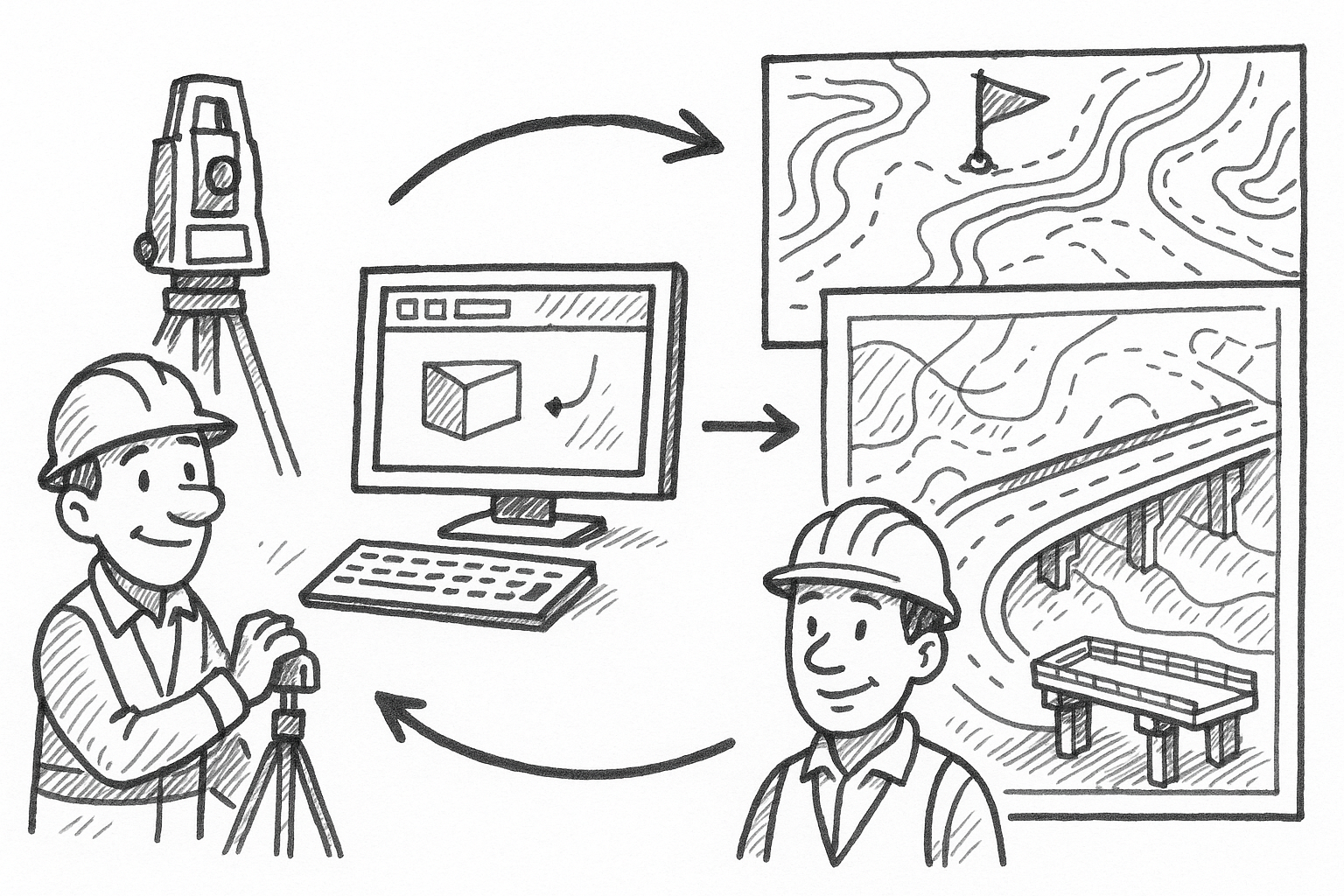


The sheer quantity and variety of modern survey observations—GNSS vectors, robotic total-station shots, UAV photogrammetry, mobile and terrestrial LiDAR—have pushed traditional CAD workflows to the limit. Generic drafting commands buckle under billions of measurements, multiple coordinate systems, and constant design iterations. Civil 3D’s survey-centric utilities answer that complexity with automation, data integrity, and analytical rigor. This article explores five targeted features that transform raw field data into dependable engineering assets while shaving days off preparation schedules.
Harness the Survey Database & Query Manager
The Survey Database is not a passive storage bin; it is an active, version-controlled environment that captures every observation, edit, and metadata change the moment the crew uploads its field files. Raw measurements remain untouched—protecting chain-of-custody—while derived coordinates, figures, and annotations live as child objects that can be refreshed or rolled back at will. Coupled with the Query Manager, the database becomes a dynamic filter for analytics, QA, and collaboration.
- Central repository – Upon import, Civil 3D parses job files into networks of control, side-shots, and figures while preserving the native codes and epochs. Deleting or renaming DWG entities cannot corrupt the authoritative source because the drawings simply reference the database.
- Version control – Lock branches before issuing for design, duplicate the dataset for “what-if” grading scenarios, and restore any snapshot if the team discovers an instrument setup error days later.
Query Manager then sifts through thousands of coordinates in milliseconds. Filter by description to isolate all “EP” curb edge shots, by elevation range to identify low spots, or by crew name to audit productivity. Batch operations—changing layer assignments, exporting ASCII files, or generating stakeout reports—execute only on the selected subset, preventing accidental mass edits.
Because databases live on shared project hubs, multiple drafters can reference the same control network through Data Shortcuts. Civil 3D automatically reserves unique numbers for new topo shots and updates any downstream alignments or corridors. Broken references, duplicate numbers, and out-of-date surfaces simply disappear from the workflow, replaced by a single source of truth that everyone trusts.
Automate Field-to-Finish with Linework Code Sets & Figure Prefix Databases
Manual polyline drafting once consumed the lion’s share of survey office time. Mis-keyed stationing, reversed shot sequences, and inconsistent layers bred rework. Linework Code Sets flip that paradigm: crews tag each observation with terse codes—EP for edge of pavement, TC for top of curb, TOF for top of footing—and Civil 3D converts the inbound shots into fully styled polylines the moment the file lands on disk. A Figure Prefix Database orchestrates names, layers, and object styles so the finished drawing adheres to company or agency standards automatically.
- Instant connectivity – The engine reads sequential shots, detects beginning/ending flags, and draws continuous figures that honor curve, cross, and close codes. Curb returns, retaining walls, and building footprints appear even before the analyst opens the DWG.
- Embedded metadata – Styles pre-load pay-item numbers, material descriptions, and linetypes so estimators and BIM models consume the survey without extra tagging.
A single code modification propagates through thousands of figures. Suppose the DOT revises its standard to show sidewalks on a new layer with a dashed centerline: change the record once, reload the survey, and every sidewalk polyline complies instantly. That agility matters when final plans go through multiple review cycles.
By eliminating ad-hoc drafting, Linework Code Sets all but eradicate omissions such as forgotten curb fillets or mismatched elevations between breaklines. The result is a cleaner surface model, fewer RFIs from the construction team, and a significant cut in overtime for the survey department.
Validate Boundaries with Traverse Editor & COGO Analysis
Boundary analysis demands precision because legal descriptions and easements depend on it. The interactive Traverse Editor lets surveyors key in deed calls or import field angles and distances, immediately plotting the traverse on screen. As each course completes, the tool updates closure values in real time and flags misclosure ratios that exceed project tolerances.
Automatic diagnostics evaluate whether a compass rule, transit rule, or least-squares adjustment offers the optimal balance between legal calls and measured data. A summary table lists inverse bearings, delta distances, and closure corrections, arming the analyst with an auditable trail for professional liability.
Once the traverse balances, Civil 3D converts it into COGO coordinates, parcel objects, and customizable labels. Parcel geometry directly feeds grading models, right-of-way exhibits, and legal description reports. The workflow encourages experimentation; analysts can:
- Substitute an assumed azimuth for a missing tie and observe how the parcel shifts.
- Test alternate monument ties if a found rebar conflicts with the record plat.
- Reconcile overlapping deeds by overlaying multiple traverses and inspecting gaps or overlaps.
Because the accepted solution lives in the Survey Database, any downstream corridor or pipe network that references the boundary updates automatically, eliminating the dreaded ripple effect of late-stage boundary revisions.
Extract Terrain Intelligence via Cloud Manager & Surface Utilities
LiDAR and photogrammetric missions now deliver datasets that routinely exceed one billion returns. Moving that mass into a dedicated meshing program, classifying it, and then re-importing a simplified surface can consume entire days. Civil 3D’s integrated Cloud Manager sidesteps the round-trip. Users attach RCP or LAS files, display them as lightweight proxies, and execute cropping, classification, and sampling without leaving the DWG environment.
A typical workflow begins by filtering the cloud to “ground” returns and pushing those to a new TIN surface. The analyst can then juxtapose UAV and terrestrial scans in split view, revealing mismatches in tree canopies, stockpile toes, or building rooflines. Surface utilities extend the intelligence:
- Slope arrows and elevation bands highlight drainage paths, embankment grades, and ADA compliance zones within seconds.
- Ponding maps locate depressions by comparing existing and proposed surfaces, a boon for stormwater engineers.
- Volume calculations quantify cut/fill against design pads, with reports grouped by material type or phase.
Performance tweaks keep massive jobs nimble. ReCap indexing splits the cloud into tiles that load on demand, while Civil 3D’s surface definition options—such as weeding and supplementing factors—balance fidelity and speed. Analysts scroll and pan fluidly even on moderate hardware, providing immediate visual feedback as they edit breaklines or add spot elevations.
The upshot is a single, continuously updated terrain model rather than a patchwork of external meshes. Designers, hydrologists, and contractors all read from the same dataset, eliminating version drift and double handling.
Achieve Precision through Least Squares Survey Network Adjustment
Merging GNSS vectors, total-station traverses, and digital levels in the same network introduces heterogeneous error sources. Reliance on averaged coordinates or simplistic compass adjustments can camouflage systematic biases. Civil 3D’s Least Squares Adjustment engine applies rigorous statistics to the entire observation set, delivering coordinates with quantified confidence.
Import raw observations directly from data collectors: slope distances, zenith angles, horizontal angles, slope corrections, and RTK baselines. The adjuster assigns standard deviations to each observation type—tighter values for direct sighted angles, looser for long GPS vectors—so the solution honors each instrument’s reliability. Upon execution, the software outputs:
- Residuals for each observation, pinpointing any shot whose error exceeds the sigma threshold.
- Error ellipses at every coordinate, graphically depicting positional uncertainty in plan view.
- Chi-squared tests that either validate the stochastic model or suggest underestimated error assumptions.
Outliers can be down-weighted or temporarily disabled, and the solution recalculated in seconds. Once the analyst is satisfied, adjusted coordinates migrate back into the Survey Database, cascading through figures, surfaces, alignments, and quantity takeoffs. Design teams thus work with coordinates that have traceable accuracy statements—crucial for high-value corridors, utility relocations, and deformation monitoring.
By embracing a network-wide statistical approach, surveyors move beyond rule-of-thumb closure checks to defend their results with mathematical rigor, mitigating legal exposure and providing engineers with the best possible foundation for design.
Brief Conclusion
Modern survey projects bombard professionals with data, yet Civil 3D’s specialized utilities convert that torrent into actionable, trustworthy information. Mastering the Survey Database, automated linework, traverse validation, integrated cloud processing, and network adjustments transforms a tangle of observations into design-ready assets in a fraction of the time once required. Begin by adopting one tool—perhaps Linework Code Sets for the next topo—and measure the time saved. Layer in database queries, traverse edits, cloud analytics, and least-squares adjustments as confidence grows. The payoff is profound: survey-design feedback cycles shrink from weeks to hours, positional confidence rises, and the entire project team marches forward on a consistent, defensible dataset.
Also in Design News