Your Cart is Empty


Enterprise VR/AR for Design Review and Ergonomics: Architecture, Performance Budgets, Pipelines, and Governance


Introduction
Context
Design organizations are converging on a simple truth: the fastest, safest way to validate complex products and built environments is to see, touch, and interrogate them at full scale long before metal is cut or concrete is poured. Virtual and augmented reality operationalize that truth by creating a shared spatial canvas, bringing people, data, and decisions into the same three-dimensional frame. The payoff is practical, not theatrical: shorten review cycles, expose human-factor hazards early, and align distributed teams around evidence instead of assumptions. This article focuses on the “how,” not the hype—what scenarios deliver value, the architecture that keeps motion-to-photon honest, interaction patterns that stand up to ergonomics scrutiny, and the governance that protects IP and privacy. Woven through are concrete techniques—**foveated rendering**, **USD-based pipelines**, **CRDT synchronization**, and **digital human modeling**—that move VR/AR from pilot to production. If you evaluate every choice against a few blunt questions—Does it reduce decision latency? Does it cut rework? Does it improve RULA/REBA exposure?—you will form a playbook that scales. Keep the intro short, keep the loops tight, and insist on traceability from headset annotation back to requirement and CAD parameter. That is what separates immersive novelty from a repeatable, enterprise-grade capability.
Why VR/AR for Design Review and Ergonomics Testing
Core scenarios
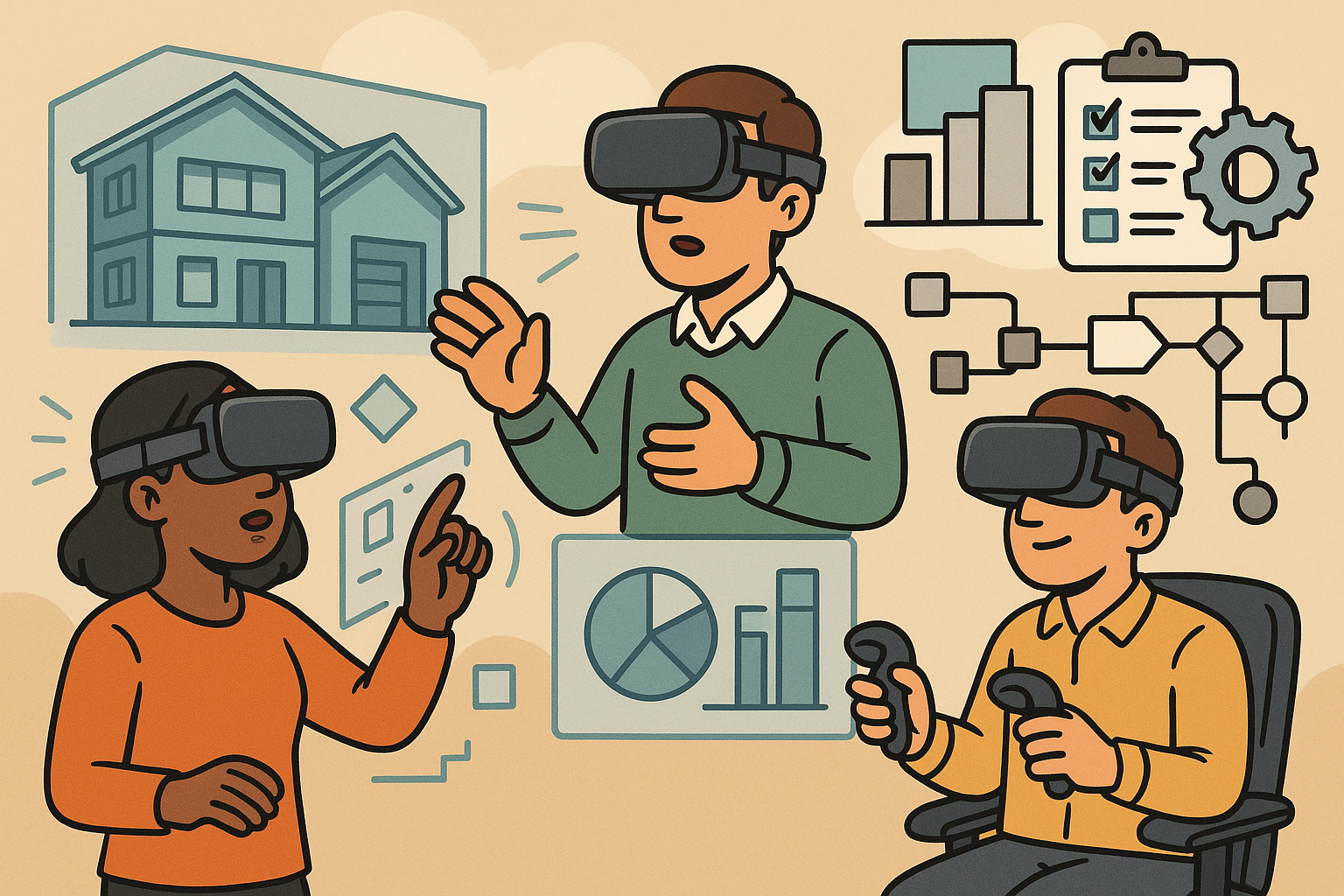
VR/AR earns its keep where scale, complexity, and human interaction collide. The most reliable wins come from scenarios that replace guesswork with embodied insight, compressing the distance between intent and evidence. In immersive design reviews, complex assemblies, interiors, and factory cells cease to be abstract trees in a CAD browser and become navigable spaces where proximity, reach, and interference reveal themselves in seconds. With **serviceability walk-throughs**, technicians trace tool access, line-of-sight, fastener reach, and removal paths at 1:1 scale, surfacing clearance issues that 2D drawings bury. Ergonomics validation turns speculative charts into observable movement: reach envelopes, posture risks, visibility, and task feasibility are interrogated with rigged digital humans or live participants. Mixed-presence reviews combine co-located AR on shop floors with remote VR participants, allowing local reality to be augmented with remote expertise. Across all, the goal is the same: operationalize spatial understanding and capture it as actionable artifacts—not just screenshots, but dimensioned markups, annotated paths, and scored ergonomic outcomes.
- Immersive design reviews: interiors, wiring harness routing, maintenance bays, robotic envelopes, egress paths.
- Serviceability: simulate tool vectors, fastener sequencing, collision-safe removal/insertion paths, and torque access.
- Ergonomics: test reach envelopes across percentiles, confirm sightlines to displays/labels, assess posture constraints under load.
- Mixed presence: AR for on-site overlays and **world-locked** checks; VR for distributed deep dives and “over-the-shoulder” guidance.
When these scenarios become routine rituals rather than special events, late-stage surprises shrink, and teams align around shared ground truth. The trick is making them trivial to launch, reliable to run, and traceable back to design intent.
Success metrics (define before rollout)
Immersive initiatives succeed when they are accountable. Before hardware is procured or scenes are exported, define the scoreboard. Decision latency—time from issue discovery to sign-off—should visibly drop as spatial ambiguity disappears. Rework reduction must show up as lower clash rate, fewer late changes, and higher first-pass yield. Human factors outcomes need objective movement: better **RULA/REBA** scores, faster task completion times, and lower error rates. Adoption and UX should be measured with session stability, motion comfort scores, and annotation utilization; if people avoid using tools because they induce discomfort or friction, they will quietly migrate back to slide decks.
- Decision latency: from first annotation to disposition date; track median and 90th percentile.
- Rework reduction: pre-tooling clash deltas, late-change frequency, percent of issues resolved at the prototype gate.
- Human factors: RULA/REBA deltas, NIOSH lift indices, error rates on labeling/pick errors, and learning-curve slopes.
- Adoption/UX: headset uptime, **motion comfort** surveys, annotation density per hour, and replay utilization.
Tie every metric to baselines; publish them where decision-makers live—PLM dashboards, engineering reviews, or program status pages. By making improvements **auditable and repeatable**, teams translate immersive enthusiasm into budget and sustained trust.
Operational considerations
Operational excellence separates one-off demos from living workflows. Choose between synchronous and asynchronous patterns deliberately: live sessions for knotty cross-functional calls, recorded/annotated scenes for time-zone spanning reviews and careful analysis. Align with regulatory and safety contexts, from **ADA** clearances and sightline requirements to ISO 11228 guidelines for manual handling; reference industry-specific ergonomics norms where applicable. Most importantly, wire traceability into PLM/ALM: every issue raised in a headset should link to a requirement or change in your source of truth, capturing evidence such as snapshots, measurement states, and DHM posture scores. Without this backbone, insights evaporate into shared drives and memory. Operationalize cadence—weekly immersive standups for factory cells, pre-gate VR reviews for interiors, AR on-site fit checks during pilot builds. Equip facilitators with a checklist: scene version, participant roles, safety disclaimers, and export destinations for annotations. Maintaining order keeps sessions productive and sets the stage for scalable expansion.
Architecture and Performance Budgets for Real-Time Collaboration
Devices and tracking
Hardware is a constraint set, not an identity. Tethered PC-VR delivers deterministic fidelity and frame pacing for dense assemblies and detailed interiors; standalone headsets win when mobility and ease-of-deployment dominate. Eye- and hand-tracking are no longer novelties—they are input modalities and measurement instruments, enabling **foveated rendering**, gaze-based selection, and visibility analytics. On the AR side, optical see-through displays preserve natural light and depth cues, while video pass-through enables true occlusion and advanced rendering but imposes latency and color pipeline constraints. Inside-out tracking has matured, but factory environments still challenge feature tracking; world-locking stability benefits from mapped anchors and occasional external references. Build a device matrix per scenario: what is the minimum viable spec to keep 72–90 Hz reliable under expected model loads and lighting? Choosing devices around the work, rather than the other way around, keeps teams honest and content portable.
- VR: tethered for fidelity and heavy scenes; standalone for mobility and scale-out; optional eye/hand tracking unlocks analytics and precision.
- AR: optical see-through (best for comfort and environment fidelity) vs video pass-through (best for occlusion and lighting consistency).
- Tracking: inside-out for simplicity; augment with markers, fiducials, or surveyed frames in sparse or reflective environments.
Standardize on a limited kit per use case to streamline support and calibration, and document tracking failure modes and mitigations as part of onboarding.
Rendering and streaming modes
Real-time collaboration hinges on motion-to-photon budgets. Local rendering gives deterministic low latency and predictable reprojection; remote rendering—**CloudXR**, **Azure Remote Rendering**, and kin—unlocks massive models but adds network variance. VR must hold end-to-end latency at or below 20 ms to protect comfort; AR’s world-locking can tolerate 30–50 ms if reprojection and late-stage warping are robust. Smarter pixels beat brute force: foveated rendering with eye tracking, fixed-foveated shading on mobile GPUs, meshlet/cluster culling, impostors for distant assets, and neural upscalers like **DLSS/FSR**. If remote rendering is necessary, prioritize LAN or private 5G where possible; isolate quality-of-service, pin clocks, and stabilize encoder settings.
- Budgets: VR ≤ 20 ms motion-to-photon; AR 30–50 ms with resilient reprojection; guardrails for 72/90 Hz frame cadence.
- Techniques: eye-tracked foveation, Variable Rate Shading, depth-based LODs, occlusion culling, HLOD streaming.
- Streaming: GPU servers near the edge, hardware encoders (NVENC/AMF), adaptive bitrate with floor constraints for text legibility.
Proactively profile scenes with synthetic head-motion traces and worst-case viewpoints. If your slowest five seconds are comfortable, the rest of the session will be, too. Budget first, then beautify.
Model preparation and data pipeline
The data pipeline is the spine of scalable XR. Everything begins with CAD-to-runtime translation that preserves units, hierarchy, and metadata while taming polygon counts. Tessellate with care, decimate where curvature allows, create **LODs**, and use instancing for repeats like fasteners and seats. Adopt exchange formats purpose-built for layered scenes: **USD/USDZ** supports variants, payloads, and composition for multi-disciplinary assemblies; **glTF** excels as an efficient runtime asset format; ingest **STEP/IFC** with semantic mapping to retain discipline-specific intelligence. Materials should converge on **PBR/MaterialX** for consistency across renderers. Light baking and reflection probes add stability in VR and credibility in video pass-through AR, without starving the frame budget. Above all, keep provenance intact: a CAD feature or PLM part number should round-trip into headset-selectable metadata so measurements and markups map back to engineering truth.
- Geometry: smart tessellation, curvature-aware decimation, HLOD, instancing, and pivot alignment for manipulability.
- Formats: **USD** for layered scenes and variants; **glTF** for runtime streaming; **STEP/IFC** ingestion with category/attribute mapping.
- Materials: **PBR/MaterialX**, baked lights/reflections for stability, measured BRDFs where visual validation matters.
Automate it. Headless converters, metadata validators, texel-density checks, and scene-linting gates keep humans out of the tedium and models on a diet.
Multi-user state and synchronization
Collaboration turns single-user rendering into a distributed systems problem. An authoritative server simplifies conflict resolution, while interest management constrains bandwidth and compute to what users can see or influence. For shared state—annotations, transforms, gizmo states—use **CRDT/OT** patterns so edits converge without lock contention. Network unreliability is normal; embrace smoothing, dead reckoning for avatar transforms, and client-side prediction for pointers and rays. Time matters: use NTP/PTP alignment and timeline bookmarks so teams can “scrub” to synchronized review moments during replays. AR adds a twist—spatial alignment. Anchors from **ARKit/ARCore**, **Azure Spatial Anchors**, or surveyed frames/QR fiducials keep physical and digital in register. Georeferencing matters in AEC; persist coordinate frames so the same doorway lands where reality expects it, session after session.
- Topology: authoritative core with pub/sub out to clients; shard scenes spatially for scalability.
- Replication: CRDT for annotations, OT for text, delta compression for transforms; jitter buffers to smooth voice and motion.
- Temporal sync: NTP/PTP, deterministic replay logs, and bookmarkable timelines for decision auditing.
- Spatial alignment: persistent anchors, fiducials, survey control points, and **world-locking** recovery strategies.
Design it like a multiplayer simulator, not a slideshow. When state is consistent and time-aligned, decisions flow.
Collaboration stack
Presence is more than avatars; it is the sense that your teammates are truly there, seeing what you see. Full-body or upper-body IK avatars, spatialized voice, and optional video via **WebRTC** provide social bandwidth. Shared pointers, lasers, and manipulators align attention; stage controls and roles prevent chaos—someone drives, others annotate, everyone can bookmark. Persistence is where value compounds: session recording, time-scrubbable annotation layers, and issue IDs that link to PLM/Jira/BCF keep reviews actionable. The ability to return to a moment—“the exact configuration when we found the interference”—is priceless, and it only happens if you record transforms, selection state, and scene versions along with voice.
- Presence: avatars with IK, nameplates, gaze vectors; spatial audio with noise suppression.
- Tools: measurement, sectioning, exploded views, variant toggles, X-ray/occlusion controls, and constrained gizmos.
- Persistence: session logs, time-scrubbable annotations, immutable issue IDs linked to system-of-records.
Bias toward low friction: one-click join, automatic asset prefetch, and role-aware UIs keep experts engaged rather than troubleshooting.
Security and governance
Immersive collaboration touches crown-jewel IP and human telemetry. Treat both with rigor. Apply **zero-trust** access policies, per-asset encryption at rest and in transit, and watermarking for deterrence and forensics. For sensitive programs, on-prem or hardened VPC isolation is table stakes; keep streaming and signaling inside trusted enclaves. Biometric and body data—eye gaze, hand poses, voice—are personal data. Obtain explicit consent, minimize collection, and set retention caps aligned to purpose. Access to session replays and DHM analyses should be role-gated and audited. Bake governance into tooling: redact or aggregate gaze heatmaps by default; scramble PII in logs; surface privacy status indicators in UI. Security that is visible and predictable builds the trust you need for enterprise-wide adoption.
- Access: SSO, MFA, least-privilege roles, time-bounded tokens.
- Protection: per-asset encryption, signed assets, watermarking, air-gapped options for high-control environments.
- Privacy: consent flows, configurable retention, obfuscation/aggregation of biometric signals, and audit trails.
Security is not a bolt-on. It is a product feature that unlocks participation from the most risk-averse stakeholders.
Interaction Patterns and Ergonomics Testing Workflows
Review tools that matter
Interaction should serve decisions, not showmanship. The most-used tools are the most prosaic: measurement, sectioning, exploded views, variant toggles, and X-ray/occlusion controls. What elevates them in XR is context-awareness and constraints. Measurement snaps should be **constraint-aware** and tied to CAD PMI so reviewers pick datums and features of record rather than drifting vertices. Dimension overlays should display units, tolerances, and provenance. Exploded views must respect assembly hierarchies, and variants should be toggled at the configuration node, not via scene swaps. Issue markup templates with owner, severity, subsystem, and due date minimize free-text ambiguity; voice-to-text capture accelerates busy sessions. A polished session feels like a mechanic’s tray: every tool is reachable, predictable, and leaves behind evidence that survives export into PLM or BCF. When in doubt, cut features and polish the essentials until they are invisible in use.
- Core tools: measurement with PMI snaps, section planes, exploded assemblies, variant toggles, occlusion/X-ray controls.
- Annotations: structured templates, photos/screenshots, voice-to-text, and hyperlinks to requirements and parts.
- Export: BCF/CSV/JSON with CAD references, scene version, and timestamps for traceability.
Small affordances—sticky section planes, snapping aids, gizmo guides—turn a chaotic review into a precise instrument.
Digital human modeling and motion analysis
Ergonomics is where XR’s promise sharpens. Parameterized anthropometry enables 5th/50th/95th percentile avatars with adjustable joint limits and body mass. Full-body IK with ground contact and physics-based constraints make postures honest; add load handling and you can estimate joint torques and forces rather than guessing. Standardized assessments bring objectivity: **RULA/REBA/OWAS** scoring, NIOSH lifting indices, and ISO 11226 posture guidance. Reach cones and vision cones verify access to controls and legibility of labels under realistic head/eye motion. Eye tracking quantifies visibility and attention; dwell times on critical labels and controls separate “theoretically visible” from “actually seen.” With these instruments, teams can test task feasibility across percentiles, quantify risk reductions for a design change, and communicate exposure in the language of HSE and regulators. Always capture the avatar parameters and scoring inputs alongside results so scores are defensible and repeatable.
- Anthropometry: adjustable stature, limb lengths, mass, and center-of-mass; percentile presets with editability.
- IK/physics: ground contact, collision-aware postures, load transfer, and torque/force estimations.
- Standards: **RULA/REBA/OWAS**, NIOSH lifting, ISO 11226/11228-derived checks; reach/vision cones.
- Attention: eye-tracked visibility, dwell analytics, and saccade patterns for labeling and HMI validation.
When DHM is integrated—not bolted on—designers iterate on geometry while ergonomists iterate on exposure, in the same place, in the same moment.
Data capture and validation
If it is not captured, it did not happen. Integrate motion capture—optical, IMU, or hybrid—for task replay and reality-anchored analysis. Sensor fusion reduces drift and occlusion losses; calibration routines should be scriptable and quick. Collision and clearance analytics should compute swept volumes, tool paths, and envelope checks with tolerances, not just static collisions. Time-and-motion tools break down cycle times, analyze learning curves, and model fatigue under load or repetition. Reliability is non-negotiable: document calibration procedures, compute confidence intervals for DHM estimates, and run repeatability studies against lab benchmarks. Where ground truth exists (physical mockups, instrumented tools), align datasets and quantify residuals. This is how you move from persuasive demos to **trustworthy ergonomics methods** that survive audits and management scrutiny. VR/AR becomes a test bench, not a toy, when data is captured coherently and validated against reality.
- MoCap: optical for fidelity, IMU for portability; hybrid for robustness; single-click calibration where possible.
- Analytics: swept volumes, approach vectors, clearance histograms, and tolerance-based pass/fail checks.
- Time-and-motion: cycle segmentation, learning-curve modeling, and fatigue prediction under task loads.
- Reliability: repeatability/reproducibility studies, confidence intervals, and cross-validation to lab datasets.
Design your capture pipeline like a lab protocol: controlled inputs, recorded settings, and transparent outputs enable credible decisions.
Deployment patterns
Deployment must reflect the reality of where work happens. Co-located AR excels for on-site fit checks and last-inch verification; remote VR lets cross-site experts converge on decisions without travel. Hybrid sessions put SMEs in VR while technicians in AR interact with physical prototypes, closing the loop between digital proposals and tactile constraints. Most importantly, create a closed-loop path back to design: push ergonomic findings into CAD parameters and requirement baselines. If a 95th-percentile reach test fails, set a parameter and regenerate; if a visibility dwell time is too low, reposition labels and update HMI specifications. Codify the habits that keep teams flowing: booking templates that specify devices, scenes, and success criteria; auto-upload of annotation bundles to PLM; and dashboards that show decision latency and ergonomic score deltas. The fastest way to scale is to make the right path the easy path, and to make evidence move upstream without friction.
- Co-located AR: anchor against survey control, verify fit/clearance and signage, capture on-site annotations.
- Remote VR: deep-dive reviews with SMEs, synchronized view control, and deterministic replays.
- Hybrid: “over-the-shoulder” VR guidance for technicians in AR; two-way annotations and photo capture.
- Closed loop: ergonomic results flow back to CAD and requirements; changes reappear in the next session automatically.
When deployment is predictable and the loop is closed, immersive reviews become part of the engineering fabric, not an optional detour.
Conclusion
Wrap-up
Well-architected VR/AR collaboration compresses decision cycles, cuts late-stage rework, and de-risks human factors before tooling or construction. The pattern is consistent: get the scenarios right, set the **performance budgets**, and wire decisions into your systems of record. Success hinges on disciplined pipelines—performance-aware model prep, robust multi-user synchronization, trustworthy ergonomics methods, and tight PLM/requirements linkage. Start small with high-impact use cases, measure outcomes—decision latency, RULA/REBA deltas, clash reduction—and iterate on UX and data fidelity. Retire “feel-good” pilots in favor of evidence-backed practices. Treat security and biometric privacy as first-class requirements, not legal footnotes; **zero-trust** posture, visible consent, and principled retention are the social license for enterprise-wide adoption. If you keep your eye on a few bold metrics and refuse to compromise on comfort, traceability, and data quality, immersive review becomes a quiet superpower—unobtrusively accelerating consensus, exposing risk early, and turning spatial understanding into a daily habit. The headset is not the point; the point is better decisions, faster, with proof attached.
Also in Design News