
Your Cart is Empty


Digital Sketching in Design Software: From Conceptual Input to Intelligent Modeling
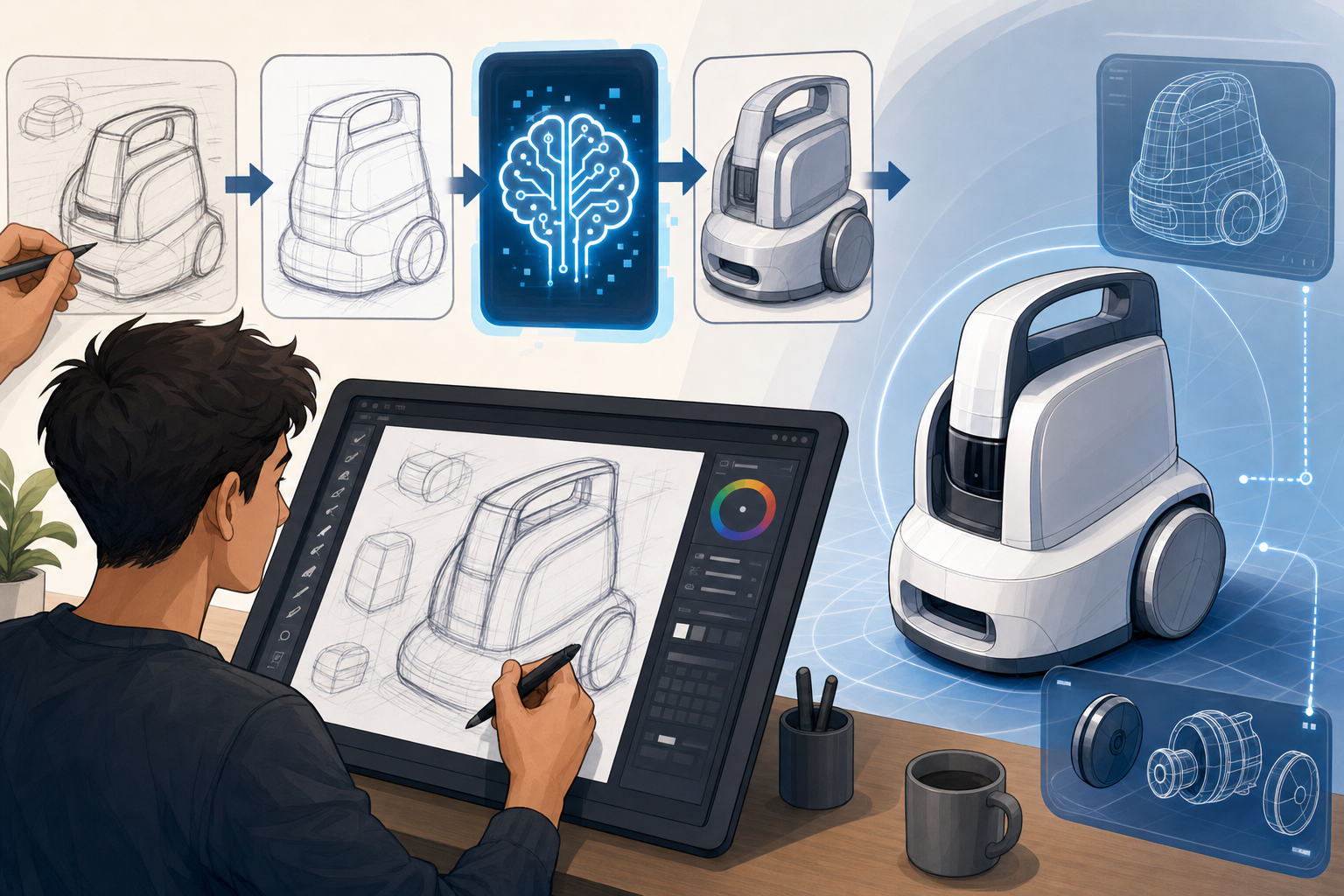


The history and strategic importance of digital sketching in design software
Digital sketching occupies a uniquely strategic position in contemporary design software because it sits at the intersection of creativity, geometry, and decision-making. Long before advanced parametric systems, generative design environments, and immersive visualization pipelines became standard, designers relied on simple screen-based drawing tools to externalize thought. The earliest digital sketch workflows were heavily constrained by hardware and interface limitations. Mouse-driven applications translated hand intent into discrete clicks, control points, and command sequences, which meant that sketching on a computer often felt less like drawing and more like constructing geometry through procedural input. Even so, these early systems established a critical principle that remains relevant today: a sketch is not merely a visual draft, but a carrier of design logic. In industrial design, that logic might begin as silhouette, proportion, and ergonomic flow. In mechanical CAD, it often starts as profile definition for extrusions, revolves, and assemblies. In architecture, it may emerge as spatial adjacency, massing, circulation, and facade rhythm. Across all of these domains, sketching became foundational because it enabled designers to move from vague conceptual understanding to manipulable form.
From geometric drafting to digital ideation
The transition from traditional 2D drafting interfaces toward touch-first and pen-enabled environments fundamentally expanded what digital sketching could represent. Early computer-aided drawing systems prioritized exactness, layer control, and coordinate certainty, which made them excellent for documentation but often rigid during exploration. As tablets, convertible workstations, and high-resolution pen displays matured, interfaces began to support pressure sensitivity, direct screen interaction, tilt response, and low-latency ink rendering. This changed sketching from an indirect geometric operation into a more embodied activity. Designers could once again move fluidly between gestural marks and structured drawing behavior, regaining some of the immediacy that paper had always offered while preserving the advantages of digital editability. That evolution also shifted the value proposition of sketch tools. Instead of being seen as introductory phases before “real” modeling began, sketch environments increasingly became active participants in concept development, engineering definition, and architectural ideation. The sketch ceased to be disposable. It became a persistent, information-rich design layer that could inform parametric features, support annotations, and seed later computational workflows.
Why sketching still anchors advanced workflows
One of the most important changes in modern design software is the move from geometry entry to intent capture. In earlier systems, users explicitly constructed lines, arcs, and constraints one by one, then translated them into higher-order features. In more advanced environments, software now attempts to understand what the user means, not just what the cursor produced. A rough rectangle may be interpreted as a planar boundary. A looping curve may suggest a loft guide. A series of strokes over an elevation may indicate facade articulation rather than mere markup. This emphasis on design intent explains why sketching remains central even in highly technical workflows. Mechanical engineers use sketches to define fully constrained profiles whose dimensions drive downstream updates. Industrial designers use them to explore alternatives quickly before surfacing and refinement. Architects use digital sketch layers to test organizational concepts against site logic and building systems. The differences are significant:
- Industrial design sketching emphasizes expressiveness, proportion, contour, and emotional character.
- Mechanical CAD sketching prioritizes constraints, dimensions, manufacturability, and feature readiness.
- Architectural sketching focuses on relationships among space, structure, massing, and circulation.
How touch, pen, and hybrid interfaces are changing sketching behavior
The rise of touch, pen, and hybrid input systems has not simply added more device options to the designer’s toolkit; it has changed sketching behavior at a cognitive and procedural level. Pen input reintroduces continuity between the hand and the mark, making it especially effective for nuanced line work, annotations, and localized precision. Touch interaction, by contrast, excels at direct manipulation of the design space itself. Panning, zooming, rotating, selecting, grouping, and reorienting views become faster when users can interact with the canvas rather than rely on detached interface controls. The most effective modern sketch environments no longer treat these input modes as separate. Instead, they combine them into layered workflows in which the pen creates and refines while touch navigates and orchestrates. This hybrid model is becoming increasingly preferred across professional tablets, mobile studios, pen displays, and workstation-convertible devices because it reduces friction between ideation and control. A designer can sketch a concept with a stylus, rotate the model view with fingers, invoke contextual actions through gestures, then switch to keyboard-supported precision operations without changing applications or breaking concentration.
Why pen input remains uniquely valuable
The strengths of pen computing are especially visible in tasks that require both subtle human judgment and local exactness. A pen allows designers to vary line weight, imply curvature, indicate material transitions, or annotate stress concerns with a level of natural expressiveness that mouse-based input rarely achieves. In concept design, that expressiveness supports ambiguity, which is often productive early in a project because it allows multiple interpretations to coexist. In engineering contexts, the same pen can transition into a precision instrument for selecting edges, adjusting control points, marking revision notes, or aligning dimensions. That dual character matters because it links the exploratory and the technical in a single interface. Designers can sketch over screenshots, imported scans, 3D views, and 2D drawings without leaving the software ecosystem. Pen workflows also improve communication in multidisciplinary reviews, where informal overlays often reveal issues more quickly than formal model edits. A mechanical engineer can circle interference zones, an architect can trace daylight concerns across a facade, and a visualization specialist can indicate reflection problems on a rendered surface. In each case, the pen acts as a bridge between representation and decision.
Touch interaction and the logic of fluid navigation
Touch interaction contributes a different but equally important kind of efficiency. It supports rapid ideation because it lets users manipulate the workspace as if it were a physical artifact rather than a software window. Designers can reposition canvases, inspect alternative areas, compare scales, and perform object manipulation with minimal cognitive translation. This directness is especially useful in early-stage exploration, spatial composition, and collaborative review sessions where speed matters more than strict command discipline. However, the growing reliance on touch and pen has also exposed serious UX challenges that advanced software teams must resolve carefully. These include:
- Palm rejection, which must distinguish intentional touch from resting hand pressure without introducing lag.
- Gesture conflicts, where navigation gestures can accidentally trigger drawing or editing actions.
- Precision versus speed, a recurring tension between intuitive freehand input and the need for exact geometric outcomes.
- Context switching between freehand sketching and constrained modeling, which can break flow if the interface does not adapt intelligently.
The advanced software technologies driving the next generation of sketch tools
The most significant advances in sketch software are increasingly computational rather than merely graphical. Modern platforms are being transformed by AI-assisted interpretation, constraint intelligence, collaboration infrastructure, and downstream workflow integration that turns a sketch from a visual artifact into a computational entry point. AI-assisted stroke cleanup is one of the most visible examples. Instead of forcing designers to produce mechanically perfect lines, systems can now analyze rough pen input and refine it into cleaner geometry while preserving stylistic character. Shape recognition goes further by detecting likely primitives, repeated motifs, symmetry, and profile patterns from loosely drawn marks. Intent prediction extends this capability into operational design support. A series of overlapping strokes might be interpreted as a sectional cut, a candidate extrude region, a wall centerline, or a guide path depending on the surrounding context, document type, and user history. This matters because it reduces the burden of translation between ideation and formal modeling. Rather than asking the designer to restate the concept in a new language, the software begins to infer the structure embedded in the sketch.
From assisted drawing to intelligent modeling preparation
Constraint inference and automatic dimensioning are especially important in professional environments where sketch output must support robust parametric behavior. In mechanical CAD, for example, a profile that appears complete visually may still be unstable if relationships among entities are undefined. Advanced sketch systems now infer tangency, concentricity, perpendicularity, horizontal alignment, midpoint relationships, and symmetric intent based on stroke order, proximity, and common modeling patterns. Automatic dimensioning then proposes measurements that make the sketch not only legible but operationally useful. The challenge is balance. Too much automation can overwhelm users with unwanted assumptions, while too little leaves them doing repetitive cleanup work. The best systems therefore combine inference with transparent editing, allowing users to accept, reject, or tune the software’s interpretation. This same principle extends beyond CAD. In architecture, inferred constraints can help convert freehand room diagrams into aligned wall systems or modular planning grids. In product design, sketch-derived sections can become surfacing references. The strategic advantage is clear: intelligent sketch tools shorten the distance from vague concept to structured model while preserving the designer’s authorship rather than replacing it.
Collaboration, continuity, and adaptive interfaces
Another defining feature of next-generation sketch tools is their integration with collaborative and downstream workflows. Real-time shared markup enables distributed teams to sketch, comment, and refine ideas on the same digital canvas or model view simultaneously. This is far more powerful than static redlining because annotations can remain tied to geometry, versions, or decision threads. A concept sketch can evolve directly into a review layer for engineering changes, manufacturing notes, or architectural coordination comments. Equally important is seamless continuity into later stages of production. Advanced sketch environments increasingly connect with:
- Parametric modeling, where recognized profiles and constraints become editable features.
- Simulation setup, where sketched regions can define loads, supports, flow boundaries, or conceptual study areas.
- Rendering, where sketch-based material zones, lighting annotations, and composition guides inform visualization workflows.
- Additive manufacturing preparation, where conceptual sections, support indications, or lightweighting patterns seed fabrication planning.
Why these changes matter for design strategy and professional practice
The evolution of digital sketching tools has broad strategic consequences for how organizations structure design processes, evaluate software platforms, and train multidisciplinary teams. Sketching is often discussed as a front-end activity, but in advanced practice it functions as a continuity layer connecting concept generation, technical validation, communication, and production. When sketch interfaces become more natural and more computationally aware, they reduce the historical divide between “creative” software and “engineering” software. This is particularly important in product development environments where industrial designers, mechanical engineers, simulation specialists, and visualization teams all contribute to the same object at different levels of fidelity. A sketch that begins as an expressive form cue can later inform section curves, performance discussions, render notes, and manufacturing strategy if the platform preserves its semantic value. In architecture, similar continuity helps bridge conceptual massing with planning logic, facade articulation, and stakeholder review. The strategic importance is therefore not limited to convenience. Better sketch tools improve organizational responsiveness by accelerating interpretation, reducing translation error, and keeping intent visible across stages that traditionally fragmented it.
Practical implications for software selection and workflow design
For practitioners and software leaders, this means evaluating sketch capabilities with more rigor than in the past. The right platform is no longer simply the one with the most attractive pen tools or the smoothest freehand rendering. It must support a coherent workflow architecture in which sketch input can mature into actionable geometry, analysis-ready information, and production-facing outputs. Teams should examine whether the software:
- Supports both ambiguous ideation and precise constraint-based editing without forcing disruptive mode changes.
- Allows sketches to remain linked to model evolution rather than becoming disconnected overlays.
- Integrates annotations, collaboration, and review history in ways that preserve design rationale.
- Scales well across device ecosystems, including tablets, desktops, and hybrid hardware.
- Uses AI assistance to accelerate work while still making decisions visible and editable.
Conclusion
The continuing evolution of sketching tools is not fundamentally about replacing the mouse with touch or pen, although hardware innovation has certainly accelerated change. The deeper transformation lies in how design software now treats a sketch as a meaningful expression of intent rather than a temporary visual placeholder. That shift has profound implications across industrial design, mechanical CAD, architecture, engineering computation, and product visualization. When natural interaction is combined with computational precision, sketching becomes both freer and more consequential. Designers can think in marks, gestures, constraints, and annotations without repeatedly translating the same idea into disconnected formats. AI-assisted cleanup, shape recognition, intent prediction, inference-driven constraints, adaptive interfaces, and real-time collaboration all contribute to this broader redefinition. They help software understand what the designer is trying to communicate, not just what was drawn on the screen.
The direction of the next era
The design platforms that will define the next era are those that successfully merge sketch freedom, intelligent assistance, and seamless model continuity. They will make it possible to move from rough ideation to parametric definition, simulation setup, rendering context, and additive manufacturing preparation without breaking the conceptual thread established in the first marks. Just as importantly, they will serve different professional disciplines without flattening their differences, respecting the expressive needs of industrial design, the rigor of mechanical modeling, and the spatial complexity of architectural workflows. In that sense, the future of digital sketching is not a niche interface story. It is a strategic redesign of how professionals communicate design intent inside increasingly interconnected software ecosystems. Teams that recognize this will not treat sketch tools as optional conveniences. They will see them as high-value infrastructure for faster iteration, clearer collaboration, and more resilient design decisions.
Also in Design News






