
Your Cart is Empty


Design Software History: Surface Interrogation in CAD: History, Techniques, and Industrialized Fairness Analysis


Introduction
Why surface interrogation still matters
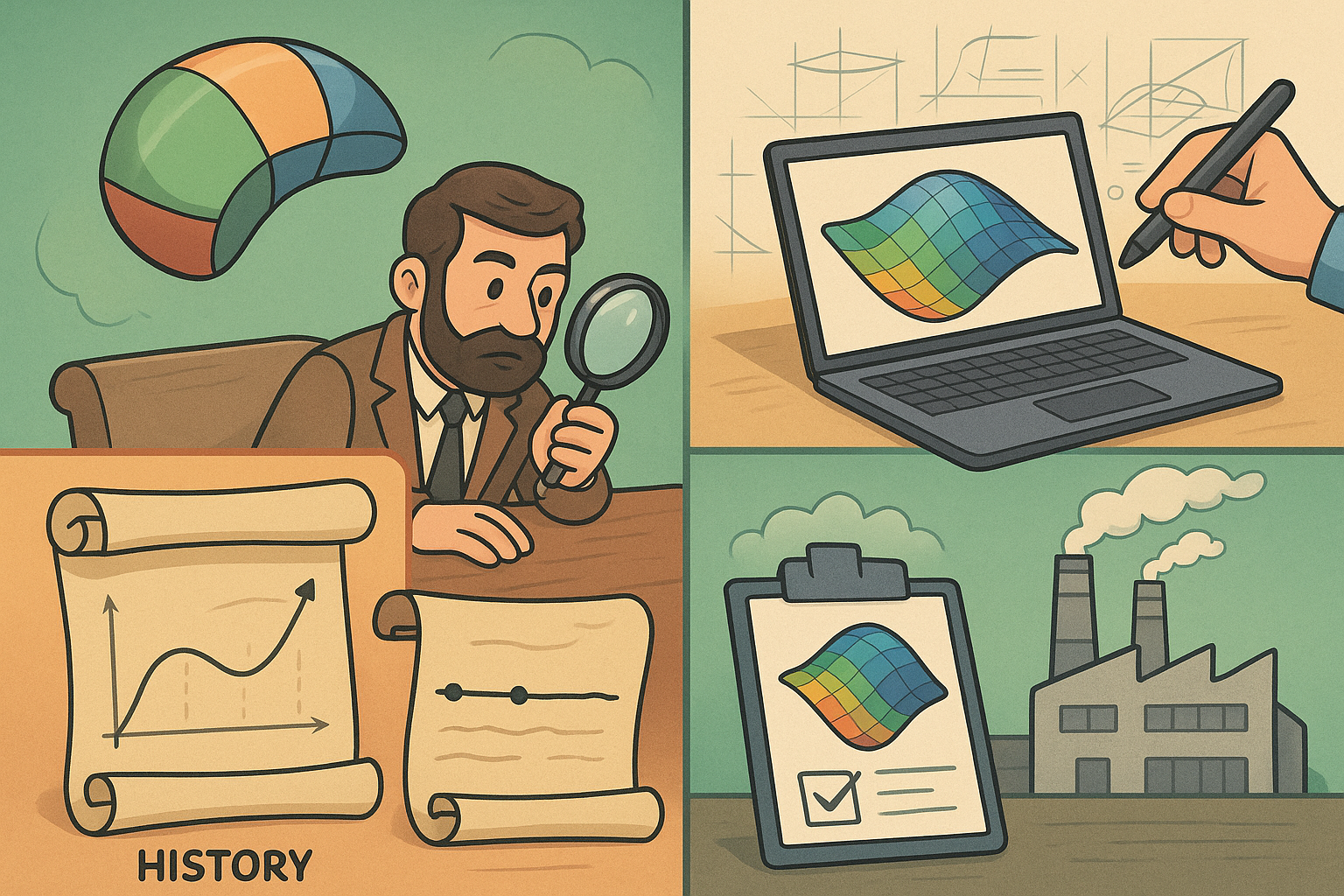
Even in an era of physically based renderers and teraflop GPUs, the disciplined act of interrogating a surface remains the quiet backbone of digital aesthetics and manufacturing reliability. The craft began with coachbuilders and aircraft lofts relying on batten splines and fluorescent striping, then moved through Bézier and de Casteljau’s mathematics into CAD rooms where designers learned to “see” the invisible. Today, the same essentials govern whether a consumer device reads as premium, whether a fender panel catches a showroom light without chatter, and whether a turbine nacelle stays optically calm at cruising altitude. Surface interrogation is not ornamentation; it is the translation layer between mathematics, perception, and production. It encodes how curvature accumulates, how reflection flows, and how neighboring patches negotiate continuity. This article traces the origins, codifies the toolkit, follows its industrialization across vendors from Alias, ICEM, Dassault Systèmes, Siemens, Autodesk, PTC, and Robert McNeel & Associates, and closes with the data-to-metrology loop that now anchors quality. Along the way, we unpack the engine room beneath the screens—first and second fundamental forms, principal curvatures, tessellation strategies, and real-time shading—so that the next time zebra stripes whisper “not yet,” you’ll know exactly why.
Origins and motivations
Why interrogate surfaces: a visual contract older than digital
Automotive and aerospace styling learned early that the eye is a ruthless inspector. Long before numerical criteria were standardized, studio teams had a tacit contract: a surface that looks wrong is wrong. In car studios, the expectation of Class‑A “fairness” predated CAD by decades; in aerospace, the optics of laminar flow and panel calmness were visually policed before they were fully simulated. The reason is simple: micro-variations in curvature accumulate into visible artifacts—ripple, waviness, and kinks—that degrade perceived quality. A door skin that reads “cheap,” a cowling that moirés under sunlight, or a consumer enclosure that telegraphs tool marks can all be traced back to curvature behavior and continuity at patch joins. Interrogation emerged as a lingua franca between stylists, modelers, and engineers to expose those issues quickly and consistently. Rather than rely on intuition alone, teams needed a shared set of visual instruments that could reveal G0/G1/G2/G3 behavior, highlight accumulation, and long-run fairness under plausible lighting. What makes interrogation enduring is that it encodes human perception—how highlights glide, how edges meet—into repeatable diagnostics. When you ask why to interrogate, the answer is that intuition benefits from instrumentation. And in industries where reflections sell objects—showroom floors, aircraft fuselages, smartphones—those instruments are indispensable.
- Reflection flow is the fastest proxy for fairness; our eyes track highlight continuity far better than we track numeric tables.
- Continuity defects compound across assemblies; a local G1 inconsistency can echo as a global waviness problem after stamping or molding.
- Manufacturability often hinges on draft and wall-angle truths that are invisible until interrogated with the right map.
Pre-digital practice: light tunnels, striping, battens, and clay
Before pixels, studios built light. Light tunnels—rows of calibrated fluorescent tubes—or vertical stripe walls offered a high-contrast environment to reveal surface secrets. Clay bucks, carved by modelers with aluminum sweeps and flexible battens, were evaluated by how those stripes slid across them. A batten introduced continuous curvature by its very elasticity; any interruption in the stripe flow signaled a fairness defect. This language of reflections is older than digital and remains profoundly relevant. Jaguar, BMW, and Porsche studios perfected the ritual: rotate the clay under the lights, watch stripes compress or flare, fix by hand, repeat. Aerospace lofts used similar techniques on wood or foam, reading reflections along fuselage sections to validate lofting quality. When early digital tools arrived, they had to simulate this embodied knowledge, not replace it. The goal was not novelty, but fidelity to the way human vision judges smoothness. That is why the earliest and still most trusted diagnostics in CAD—zebra lines, isophotes, and environment maps—are conservative emulations of fluorescent stripes and glossy rooms. They carry pre-digital muscle memory into pixels. When you see a zebra shader in Alias or ICEM Surf, you’re seeing an homage to fluorescent tubes in Coventry, Stuttgart, and Turin, transposed into shader math and GPU rasterization.
- Striping and batten logic trained generations to decode curvature from reflection compression and spread.
- Clay-buck iteration created a fast loop from seeing to fixing that digital tools later had to match.
- Studio ergonomics (viewing distance, light spacing) quietly became today’s HDRI and stripe shader parameters.
Early digital surfacing: Bézier, de Casteljau, and the need to “see” smoothness
When Pierre Bézier at Renault and Paul de Casteljau at Citroën introduced curve and surface formulations in the 1960s, they gave industry a remarkable vocabulary for smoothness. But those new degrees of freedom—continuously differentiable curves, controlled by handles and weights—also removed tactile cues that clay and battens had provided. Early CAD in the 1970s and 1980s, from Renault’s UNISURF lineage to tools in aerospace, gave modelers mathematical control without a sensory backstop. By the 1980s and 1990s, studios at Porsche, BMW, Ford, Toyota, and GM pushed hard for on‑screen analogs of the light tunnel so that Class‑A designers could evaluate continuity and fairness with the same acuity as in clay rooms. That push birthed canonical diagnostics: zebra/striped highlight shaders, isophotes that track equal illumination, and parametric curvature combs that visualize how curvature accumulates along a curve. The message was clear: mathematics is powerful, but vision closes the loop. Bézier and de Casteljau methods were never intended to be used blind; they invite interrogation. As NURBS matured in the 1990s—carried into enterprise CAD by Dassault Systèmes, UGS (later Siemens), and PTC—the demand for faithful reflection tools became non-negotiable. If a modeler could not see a G2 discontinuity, they would ship it into tooling; nobody wanted that.
- Bézier/de Casteljau delivered smoothness but created the need for perceptual confirmation in digital workflows.
- NURBS adoption in enterprise CAD heightened the stakes: more patches, more joins, more places for continuity to falter.
- Studio pressure from OEMs ensured that interrogation matured alongside modeling kernels, not as an afterthought.
Tools and vendors that codified the practice
By the 1990s, interrogation became a product feature, not a bespoke script. ICEM Surf—born at ICEM, later stewarded within Dassault Systèmes and today carried in Siemens’ portfolio as part of NX’s Class‑A offerings—set the benchmark for highlight analysis and high-order continuity control. Alias Research, later Alias|Wavefront and acquired by Autodesk, democratized these tools across transportation and consumer products, with Alias AutoStudio and Alias Surface making zebra, isophote, and curvature plots routine. Dassault Systèmes’ CATIA V4 and V5 embedded highlight-first workflows into Generative Shape Design (GSD) and later ICEM Design, letting enterprise teams couple B‑rep and aesthetic surfacing. Unigraphics/UGS, which became Siemens NX, brought robust interrogation to enterprise engineering with NX Shape Studio and Realize Shape. Rhino, from Robert McNeel & Associates, pushed these diagnostics into the broader industrial design community, adding zebra/emap and curvature graphs that many small studios could finally afford. The proliferation mattered: it meant suppliers and OEMs could talk the same highlight language. Meanwhile, PTC Pro/ENGINEER (later Creo), SolidWorks (Dassault Systèmes), and Autodesk Fusion 360 added draft, curvature, and environmental analysis so that downstream engineers could uphold Class‑A intent. The ecosystem now shares a core toolkit—no single vendor owns the eyes, and that is good for quality.
- ICEM Surf: high-order continuity, highlight rigor, and the aesthetic “gold standard.”
- Alias: industry adoption, automotive focus, and fast iteration for surfacing teams.
- CATIA/NX/Creo: enterprise integration, coupling Class‑A with manufacturing criteria.
- Rhino: democratization and extensibility via plug-ins for designers and educators.
The core toolkit: what surface interrogation actually measures and shows
Reflection-based diagnostics: zebra, isophotes, and environment maps
Reflection tools are the direct heirs of studio stripe walls. Zebra (or highlight) lines render synthetic bands across a surface, typically approximating infinitely thin strip lights mapped into the view-dependent normal distribution. When the surface is fair, these lines glide without breaks; when continuity drops or curvature wobbles, the lines kink, bunch, or splay. Isophotes track loci of equal illumination, revealing subtler ripples that zebra might miss. Environment maps (EMAPs) project a surrounding image—once a simple 2D texture, now often an HDRI dome—so that highlights behave like those in a glossy showroom. This is where long-run fairness lives: a hatchback’s C‑pillar might seem fine under zebra but betray “barber pole” reflections under a realistic HDRI. Tools such as Alias, ICEM Surf, CATIA, NX, Creo, SolidWorks, and Fusion 360 provide configurable stripe widths, contrast, and HDRI libraries because small changes alter perception. The practical benefit is speed: reflection-based diagnostics tell you in seconds whether a patch blend is G2 in spirit, not just in derivatives, and whether a fillet will read calm after paint. They also expose waviness from discretization, vital when CAM paths or tessellation coarseness masquerade as geometry. In fast reviews, designers trust reflections first and only then open numerical plots to quantify.
- Zebra lines: fastest detector of continuity breaks and waviness along long reflections.
- Isophotes: better at revealing subtle undulations across gently curved regions.
- HDRI/EMAP domes: expose real-world highlight behavior, critical for consumer product sheen.
Curves under the microscope: curvature combs and cross-boundary alignment
Curves are the veins of surface networks. Curvature combs—also called porcupine plots—stand normal to a curve with lengths proportional to curvature magnitude and signs revealing convex/concave behavior. On a Bézier or NURBS curve, a fair comb has smooth variation without spikes; a spike suggests a control point influence that needs softening or a parameterization quirk. When two curves meet, cross-boundary comb alignment visually tests G2 continuity: equal curvature and equal rate of change. Modelers at Porsche or Toyota learn to tune handles until combs feather smoothly across the join. This matters because surfaces inherit their boundary behavior; a surface patch derived from curve networks will carry any comb defect into reflections. Tools across Alias, NX, CATIA, Rhino, and Creo make these combs interactive, updating in real time during CV edits. Combined with section curves cut through evolving surfaces, combs preempt issues that would otherwise appear only after a heavy build. The best practice is to establish comb discipline early—treating spars, profiles, and rails with care—so that later surface interrogation confirms what curves already promised. In short, combs quantify the invisible: they turn intuition about “tightness” and “looseness” into measurable curvature behavior along design intent curves.
- Comb smoothness indicates fair curvature distribution; spikes call for control vertex tuning or degree elevation.
- Cross-boundary comb alignment is a quick G2 test even before building surfaces.
- Section curves through surfaces inherit and reveal the same comb logic, closing the curve-to-surface loop.
Color maps of Gaussian and mean curvature, and where fillets hide trouble
Reflection tells you what the eye sees; curvature maps tell you what the math insists upon. Gaussian curvature (k1·k2) categorizes points into domes (positive), saddles (negative), and developable regions (near zero), while mean curvature ((k1+k2)/2) indicates how a surface wants to “bend on average.” Color maps of these quantities, ubiquitous in CATIA, NX, Alias, and Rhino, let designers spot non-intuitive regions: a saddle unexpectedly creeping into a body side, or a minimal-curvature valley that could telegraph under paint. Umbilics—points where principal curvatures are equal—often appear on domes; their migration can tell you whether a crown is centered and fair. Parabolic lines, which separate elliptic and hyperbolic regions, highlight where reflection character changes. Fillets and blends deserve special attention: radius or minimum-curvature heatmaps reveal where variable-radius fillets drift too quickly, causing reflection “boiling.” On consumer products, camera cutouts and chamfers can appear optically noisy unless mean curvature transitions are controlled. While these maps are mathematical, they support perception: a smooth gradient in mean curvature translates to calm highlight flow. The trick is calibration—set scale ranges so that useful variation is visible without turning everything red. Many experts maintain saved palettes to keep judgments consistent across programs and teams.
- Gaussian curvature maps are topology-sensitive and reveal saddle/dome distributions that reflections may mask.
- Mean curvature gradients correlate with perceived calmness; abrupt changes cause highlight chatter.
- Radius/min‑curvature heatmaps keep fillets honest, exposing over‑aggressive transitions.
Continuity and manufacturability: from G0–G3 to draft, slope, and thickness
Continuity is the alphabet of fairness. G0 ensures mere positional meeting; G1 aligns tangents; G2 matches curvature; and G3 aligns the rate of curvature change. In practice, Class‑A body exteriors target G2 across visible seams and sometimes G3 across long highlights. CAD systems like Alias AutoStudio, ICEM Surf, CATIA GSD, NX Shape Studio, Creo ISDX, SolidWorks, and Fusion 360 provide boundary analyzers to quantify these conditions, often with vector glyphs and numerical tolerances. But aesthetics alone is not enough. Manufacturability overlays: draft angle maps verify that injection-molded parts release from tools; wall-thickness and slope analyses ensure structural integrity; and offset diagnostics flag where thickened shells may self-intersect. This is where enterprise CAD shines—PTC Creo, Siemens NX, Dassault Systèmes CATIA, and even mid-range tools embed these maps so design-for-manufacture runs in parallel with fairness. The best workflows perform continuity checks at every patch join and run draft/thickness maps after major topology decisions, long before CAM or tool design. That discipline saves weeks later when a supplier reveals that a mirror housing fails draft or a fillet collapses under offset. Combining highlight flow with manufacturability maps keeps the peace between styling and production—no more last-minute “paint will hide it” compromises.
- G0–G3 analyzers quantify boundary behavior; aim G2 or higher where reflections matter.
- Draft/thickness maps enforce tooling readiness early, avoiding geometry that looks great but cannot be made.
- Section diagnostics catch hidden concavities that continuity glyphs might miss on complex patches.
Under the hood: fundamental forms, tessellation, and real-time shading
Interrogation is only as trustworthy as its numerics. For NURBS, principal curvatures k1 and k2 come from the first and second fundamental forms—metric coefficients (E, F, G) and shape operator (L, M, N)—derived from surface partial derivatives. Continuity tests use these derivatives at patch boundaries; if position, first, second, and third derivatives align within tolerance, you get G0–G3, respectively. But CAD viewports rarely evaluate every point analytically; they rely on tessellation for speed. Triangulated meshes approximate surfaces to a chordal tolerance, and shaders compute normals per vertex or per pixel. Zebra and EMAP are then implemented as GPU shaders sampling normals against stripe or HDRI textures. Modern pipelines offload this to GPU rasterization and, increasingly, real-time ray tracing (Autodesk VRED, NVIDIA Omniverse, Luxion KeyShot, Epic Games Unreal). Ray tracing improves highlight fidelity, reducing artifacts from low tessellation. Yet pitfalls remain: UV parameterization anisotropy can stretch zebra lines, trimmed patches can hide derivative discontinuities at trim edges, and too-loose tessellation can fake waviness or conceal it. Savvy teams calibrate tessellation tolerances, use exact-evaluation sampling for critical reads, and keep a library of standardized HDRIs to anchor perception. In short, trust the math, verify the draw, and never let a viewport shortcut masquerade as geometric truth.
- Analytical backbone: principal curvatures from fundamental forms and boundary derivatives for continuity.
- GPU implementation: tessellate for speed, ray trace for fidelity; calibrate tolerances deliberately.
- Common traps: UV stretching, trims, and coarse tessellation can mislead zebra/emap judgments.
From studio fairness to enterprise quality control
Industrialization of interrogation: highlight-first workflows at scale
What began as a stylist’s eye became an enterprise ritual. Automotive OEMs formalized Class‑A criteria and embedded interrogation into their digital gates. CATIA GSD/ICEM Design at Stellantis and Renault, Alias AutoStudio at BMW and Toyota, NX Shape Studio across VW Group and Ford, and Creo ISDX for mixed Class‑A/engineering teams at GM and Honda turned highlight checks into checklist items. The process is unglamorous and powerful: at each design freeze, panels are reviewed under standardized zebra and HDRI environments, with continuity analyzers and section cuts confirming long-run fairness. Suppliers see the same settings, ensuring no surprises when data leaves the OEM firewall. Even companies like Tesla, which iterate rapidly, institutionalize highlight reviews because speed amplifies the cost of a bad release. Outside automotive, consumer electronics teams at firms like Apple, Samsung, and Dell apply identical logic to enclosures, using mean-curvature consistency to avoid “boiling” highlights on anodized aluminum or glossy plastics. The cultural shift is significant: “highlight-first” workflows are no longer a boutique practice; they are a lingua franca for cross-functional teams. Where once a stylist and an engineer negotiated aesthetics and feasibility in separate rooms, now they share interrogation tools and a common definition of done. That unity shortens cycles and raises baseline quality.
- Standardized environments ensure that highlight judgments are portable across sites and suppliers.
- Gate reviews make reflection and continuity sign-off as mandatory as dimensional checks.
- Cross-disciplinary use: engineering now runs highlight checks to protect aesthetic intent through tooling.
Bridging design to metrology: deviation maps, GD&T, and the tryout loop
Interrogation matured further when it met the scanner. CAD-to-scan deviation maps—popularized by GOM Inspect (ZEISS), Hexagon/Leica, InnovMetric PolyWorks, and 3D Systems’ Geomagic Control—color-code distance between as‑built and as‑designed surfaces. Overlaying deviation with surface normals and curvature context turns raw numbers into actionable fixes. Tooling tryouts in stamping and injection molding use these maps to diagnose read‑through (where an internal rib telegraphs to an exterior), springback in metals, and local waviness. The loop tightens: adjust a draw bead, re-scan the panel, see if zebra stays calm and deviation falls within tolerance. Meanwhile, Model-Based Definition (MBD) and GD&T migrate into this world: while size and position tolerances speak to function, curvature and continuity speak to optics. PMI embedded in CATIA, NX, Creo, and SolidWorks, and interoperability via STEP AP242, allows QA planners to annotate reflection-critical regions and define acceptable G2/G3 ranges or cosmetic deviation zones. This is not a replacement for GD&T; it is a complement. The outcome is a digital thread from Alias or ICEM to press shop or mold room, with measurements that echo what designers care about. When suppliers and OEMs share the same deviation templates and highlight environments, argument turns into evidence, and fixes arrive sooner.
- Deviation heatmaps anchor discussions in measured reality without abandoning visual judgment.
- Tryout feedback closes the loop between design intent, tool compensation, and optical quality.
- MBD/PMI carries cosmetic requirements alongside functional tolerances into QA systems via STEP AP242.
Known traps and best practices: standardize, reparametrize, corroborate
Experienced teams share a playbook. First, standardize environments: mismatched HDRIs or stripe shaders lead to inconsistent calls, so curate a set of domes and zebra parameters with locked exposure and contrast. Second, watch parameterization: UV stretching can distort curvature and reflection; reparameterize or elevate degree where needed, especially on long-run surfaces. Third, corroborate analytics: never trust a single view. Combine zebra with curvature maps, section curves, and derivative plots; if all agree, you likely have the truth. Fourth, verify with dense sampling: where topology is complex—trimmed patches, knit shells, or SubD-to-NURBS conversions—run exact-evaluation samples along critical paths and tighten tessellation for review captures. Fifth, guard data lineage: migrations from CATIA V4 to V5, from Alias SubD or T‑Splines to NURBS in Autodesk Fusion 360, or SubD-to-NURBS conversions in Alias, NX, and Rhino 7 can introduce subtle highlight defects. Always recheck continuity post-conversion, and expect to retune transitions. Finally, anchor reviews in process: make highlight sign-off part of release criteria and supplier validation. These habits reduce late-stage churn and protect the visual equity of brands that live or die by reflections. In the end, the craft is simple: standardize, interrogate, verify, and document.
- Environment dependence: lock down HDRIs/stripe setups to prevent subjective drift.
- Parameter artifacts: reparametrize when zebra looks “stretched” despite numeric continuity.
- Data conversions: expect to re‑heal G2/G3 after kernel migrations or SubD‑to‑NURBS transitions.
Conclusion
The enduring arc and what comes next
Surface interrogation has turned the tacit craft of “seeing” into a reproducible digital discipline. The light tunnels of Turin and Stuttgart now live as zebra, isophotes, and HDRI domes in Alias, ICEM Surf, CATIA, NX, Creo, Rhino, SolidWorks, and Fusion 360, while the mathematics of principal curvatures and derivative continuity supply the backbone that keeps judgment honest. The modern arc reaches beyond studios into metrology labs, where CAD-to-scan deviation maps, PMI, and STEP AP242 close the loop from intent to as‑built. Looking forward, the ingredients are converging. AI models trained on highlight flow and curvature distributions promise automatic fairness scoring and assistive G2/G3 healing across raw SubD and NURBS networks. Real-time path tracing in Autodesk VRED, NVIDIA Omniverse, Luxion KeyShot, and Unreal is evolving into standardized, cloud-hosted light environments, so distributed teams judge the same truth. On the shop floor, AR “light tunnels” will project calibrated stripe fields onto physical panels for in-press correction, keeping optical quality continuous throughout production. Tighter CAD–scan feedback will shorten the tool compensation loop, making quality a steady state rather than a milestone. Through every platform shift, one constant remains: reflection lines and curvature maps are the designer’s truth serum. They align aesthetics with mathematics, and both with manufacturing reality—so that what we ship not only fits and functions, but also catches the light exactly as imagined.
- AI-assisted interrogation: learned highlight predictors and automatic continuity healing embedded in surfacing tools.
- Standardized, path-traced environments: cloud viewers and shared HDRI sets for cross-site consistency.
- AR light tunnels: optical checks migrate from screens to the factory floor for continuous control.
Also in Design News






