Your Cart is Empty


Continuous Integration for Design: Operationalizing DesignOps for CAD, CAE, and Documentation


Why CI Belongs in Design Workflows
Bridge from DevOps to DesignOps
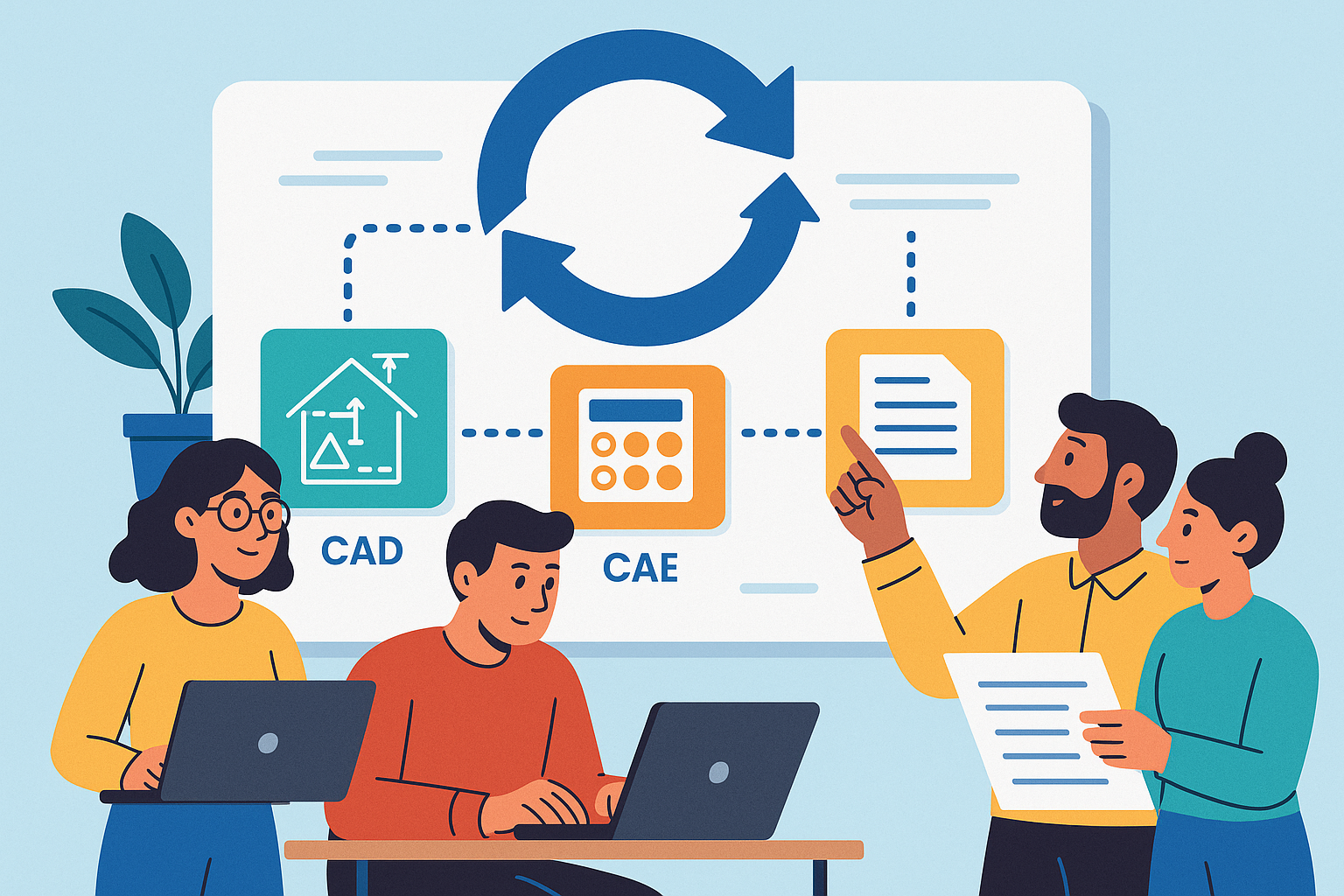
Continuous Integration is not just for software. In design organizations, the same discipline that turns source code into reliable releases can transform CAD, CAE, and documentation into a controllable, inspectable, and repeatable pipeline. The key is to treat CAD/CAE/doc artifacts like build outputs: reproducible, testable, and traceable. When feature trees, parametric datasets, solver decks, and visualization files travel through a CI engine, you get deterministic regeneration, automated conformance checks, and a lineage that can be audited at any time. This is the foundation of DesignOps: automating quality, accelerating iteration, and removing ambiguity from hand-offs between design, analysis, manufacturing, and operations. It reframes design work from a series of manual exports and emails into a coherent graph of computations that evolves with every commit.
More importantly, CI enables a meaningful shift-left quality strategy. Instead of discovering geometry failures, tolerance mismatches, or manufacturability problems during late-stage reviews, a pipeline can run at commit time and fail fast, guiding authors to fix issues when they are cheapest to resolve. Practical outcomes include automated regeneration of parametric models, verification of PMI/MBD content, validation against DFM/DFAM constraints, and instant deltas to downstream artifacts (meshes, bills of materials, technical reports). The output is a body of work that carries consistent structure and metadata, demonstrating repeatability in ways that satisfy internal governance and external compliance. In short, a CI posture in design shifts the focus from heroics and tribal knowledge to systematized feedback loops that scale with product complexity and team size.
- Treat model regeneration and report creation like software builds with versioned inputs and pinned environments.
- Standardize data hand-offs: model hash -> neutral export -> mesh -> solver deck -> KPIs -> documents.
- Automate review gates so quality checks become routine, not special events.
Unique Constraints vs. Software CI
Design CI inherits the spirit of software CI but faces constraints that demand tailored engineering. Whereas code compiles to small binaries, design pipelines handle large binaries, non-deterministic solvers, and geometry operations that can produce diverging results under slight numerical perturbations. Many tools are license-gated and GUI-centric; compute can be both CPU and GPU intensive; and results frequently depend on platform-level nuances such as kernel versions, graphics drivers, and thread scheduling. Teams must operate in hybrid environments—Windows for CAD, Linux for HPC solvers—while coordinating artifact lifecycles within PDM/PLM governance frameworks that impose branching, approval, and security models distinct from general software repositories.
CI for design must also respect intellectual property flows and compliance mandates. This includes strict control over neutral exports, path-level permissions, and redaction or watermarking of generated content. At the same time, integration with PDM/PLM dictates rules for how workspaces map to branches, how change objects drive event-based automation, and how immutable snapshots are created for release. Tool heterogeneity further complicates matters: a single pipeline may combine Python scripts, headless CAD APIs, meshing tools, and multi-physics solvers under shared caches and consistent provenance. Successful pipelines therefore introduce containerized helpers, virtualization for GUI-bound processes, and orchestration that understands license pools and budget guardrails, turning a patchwork of heavy applications into a predictable flow.
- Mitigate non-determinism with golden datasets, statistical tolerances, and seeded solver settings.
- Align branch-aware workspaces with PDM/PLM approvals to avoid rogue artifact creation.
- Segment runners: CAD-licensed, CAE-licensed, GPU-enabled, and documentation-only for efficient scheduling.
What “Tests” Mean for Design
In design CI, “tests” are not just unit tests; they are a spectrum of quality gates that encode engineering intent. At the CAD level, that includes feature tree linting, constraint solvability checks, and parametric sweeps to confirm model stability across ranges. PMI/MBD completeness is measurable: do features carry the required tolerances and annotations to meet ASME/ISO expectations? Manufacturability gates enforce rules like minimum wall thickness, undercut detection, draft angles, and rulesets for lattice structures or additive manufacturing orientations. Data integrity checks assure that BOMs match ERP expectations, metadata conforms to schemas, and drawing-model associativity remains intact during revisions. For simulation, regression gates verify mesh quality, convergence behaviors, and KPI stability compared to golden baselines, with trends tracked to catch drift.
Documentation is similarly testable. Auto-generated drawings, PDFs, change logs, and simulation summaries can be validated for sign-off readiness. Success criteria may include revision correctness, callout completeness, and consistent title block metadata. The broader purpose is to formalize the engineering knowledge that once lived in notebooks and hallway conversations, and to translate it into executable, machine-verifiable rules. This not only empowers “shift-left” but also equips distributed teams with consistent guardrails—reducing subjectivity and miscommunication. By codifying these tests, each commit becomes an experiment that measures whether the design is still compliant, still manufacturable, and still delivering expected physics-based performance.
- CAD QA: feature tree lint, constraint solvability, param sweep robustness, PMI/MBD sufficiency.
- Manufacturability: draft/undercut checks, minimum wall rules, hole tables, lattice constraints, AM orientation feasibility.
- Data integrity: BOM/ERP alignment, metadata schemas, file reference health, drawing-model associativity.
- Simulation regression: mesh quality gates, convergence criteria, KPI deltas vs. golden baselines.
- Documentation: auto drawings and reports validated for sign-off, change logs cross-checked with release notes.
A Reference CI Pipeline for CAD, Simulation, and Documentation
Triggers and Scoping
A pragmatic pipeline starts by aligning triggers with product rhythms. Common entry points include pull requests or merges into main, annotated tags for formal releases, and scheduled nightlies for heavy Design of Experiments (DOEs). In PLM-centric environments, event-driven automation from ECOs (Engineering Change Orders) ensures that controlled design changes automatically transit through regeneration, verification, and documentation. Because these flows can be computationally expensive, the pipeline should implement selective execution: path filters that map directories like /cad/, /materials/, and /sim/ to corresponding stages, and dependency graphs that understand when a modified material card requires remeshing or when a geometry delta invalidates a downstream solver deck.
Effective scoping also considers artifact age and priority. For rapid feedback, smoke suites can run on every commit while full regressions run nightly or on-demand. Release tags can promote artifacts to immutable snapshots while capturing the complete provenance graph. To keep latencies modest, pipelines can bundle small, related changes while deferring deeper analyses to off-hours, all while communicating results through dashboards and chat integrations. The end goal is to combine agility with economy: run the right thing at the right time, and surface only the most actionable feedback to authors so iteration remains confident and fast.
- Triggers: PR/merge to main, tag for release, scheduled nightlies, PLM ECO events.
- Scoping: path filters (/cad/, /materials/, /sim/), dependency graphs, artifact invalidation policies.
- Latency tiers: smoke on commit, regression nightly, DOE weekly or on request.
Stages
A reference CI pipeline can be understood as a set of well-defined stages that transform and verify the design in layers. Preflight runs rapidly to catch trivial but common problems: schema and metadata linting, unit conversions, naming conventions, lightweight geometry checks, and parameter diffs to explain “what actually changed.” Build geometry performs headless CAD regeneration, producing feature health reports and expanding variant matrices to ensure that families of parts regenerate under a consistent kernel and plugin set. QA gates validate PMI/MBD conformance to ASME/ISO rules, capture tolerance-stack snapshots, and enforce DFM/DFAM rulesets appropriate to the downstream processes—molded, machined, or additively manufactured.
Simulation stages proceed from smoke tests to regressions and DOEs, employing pinned meshing recipes and solver configurations to reduce variability. KPIs are extracted and plotted for short- and long-term trend tracking. Documentation automates drawing creation, PDF packaging, simulation summaries, and the creation of change impact notes and release notes, all with metadata and revision control baked in. Finally, release and publish stages sign artifacts, push to PLM, notify stakeholders, and archive provenance—so every outcome is attributable to a specific commit, environment, and rule set. This structured progression reduces cognitive load for contributors while ensuring every artifact has passed gates relevant to its maturity and risk profile.
- Preflight: schema linting, unit checks, parameter diffs, lightweight geometry health.
- Build geometry: headless regeneration, feature health, variant matrix expansion.
- QA gates: PMI/MBD conformance (ASME/ISO), tolerance stacks, DFM/DFAM.
- Simulation: meshing with pinned recipes; smoke -> regression -> DOE; KPI extraction and trend plots.
- Documentation: auto drawings/PDFs, simulation summaries, change notes, release notes.
- Release & publish: sign artifacts, push to PLM, notify, archive provenance.
Reproducibility and Performance
Reproducibility is both cultural and technical. Culturally, it demands discipline in versioning: geometry kernels, plugins, post-process scripts, material databases, and process cards must be pinned and documented. Technically, containerized helpers and virtualized desktops for GUI-bound tools make builds portable and auditable. Where tools cannot be containerized, orchestrators should encode OS images, driver versions, and license configurations so that jobs land on compatible runners. Performance hinges on smart caching: meshes and intermediate solver decks can be cached by geometry fingerprints, letting the pipeline reuse expensive computations whenever inputs match. Solver stochasticity is handled with golden datasets and statistical gates—accepting results within tolerance bands rather than expecting byte-identical outputs.
Beyond raw compute, performance shows up in developer experience: fast smoke suites that return in minutes, with heavier jobs queued for off-hours or scaled out to cloud nodes. Shared object stores ensure artifacts do not traverse the WAN repeatedly, while lineage metadata ensures the right cache is hit at the right time. In the background, budget guardrails inform job admission: when cost or license pools are tight, the scheduler can throttle or reclassify jobs to maintain SLAs for high-priority work. Reproducibility and performance thus become inseparable: by formalizing environments and caches, the pipeline reliably answers not just “what changed?” but also “how quickly can we know?”
- Pin kernels, plugins, and data sources; codify environment manifests alongside code.
- Cache meshes/decks keyed by geometry fingerprints; invalidate smartly on param or topology changes.
- Use golden datasets and tolerances to absorb solver noise; compare distributions, not bytes.
Observability
Observability turns opaque, heavy jobs into digestible signals the organization can act upon. Dashboards summarize pass/fail by product line, show KPI drift heatmaps across revisions, and maintain quarantine lists for flaky tests awaiting triage. For simulation, time-series plots connect KPI evolution to commits, framing performance trends in context. For CAD, lineage reports expose regenerated features, suppressed operations, and PMI coverage percentages. Artifact lineage provides the backbone: commit -> model hash -> mesh -> solver logs -> KPIs -> documents, so anyone can drill from a red dot on a dashboard to the precise logs and input files.
Notifications must be informative, not noisy. Short messages should direct authors to diffs, key metrics, and known playbooks for resolution. For leaders, periodic reports summarize gate pass rates, simulation coverage growth, and compute/license burn so resources can be steered proactively. The last mile is governance: when a gate is overridden, that event must be captured with rationale, approvers, and scope, closing the loop between engineering practice and managerial oversight. With this level of visibility, design CI ceases to be a black box; it becomes a sensor network for the entire product development system, making quality and throughput measurable and improvable.
- Dashboards: pass/fail by product, KPI drift heatmaps, flaky test quarantine.
- Lineage: commit -> model hash -> mesh -> solver logs -> KPIs -> docs with deep links.
- Governance: explicit override records, approvers, and rollbacks captured as artifacts.
Platform, Tooling, and Organizational Integration
CI Engines and Runners
Selecting a CI engine is about ecosystem fit and control. GitLab CI, GitHub Actions, and Jenkins all support the necessary primitives: pipelines, artifacts, matrices, and runner orchestration. The differentiator for design work lies in self-hosted runners that span Windows and Linux, with CPU and GPU pools sized for CAD rebuilds, meshing, and visualization. Job classes segment the workload by license dependency and hardware needs: CAD-licensed jobs for regeneration and PMI checks; CAE-licensed jobs for meshing and solvers; open-source toolchains for pre/post-processing; and documentation-only jobs for rendering and PDF workflows. Templated pipelines reduce boilerplate across product lines while allowing domain-specific overrides.
Runners need predictable environments to ensure reproducibility. For Windows hosts that drive CAD APIs, infrastructure-as-code should encode OS build numbers, graphics drivers, and plugin registries. Linux runners for HPC can advertise NUMA topology, Infiniband, and CUDA versions as labels that schedulers understand. Artifact storage and cache layers must be co-located with compute pools to avoid network bottlenecks. Finally, the orchestration should understand PLM-driven priorities: when an ECO requires urgent verification, the scheduler should preempt low-priority DOEs, guaranteeing timely flow from design intent to signed release without human juggling.
- Use matrix jobs to fan out variant matrices and DOEs; gather KPIs with standardized collectors.
- Label runners by OS, GPU, license class, and memory tiers; route jobs accordingly.
- Co-locate caches and artifacts with compute to minimize egress and latency.
Licensing and Cost Control
License pools are the gravity wells of design CI. A pipeline must be token-aware, performing license check-outs as gates before dispatching jobs. Preflight steps can run without consuming expensive tokens, only escalating to licensed stages when prior gates are green. Long-running solvers should be preemptible under policy, with checkpointing to protect partial results. On the compute side, use a mix of reserved capacity for latency-critical work and spot or low-priority cloud nodes for bulk DOEs, guarded by budgets. Auto-throttling can keep monthly spend on track by shaping queues when burn rates threaten limits, while still ensuring critical paths continue to flow.
Scheduling decisions should be explainable. If a job is delayed due to license exhaustion, the UI should show the current pool state and expected start time. If a token is stranded on a crashed runner, automated reclamation protects availability. Consumption analytics power smarter planning: which departments are burning tokens and compute, which solvers tend to overrun, and which tests most often flake under load. With that clarity, the team can refactor tests, update recipes, or adjust procurement. Ultimately, cost control is not only about “less spend” but about more validated design decisions per dollar, achieved by ensuring capacity is consumed by the highest-value checks at the earliest useful moment.
- License gates: validate availability before job dispatch; auto-reclaim on failure.
- Compute policy: reserved for latency-sensitive, spot for DOEs; enforce budget guardrails.
- Preemption: checkpoint long solvers; resume when capacity returns.
Data and Security
Design pipelines carry sensitive IP and must respect PDM/PLM rules without compromise. Branch-aware workspaces mirror source control branches, while PLM change objects govern when and how artifacts are promoted. Immutable snapshots anchor releases with unalterable links to inputs and environments. Secrets management encrypts credentials, license files, and API tokens; artifact encryption and path-level permissions limit exposure to only those who need it. For externally shared outputs, watermarking and redaction protect what matters while enabling collaboration with suppliers or customers. Strong identity and role mapping unify source control, CI, and PLM permissions so approvals propagate correctly.
Data hygiene is as important as access control. Pipelines enforce metadata schemas, ensuring part numbers, revisions, material references, and supplier codes comply with ERP and compliance rules. Automated cross-checks align BOMs with ERP entries and catch orphaned references. Neutral exports (STEP AP242 + PMI) become a deterministic contract for downstream tooling, while USD streams keep visualization artifacts consistent across platforms. With these practices, security supports agility rather than blocks it: automation guarantees consistent application of the rules, and engineers are liberated from repetitive clerical work that frequently causes errors when done manually.
- Integrate PDM/PLM: branch-aware workspaces, ECO-linked runs, immutable snapshots.
- Protect IP: encrypted artifacts, fine-grained permissions, watermarking of generated documents.
- Enforce schemas: BOM/ERP alignment, metadata validation, deterministic neutral exports.
Headless Automation Tactics
Many CAD applications evolved with rich GUIs, yet design CI needs them to behave like servers. Fortunately, modern toolchains provide APIs—NXOpen, CATIA CAA, Creo Toolkit, SolidWorks API—that enable headless regeneration, feature interrogation, and PMI extraction. Python bridges glue together CAD, meshing, and post-processing, while cloud-native CAD APIs offer fully hosted options that sidestep desktop idiosyncrasies. For visual review, remote rendering pipelines produce image diffs or spin animations that compare revisions at set viewpoints and tolerances. Deterministic export pipelines normalize geometry and metadata into STEP AP242 + PMI for manufacturing and USD for product visualization, creating consistent, tool-agnostic hand-offs.
Headless does not mean blind. Scripts should report feature suppression, failed constraints, and recompute times with structured logs. For meshing and solving, pinned recipes fix element types, growth rates, and partitioning strategies; convergence monitors emit standardized metrics for dashboards. Where GUI-only flows persist, virtualization and macro-driven controls can bridge gaps, but teams should invest in scripting first-class paths to reduce fragility. The reward is automation that scales: the same headless routines service developer laptops, on-prem runners, and cloud fleets, ensuring that a commit from any contributor receives the same deterministic, auditable treatment.
- Leverage native CAD APIs and Python bindings; prefer scriptable over macro-only paths.
- Remote rendering for visual diffs; parameterize viewpoints and tolerances.
- Use deterministic neutral exports (STEP AP242 + PMI) and USD for visualization pipelines.
Best-Practice Playbook
Successful organizations codify a playbook that balances speed and rigor by maturity level. At concept, gates are light: metadata lint, lightweight geometry checks, and a minimal smoke sim. At prototype, PMI completeness, basic DFM/DFAM, and targeted regressions come online. At release, full conformance, tolerance stacks, and comprehensive simulation suites establish defense in depth. Across all stages, maintain a small, fast smoke suite that runs every commit, while batching heavy solvers nightly or weekly. Introduce design unit tests for critical parameters and kinematics: if a dimension or mechanism fails, the pipeline fails. Treat materials and process cards as versioned code, validated by tests that check ranges, units, and compatibility with downstream recipes.
Continuous improvement is built into the playbook. Flaky tests are quarantined with root-cause tracking; KPIs trend against targets; and budgets are watched with automated throttles. Teams document standard runbooks for common failures, including corrective scripts and diagnostic commands, reducing mean time to resolution. Finally, governance codifies when gates may be overridden and by whom, with automated audits creating transparent, searchable records. The playbook thus becomes the institutional memory of DesignOps—portable across products and resilient to personnel changes—ensuring that engineering discipline does not rely on heroics but on an evolving, shared system of practice.
- Define gates by maturity: concept -> prototype -> release.
- Keep smoke suites tiny and fast; push bulk sims to off-hours.
- Version materials/process cards; validate with unit-like tests.
Conclusion
CI Operationalizes Quality
Continuous Integration for design transforms quality from aspiration into operation. By embedding checks for geometry health, PMI completeness, manufacturability, data integrity, and physics performance into every change, teams get faster feedback, fewer late-stage surprises, and audit-ready traceability. The pipeline encodes the organization’s standards as executable logic, elevating consistency while freeing engineers from repetitive, error-prone chores. Where uncertainty once stemmed from manual exports and ad hoc reviews, observability and lineage make outcomes predictable and explainable. In the long run, this increases stakeholder confidence: manufacturing trusts the hand-off, analysis trusts the decks, and leadership sees continuous evidence that designs are converging toward release criteria, not straying from them.
Just as importantly, operationalized quality strengthens risk management. Reproducible environments catch environment drift before it bites; statistical gates tame solver noise; and a tiered test strategy ensures that small changes get rapid checks while big moves receive the depth they deserve. Together, these measures turn complexity into something tractable. Instead of firefighting, teams invest in improving their gates and recipes, compounding gains as libraries and playbooks mature. The message is simple: CI does not slow design down—it channels that energy into a system that protects intent, reduces rework, and turns every iteration into reliable progress.
- Automated gates enforce standards consistently, reducing review fatigue and oversight risk.
- Traceability maps every document and KPI to inputs and environments for compliance and audits.
- Engineers focus on decisions while the pipeline handles routine verification.
Start Small, Then Layer Capability
The path to robust DesignOps starts with a narrow but high-signal slice. Automate metadata lint and lightweight CAD checks first: unit validation, naming, parameter diffs, and quick regeneration tests. Add PMI coverage metrics and a basic manufacturability scan. From there, introduce meshing smoke tests and one or two golden baselines to keep physics honest. Only when the feedback loop is stable should you layer heavier regressions, DOEs, and full document generation. This stair-stepped approach builds organizational trust—people see value quickly without feeling overwhelmed by tooling.
Along the way, keep the developer experience central. A short feedback cycle on every commit pays for itself by reducing context switches and rework. Offer clear diagnostics and links to remediation playbooks. Reserve heavy queues for off-hours or on-demand requests, and communicate job priorities transparently. As capability grows, adopt deterministic exports, visual diffs, and standardized KPI extraction across product lines. Each layer should reduce manual touch, increase confidence, and leave the team wanting the next tranche of automation because they perceive the benefits in their daily work.
- Phase 1: linting and regen smoke; Phase 2: PMI/DFM and mesh smoke; Phase 3: regressions/DOE; Phase 4: doc automation.
- Prioritize fast feedback on commit; defer heavy compute to scheduled windows.
- Continuously refine gates based on failure modes and team feedback.
Measure What Matters
Success needs instrumentation. Track lead time for change: how long from commit to green gates? Monitor escaped defects: how many geometry, PMI, or DFM issues reach late stages? For simulation, measure coverage and stability: what portion of variants and regimes are exercised routinely, and how often do KPIs drift beyond tolerance bands? Track gate pass rates at each maturity level to find weak spots. On the resource front, watch compute and license burn to catch bottlenecks and waste early. These metrics are not vanity; they directly illuminate where to invest in recipes, tooling, or training.
Reporting should be role-aware. Engineers get dashboards focused on actionable failures; leads see trends by product line and phase; executives receive quarterly summaries that correlate CI health with schedule adherence and quality outcomes. Crucially, pair metrics with hypotheses and experiments: if lead time balloons, try tighter scoping or more caching; if solver flakiness rises, deepen statistical gates or pin environments more aggressively. Metrics become a guide for continuous improvement rather than a scoreboard for blame, driving a culture that values evidence and iteration.
- Core metrics: lead time for change, escaped defect rate, simulation coverage, gate pass rates.
- Resource metrics: compute hours, token consumption, cache hit rates.
- Action loops: correlate trends to changes in recipes, environments, or gates.
Watch-Outs and Mitigations
No pipeline is free from edge cases. Solvers can be flaky, thresholds can be set too tight, and environments can drift unexpectedly. The countermeasures are known but require discipline: pin stacks and data sources; build statistical expectations rather than brittle byte-for-byte comparisons; quarantine flaky tests with aggressive triage. License bottlenecks can derail productivity, so adopt token-aware scheduling and preemption policies that preserve fast-lane feedback while pushing bulk work to low-cost windows. Visualization diffs can be misleading unless viewpoints and tolerances are standardized; bake those into deterministic export and render pipelines to avoid false positives.
Security and IP controls must evolve with collaboration patterns. As more partners touch artifacts, invest in encrypted storage, path-level permissions, and watermarking to balance openness with control. Finally, resist the urge to automate everything at once. Premature complexity can disguise foundational problems in modeling or governance. Instead, layer capabilities as reliability grows, always preserving the small, fast smoke suite that serves as the system’s heartbeat. With these mitigations, the pipeline remains a source of leverage—not a source of toil.
- Mitigate solver noise with seeded runs and statistical gates; pin environments.
- Throttle and preempt to manage license and budget constraints.
- Standardize visualization parameters to reduce spurious diffs.
The Outcome: A Sustainable DesignOps Backbone
Executed well, design CI becomes the backbone of a modern engineering organization—a sustainable, scalable DesignOps platform that lets teams explore more, risk less, and release with confidence. Quality ceases to be episodic; it is operationalized in every commit. Collaboration improves because artifacts carry context, provenance, and intent. The organization’s collective intelligence moves from scattered documents and one-off scripts into shared gates, datasets, and recipes that improve with use. And when releases come due, the delta between “what we intended” and “what we built” is small, visible, and surmountable, because the system has been measuring and correcting all along.
Most importantly, this backbone is adaptable. As new solvers, materials, and manufacturing processes emerge, they are integrated as new job classes, new gates, and new datasets—without disrupting the core flow. The same observability that flags regressions also highlights opportunities: faster meshing recipes, better PMI authoring patterns, or smarter DOE designs. In this way, CI for design is not just a toolchain; it is a learning system that composes technology, process, and people into a durable advantage. It earns its keep every day by making the next day’s engineering better.
- Operational quality: feedback loops at every change reduce risk and rework.
- Scalable learning: gates and datasets encode evolving best practices.
- Confidence at release: provenance and performance trends converge to predictable outcomes.
Also in Design News