Your Cart is Empty


Assign Random Material IDs in 3ds Max | Random Material IDs
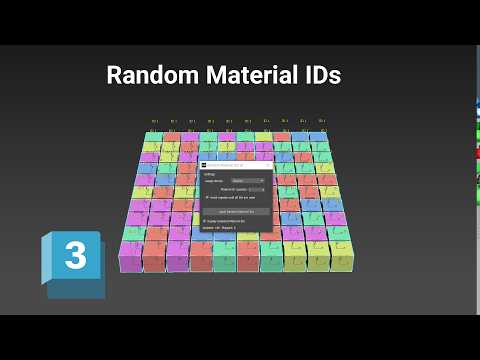

Video From YouTube: SiNi Software
This informative video from 2Shapes showcases the process of automatically assigning random Material IDs to selected geometry and spline objects in Autodesk 3ds Max, utilizing SiNi Random Material IDs. Viewers will learn how to define the available number of Material IDs and generate random assignments, facilitating the preparation of assets for Multi/Sub-Object materials and renderer-driven variations. The tutorial highlights the practical applications of this technique, such as enhancing the visual diversity of floor tiles and randomizing brick and masonry textures, making it an essential resource for 3D artists looking to elevate their projects with unique material variations.
If you like this content please subscribe to the SiNi Software YouTube Channel

Browse SiNi Software Products
VFX Plugins
Also in Design News