
Your Cart is Empty


AI-Assisted Sketching for Intent-Aware Design Software
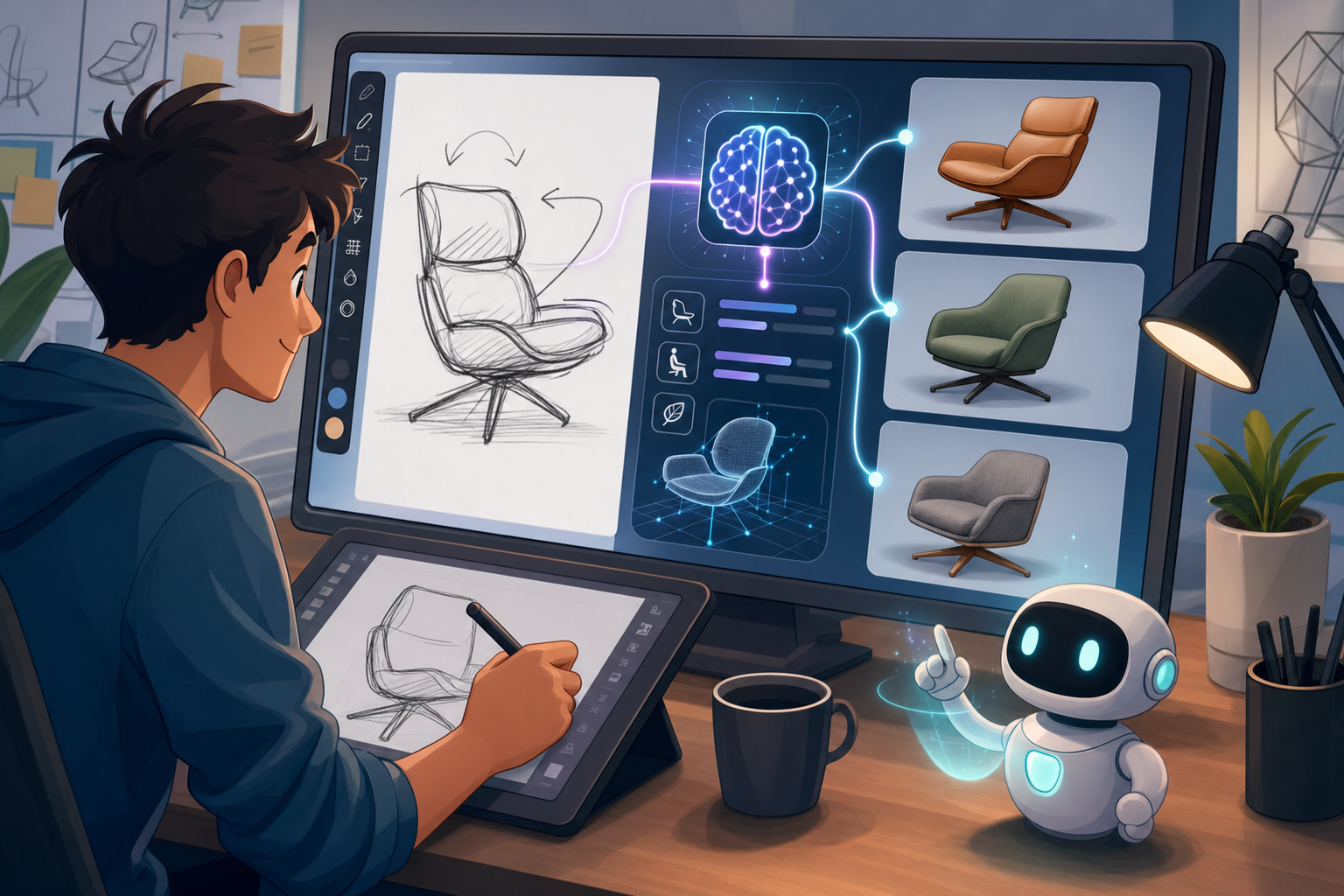


Sketching as a Computational Interface
From visual notation to design intelligence
Digital sketching has historically occupied an awkward position in design software: it is fast enough for capturing intuition, but often too informal to carry meaningful design intent into downstream CAD workflows. A designer might draw a concept with a stylus, trace proportions over an imported reference, or rough out mechanism geometry in a sketching environment, only to rebuild the same idea later using explicit constraints, dimensions, planes, profiles, and feature operations. This duplication is not merely inefficient; it creates a gap between the moment of creative discovery and the moment of engineering definition. AI-assisted sketching is beginning to close that gap by transforming the sketch from a visual note into a computational input. Instead of treating loose lines as disposable graphics, modern design systems can interpret them as possible circles, arcs, splines, symmetry relationships, manufacturable profiles, repeated features, or early indicators of functional structure. The importance of this shift is not that artificial intelligence makes sketching cleaner, but that it allows software to participate earlier in the design process without demanding that the designer work like a CAD operator from the first minute.
The limitations of traditional digital sketching
In conventional CAD environments, sketching is usually a front end to parametric modeling, but it is rarely intelligent enough to understand why a designer is drawing a particular shape. A line can be horizontal, a circle can be dimensioned, and a profile can be extruded, yet the software generally waits for the user to define each relationship manually. If two lines are nearly parallel, the system may not know whether they should be truly parallel, intentionally tapered, or merely approximate. If three holes are drawn with similar spacing, the system may not immediately understand whether they represent a pattern, a mounting interface, or exploratory placement. This creates friction during ideation because designers must choose between speed and structure. They can sketch freely and lose downstream precision, or they can define constraints carefully and slow the flow of thought. The central promise of intelligent sketching is to reduce this trade-off by allowing the system to infer likely relationships while still leaving final authority with the designer. This matters especially in product design, architecture, additive manufacturing, and engineering computation, where early geometry often guides simulation, configuration, fabrication, and cost decisions.
What intelligent recognition changes in practice
When sketching becomes an intelligent interface, the designer’s rough input can trigger a series of computational interpretations that would previously require manual rebuilding. A hand-drawn rectangle can be cleaned into orthogonal edges; a nearly circular shape can become a true circle; a repeated set of marks can be interpreted as an array; and a roughly mirrored outline can generate a suggested centerline. The software can also detect closed regions that are candidates for extrusion, revolve operations, sweeps, lofts, offsets, or cut features. This recognition is not limited to geometric primitives. More advanced systems are beginning to infer proportional relationships, likely manufacturing strategies, and even functional hints such as mounting surfaces, ribs, tabs, brackets, flexible hinges, or sheet-metal flanges. The designer still sketches, but each stroke becomes richer because the environment is watching for structure. The emerging workflow is therefore less about replacing creativity and more about embedding constraint intelligence into the earliest gestures of design. In the best implementations, the system does not interrupt the act of drawing; it quietly gathers possible interpretations and offers them at moments when they can accelerate modeling rather than disturb exploration.
- Loose marks can become editable CAD geometry.
- Approximate alignment can become proposed geometric constraints.
- Repeated features can become parametric patterns.
- Closed profiles can become candidates for 3D feature creation.
- Early shapes can be connected to manufacturability checks.
From Rough Concept to Constraint Recognition
The bridge between freeform ideation and parametric control
AI-assisted sketching occupies a productive middle ground between freeform drawing and fully constrained parametric modeling. In a traditional workflow, a designer often begins with expressive marks and later translates those marks into controlled geometry by adding constraints, dimensions, references, and feature logic. That translation stage can be tedious, and it often strips away some of the reasoning embedded in the first drawing. Intelligent sketching changes the sequence. The designer can draw an approximate shape using a mouse, stylus, touchscreen, tablet, or spatial input device, while the software continuously analyzes the geometry for recognizable intent. A wavy stroke that appears to describe a circle can be normalized into a circle while preserving the user’s rough scale and position. Two nearly horizontal lines can be proposed as parallel. A centerline can be inferred from a balanced form. A series of similar openings can be grouped into a pattern. The important detail is that the system should not assume interpretation is truth. Instead, it should present possible meanings as editable suggestions, allowing the designer to accept, modify, suppress, or ignore the recognized structure without losing creative momentum.
A practical workflow for intelligent sketch formation
A typical intelligent sketching workflow begins with ambiguity and gradually moves toward structure. The designer draws a concept using broad strokes, often with little concern for exact dimensions. The system identifies primitive elements such as lines, arcs, ellipses, splines, construction axes, and closed profiles. Then it calculates possible relationships: which entities appear parallel, which curves are tangent, which holes share diameter, which endpoints should coincide, and which shapes suggest mirroring or rotational symmetry. Rather than immediately locking the sketch, the tool may display lightweight suggestions, perhaps through subtle glyphs, color coding, temporary overlays, or a conversational prompt. The designer can confirm the relationships that express true intent and reject those that merely reflect messy drawing. Once accepted, the sketch becomes a structured foundation for modeling operations such as extrusion, revolve, sweep, loft, shell, fillet, rib creation, or subtractive cuts. This is where AI-assisted constraint recognition becomes especially valuable: it preserves the fluidity of sketching while reducing the amount of manual setup needed before the geometry can participate in a parametric model.
- The designer sketches an approximate shape without stopping to fully define it.
- The system detects primitive geometry and possible design relationships.
- Suggested constraints and dimensions appear as optional recommendations.
- The designer accepts, rejects, or adjusts the proposed logic.
- The sketch becomes suitable for downstream 3D operations.
Examples of recognized design intent
The value of intelligent sketching becomes clearer when considering common modeling scenarios. Imagine drawing a simple mounting plate by hand. The outer boundary may be slightly irregular, but the software can infer that the intended result is a rectangle with rounded corners. Four roughly circular holes near the corners can become true circles with equal diameters, perhaps identified as a symmetrical hole pattern. If the holes sit close to a central axis, the system may suggest mirrored constraints. If their spacing appears uniform, it may propose an equal-distance parameter. If the boundary is closed, the region can be prepared for extrusion. In another scenario, a designer might sketch a side profile of a consumer product enclosure. The system could recognize tangency between curved surfaces, identify a centerline for symmetry, detect wall-thickness opportunities, and propose a loft or revolve depending on the shape. For additive manufacturing, it might flag unsupported overhangs or suggest that a thin feature needs reinforcement. These interpretations do not require the designer to abandon sketching; they allow the sketch to accumulate editable design intelligence as it evolves from uncertain concept to usable geometry.
- Two nearly horizontal strokes can become parallel construction lines.
- A rough loop can become a clean circle or ellipse.
- Repeated circles can become a patterned hole feature.
- Mirrored profiles can be linked across a centerline.
- A closed region can be prepared for extrusion or cutting.
- A curved outline can suggest tangency, continuity, or surface intent.
Inferring function without removing authorship
The most advanced systems go beyond recognizing geometry and begin to infer possible functional intent. A sketch with a flat base, vertical web, and repeated fastener holes may be interpreted as a mounting bracket. A long thin profile with bends and tabs may resemble a sheet-metal flange. A circular arrangement of holes around a center point may indicate a bolt pattern. A profile with consistent offset boundaries may suggest wall thickness for injection molding or additive manufacturing. These inferences can be powerful, but they also raise an important question: how much should the software assume? Functional recognition is useful only when it remains transparent and reversible. The system might say, “This feature appears to be a mounting hole pattern; would you like equal diameters and spacing?” That is very different from silently imposing constraints that later fight the designer’s intentions. Intelligent sketching works best when it behaves like an expert assistant: observant, fast, and technically aware, but never authoritarian. The designer should always be able to see why a recommendation was made, inspect the affected entities, roll back a decision, and maintain control over whether the sketch remains expressive or becomes formally constrained.
The Technologies Behind AI-Assisted Sketching
Computer vision as the first layer of interpretation
AI-assisted sketching depends on several technologies working together, and the first layer is usually computer vision. The system must interpret marks that may be imprecise, overlapping, incomplete, pressure-sensitive, or drawn at inconsistent speeds. A human can look at a messy oval and understand that the designer probably intends a circle, but software has to analyze curvature, closure, stroke direction, scale, and context to make that judgment. Computer vision techniques help identify separate strokes, group related marks, remove jitter, detect corners, estimate line segments, and classify shapes. In stylus-based workflows, additional data such as pen pressure, tilt, velocity, and drawing order can help distinguish deliberate geometry from exploratory construction marks. In touchscreen environments, vision models may also interpret gestures such as circling an area to select it, scribbling to erase, or drawing a rough arrow to indicate movement. The challenge is that design sketches are not generic images. They contain technical meaning, partial intent, and evolving relationships. Effective recognition therefore requires models that understand not merely pixels, but design-oriented geometry and the difference between expressive ambiguity and engineering definition.
Machine learning trained on design geometry
Machine learning expands sketch recognition by allowing software to learn from large collections of design geometry, drawings, CAD sketches, manufacturing features, and modeled parts. Instead of relying only on fixed rules, a trained model can evaluate whether an arrangement of lines resembles a bracket, vent pattern, hinge, rib, enclosure, fixture, profile, or structural frame. This does not mean the model knows the designer’s intent with certainty; it means it can rank plausible interpretations and propose useful next steps. For example, if a sketch includes a closed rectangular boundary and a row of evenly spaced slots, the system may suggest a pattern constraint, a cut feature, or a ventilation motif. If a profile includes repeated bends and relief-like corners, it may suggest a sheet-metal interpretation. The quality of such systems depends heavily on the training data and the way suggestions are presented. A model trained only on narrow mechanical forms may struggle with expressive industrial design silhouettes or architectural geometries. A model trained on broad geometry may recognize more possibilities but require careful filtering. The strongest approach combines learned pattern recognition with explicit modeling rules so that suggestions are both flexible and technically meaningful.
Constraint solvers as the engine of formalization
Recognition alone is not enough. Once the system identifies possible relationships, a constraint-solving engine must formalize them into a stable parametric sketch. Constraint solvers are responsible for making lines parallel, tying endpoints together, enforcing tangency, preserving equal radii, maintaining symmetry, and resolving dimensions without contradiction. This is where AI-assisted sketching becomes part of serious CAD rather than remaining a drawing aid. A recognized circle has little downstream value unless it can behave as an editable circle with a center point, radius, constraints, and references. A proposed pattern must be more than a visual grouping; it needs spacing, count, orientation, and associativity. However, constraint solving also introduces the risk of over-definition. If an intelligent system aggressively applies every detected relationship, the sketch may become brittle, difficult to edit, or logically inconsistent. Good software should rank constraints by confidence, show which ones are active, and distinguish between confirmed design rules and tentative assumptions. It should also support staged commitment, where rough constraints help clean up a sketch without freezing it prematurely. The goal is not maximum automation; it is controlled formalization of design intent.
- Computer vision recognizes strokes, shapes, profiles, and drawing gestures.
- Machine learning ranks likely design interpretations from geometric context.
- Constraint solvers transform inferred relationships into editable CAD logic.
- Natural language systems support conversational refinement.
- Cloud-based recognition can learn from design libraries and reusable patterns.
Natural language and conversational refinement
Natural language interfaces add another dimension to intelligent sketching because they allow designers to refine geometry through intent rather than command sequences. Instead of searching for the correct constraint tool, a user might say, “Make these holes equal,” “Keep this side vertical,” “Mirror the left profile to the right,” or “Turn this outline into a three-millimeter-thick wall.” The sketch becomes a shared workspace where drawing, speaking, selecting, and editing operate together. This is particularly important for non-CAD specialists who can contribute ideas but may not know the exact terminology of parametric modeling. A product manager might annotate a concept by saying that a handle should be wider; an architect might request that a façade module repeat along a curve; an engineer might ask for a slot to remain tangent to a clearance envelope. Natural language should not replace precise modeling controls, but it can reduce the time required to express intent. The challenge is grounding language in geometry. When a designer says “these,” the system must understand the selected elements. When they say “aligned,” it must know whether alignment means centerline, edge, baseline, or construction reference. The most effective tools will combine language interpretation with visual confirmation.
Design and Engineering Implications
Faster movement from concept to model
The most obvious benefit of AI-assisted sketching is speed, but the deeper advantage is continuity. In many workflows, the initial sketch is made in one tool, interpreted in a meeting, redrawn in CAD, rebuilt for simulation, adjusted for manufacturing, and finally documented for production. Each translation introduces friction and potential loss of intent. Intelligent sketching reduces this fragmentation by letting an early concept become the starting point for structured geometry. A designer can sketch a product silhouette, accept suggested symmetry, identify a few functional features, and generate profiles suitable for modeling without starting over. An engineer can rough out a linkage, let the system infer pivots and constraints, and quickly test motion relationships. An architect can sketch a façade rhythm and convert repeated vertical elements into parametric spacing rules. The workflow becomes less sequential and more iterative. Early ideas can move rapidly toward models that support measurement, simulation, visualization, cost estimation, and fabrication planning. This does not eliminate the need for expertise, but it changes where expertise is applied. Instead of spending effort rebuilding obvious geometry, designers and engineers can focus on evaluating decisions, refining function, and exploring alternatives.
Preserving early design intent
One of the most important implications is the preservation of intent during the transition from sketch to model. Early drawings often contain clues that are easy to overlook: a centerline that implies symmetry, a repeated spacing that suggests modularity, a taper that indicates draft, a thickened area that signals load-bearing function, or a cluster of holes that implies a mounting interface. In traditional workflows, these clues may be interpreted differently by different team members or lost when geometry is rebuilt. AI-assisted sketching can help capture such logic while it is still fresh. For example, if a designer draws both sides of a symmetrical object by hand, the system may propose a mirror relationship rather than treating each side as independent. If a rough profile shows consistent material thickness, the system may suggest an offset rule. If several features appear equal, it can propose equality constraints. This is not just a convenience; it improves downstream reliability. When intent is encoded as constraints and relationships, the model becomes easier to modify because its behavior reflects the reasoning behind the design. Intent-aware modeling therefore begins not at the feature tree, but at the first interpreted sketch.
Lowering barriers without lowering standards
Intelligent sketching also makes design software more accessible to people who understand products, spaces, or problems but are not expert CAD users. This is valuable because many important ideas originate outside formal modeling roles. Manufacturing specialists may understand fixture constraints, industrial designers may understand ergonomics, architects may understand spatial rhythm, and customers may understand usability needs. If these contributors can express ideas through rough sketches that software partially structures, their input becomes easier to integrate into technical workflows. However, accessibility must not come at the expense of engineering standards. A cleaned-up sketch can look deceptively resolved even when it lacks tolerances, material strategy, load assumptions, assembly interfaces, or fabrication logic. Good systems should therefore distinguish between conceptual, provisional, and validated geometry. They might use visual states to indicate whether a constraint was inferred, confirmed, or dimensionally locked. They might separate aesthetic cleanup from engineering definition. The objective is not to make every user appear to be an expert modeler, but to create a more fluid path from contribution to validation. Democratized design input is valuable only when paired with transparent technical rigor.
- Industrial designers can sketch form while preserving geometric relationships for engineering.
- Engineers can convert mechanism ideas into constrained layouts more quickly.
- Manufacturing teams can annotate sketches with process-driven requirements.
- Architectural teams can transform loose spatial rhythms into parametric systems.
- Non-specialists can communicate concepts in a form that remains computationally useful.
Connecting sketching to simulation and manufacturing
As AI-assisted sketching matures, it will increasingly connect early geometry to simulation, manufacturing, and product configuration. This is where the technology becomes especially consequential. If a sketch resembles a load-bearing bracket, the software might suggest rib placement, minimum wall thickness, hole clearance, or fillet locations based on manufacturing rules. If a designer sketches a lattice-like structure for additive manufacturing, the software might warn about unsupported spans, trapped powder, minimum strut diameter, or build orientation considerations. If an architect sketches a façade panel, the system might infer module dimensions and check whether repeated elements align with fabrication constraints. These forms of feedback must be carefully timed. Too much manufacturability guidance at the beginning can suppress exploration, while too little can allow impractical forms to become emotionally or commercially entrenched. The best systems will allow designers to move between loose ideation and technical evaluation as needed. They will show manufacturability as a layer, not as a constant interruption. In that sense, AI-assisted sketching becomes the first stage of a broader computational pipeline where geometry, constraints, material behavior, cost, and process knowledge are connected earlier than before.
Risks, Challenges, and Design Governance
The problem of incorrect assumptions
The greatest risk in AI-assisted sketching is not that the system fails to recognize geometry; it is that it recognizes the wrong intent with too much confidence. A slightly angled line may be intentionally angled, not accidentally misdrawn. A series of unequal holes may represent different fasteners, not a pattern that should be equalized. A rough asymmetry may be central to an ergonomic grip, not an error to be corrected. If the software automatically normalizes such features, it can distort the design before the designer notices. This is why intelligent sketching must be governed by transparency, reversibility, and user control. Suggestions should be visible, explainable, and ranked by confidence. The designer should know whether a relationship was inferred from geometric proximity, visual similarity, repeated spacing, recognized function, or prior design context. The system should never hide major constraints behind a polished shape. A cleaned sketch can become misleading because it appears more deliberate and resolved than the concept really is. The best user experience will preserve ambiguity when ambiguity is useful and formalize geometry only when the designer chooses to commit. In professional design, uncertainty is not always a flaw; it is often the space where better alternatives emerge.
Over-constraining and premature resolution
Over-constraining is a familiar problem in parametric modeling, and AI can amplify it if not carefully designed. A sketch with too many constraints can become difficult to edit, especially when inferred relationships overlap with manually defined dimensions. For instance, the system might apply equality, symmetry, tangency, and fixed dimensions to a profile that the designer still wants to adjust freely. Later, a simple change causes the sketch to fail, fold unpredictably, or resist modification. This undermines confidence and can make designers turn off intelligent features entirely. A better approach is layered constraint maturity. Early suggestions might behave as soft constraints that guide cleanup without fully locking the model. Confirmed constraints might become stronger and appear in the sketch history. Critical engineering dimensions might be marked as locked, while aesthetic or uncertain relationships remain adjustable. The interface should also provide easy rollback, showing what changed when a suggestion was accepted. Progressive constraint commitment is essential because sketching is not a single action; it is a negotiation between exploration and definition. The system must understand that a concept can be meaningful without being fully resolved, and that resolution should happen at the right pace.
Handling creative and ambiguous forms
Highly creative forms pose another challenge because they often violate the geometric regularity that recognition systems prefer. Industrial design surfaces, sculptural architecture, ergonomic products, footwear, furniture, and experimental additive structures may depend on subtle asymmetry, organic curvature, or intentionally irregular transitions. If AI-assisted sketching is biased toward circles, straight lines, symmetry, and repeatable patterns, it may push designers toward conventional forms. This would be a serious limitation. Intelligent tools must support expressive sketching as well as precise engineering. They should recognize splines, curvature continuity, silhouette flow, gesture lines, and proportional intent, not only mechanical primitives. They should also allow designers to mark certain regions as expressive or unresolved, preventing automatic cleanup from flattening the character of a concept. In advanced workflows, the system might offer multiple interpretations: a clean parametric version, a smooth surface version, and a preserved freeform version. Designers could then choose which path supports the current objective. The future of AI-assisted sketching should not be a world where every rough line becomes a perfect mechanical entity. It should be an environment where human intuition and computational structure can coexist without one erasing the other.
- Incorrect inference can distort intentional asymmetry or variation.
- Excessive automation can over-constrain sketches too early.
- Polished geometry can make immature ideas appear finalized.
- Opaque AI behavior can reduce trust in generated constraints.
- Creative forms require recognition beyond simple mechanical primitives.
The need for explainable suggestions
For intelligent sketching to become trusted in professional environments, suggestions must be explainable. Designers and engineers need to understand not only what the system proposes, but why it proposes it. If the software suggests that two lines should be parallel, it might indicate that their angular difference is below a chosen threshold. If it proposes a radial pattern, it might show the common center and angular spacing. If it recognizes a possible sheet-metal flange, it might highlight bend-like regions, thickness consistency, and tab geometry. This type of explanation does not have to be verbose; it can be visual, contextual, and interactive. A designer should be able to hover over a suggestion and see affected elements, confidence level, and consequences of acceptance. Teams should also be able to configure inference behavior according to discipline. A mechanical engineering team may want aggressive constraint suggestions, while a concept design team may prefer minimal intervention. An architectural team may prioritize grids and modular systems, while an additive manufacturing team may prioritize wall thickness, self-supporting angles, and lattice continuity. Explainability turns AI from hidden automation into a visible collaborator, and that distinction will determine whether professionals embrace or resist these tools.
How Intelligent Sketching Changes Design Process
Collaboration across disciplines
AI-assisted sketching changes not only individual modeling speed, but also the way design teams collaborate. In multidisciplinary work, the same sketch may mean different things to different specialists. An industrial designer may see proportion and user interaction; an engineer may see load paths and mounting constraints; a manufacturing expert may see tooling, support structures, or assembly sequence; an architect may see grids, circulation, and modularity. Intelligent sketching can serve as a shared translation layer by converting rough input into geometry that carries multiple kinds of information. A profile can remain visually expressive while also indicating symmetry, wall thickness, or fabrication intent. A layout sketch can retain conceptual flexibility while exposing dimensions and repeated modules. This makes discussion more concrete without forcing premature finalization. Teams can evaluate variations earlier because geometry is already partially structured. They can also communicate changes more clearly because inferred constraints provide a visible record of assumed relationships. The result is a design process that moves less like a chain of handoffs and more like a continuous conversation. Computational sketching becomes a meeting point between imagination, engineering logic, and production knowledge.
Implications for additive manufacturing
Additive manufacturing is particularly well suited to benefit from intelligent sketching because the design space is broad, but the manufacturing constraints are subtle. A designer may sketch lightweight brackets, organic ducts, latticed panels, or customized fixtures with shapes that are difficult to produce using conventional methods. AI-assisted sketching can help interpret these forms while simultaneously checking for printability concerns. For example, if a sketch implies a thin rib, the system can compare it with minimum printable wall thickness. If a concept includes unsupported overhangs, the software can flag regions where build orientation or support strategy may matter. If a repeated porous pattern is drawn roughly, it can be converted into a controllable lattice with parameters for cell size, density, and transition zones. This is where early sketch intelligence has major value: manufacturability feedback can appear before the designer invests time in detailed modeling. However, this feedback should be adjustable by process. Powder bed fusion, material extrusion, binder jetting, resin printing, and metal deposition each impose different constraints. A meaningful system should therefore connect sketch interpretation to process-aware rules rather than generic warnings. The designer should be able to explore freely, then selectively activate manufacturing intelligence when needed.
Implications for product visualization
Product visualization can also become more responsive when sketching carries structured information. In many visualization workflows, the initial concept sketch is separated from the 3D model used for rendering, animation, augmented reality, or configuration. Intelligent sketching shortens that distance. If a sketch defines a product silhouette, surface break, feature pattern, or material boundary, the system can use that information to generate early visual models more quickly. A designer could sketch a handheld device and have the software infer screen boundaries, button placement, symmetry, corner radii, and shell thickness. These inferred entities could then drive rapid shaded previews, exploded views, or configuration variants. For architectural visualization, a loose elevation sketch might become a parametric façade rhythm with adjustable bay width, mullion depth, and panel proportions. The visualization does not need to be final to be useful. Early realism helps teams discuss proportion, scale, interface, and emotional response, but it must remain connected to editable design logic. The danger is visual overconfidence: a rendered object can look complete long before it is engineered. Intelligent sketching should therefore link visualization states to model maturity, making it clear whether a feature is conceptual, constrained, validated, or production-ready.
- Visualization models can be generated earlier from structured sketch entities.
- Material boundaries can be inferred from drawn regions and annotations.
- Parametric variants can emerge from accepted sketch constraints.
- Rendering can remain connected to editable design intent.
- Model maturity indicators can prevent premature confidence.
Implications for architectural design
In architectural design, sketching has always played a central role because spatial ideas often begin as diagrams, parti drawings, circulation studies, massing outlines, and façade rhythms. AI-assisted sketching can convert these early marks into computational systems without eliminating the looseness that architects rely on. A rough plan sketch might reveal zones, axes, room adjacencies, structural grids, or circulation loops. A massing sketch might become editable volumes with height relationships and setback logic. A façade sketch might suggest repeated modules, proportional grids, shading devices, or panel systems. When connected to building information modeling and environmental analysis, early sketches could feed daylight studies, area calculations, envelope performance checks, or fabrication planning. The key is that architectural intent is often relational rather than purely geometric. A line may represent a boundary, a movement path, a view corridor, or a structural bay depending on context. Intelligent systems must therefore support semantic ambiguity and allow users to assign meaning progressively. The most useful tools will not simply straighten architectural sketches; they will identify possible spatial relationships and help architects decide which ones should become parametric drivers. This makes sketching a more direct entry point into performance-aware design.
Toward Intent-Aware Design Software
The broader shift in CAD environments
AI-assisted sketching represents a major step toward intent-aware CAD environments, where software is not merely a container for geometry but an active interpreter of design reasoning. The real value is not simply cleaning up rough drawings. It is helping software understand what the designer is trying to achieve, then translating that understanding into editable relationships, manufacturable features, and computational models. This shift changes the role of early design data. A sketch can become a live object that connects to simulation, generative exploration, visualization, product configuration, and fabrication strategy. As tools mature, early-stage design could become more conversational, more exploratory, more accessible, and more directly connected to downstream validation. Designers may draw a profile, ask the system to preserve symmetry, request alternatives with different proportions, compare possible manufacturing methods, and generate quick performance feedback without leaving the conceptual environment. The sketch becomes the common starting point for multiple computational pathways. This does not mean every line must carry heavy technical meaning. It means every line can carry meaning when the designer chooses to activate it. Intent-aware design software respects the difference between a gesture, a proposal, a constraint, and a commitment.
The balance between intuition and intelligence
The future of sketching in design software is likely to blend human intuition, AI-based recognition, constraint intelligence, and real-time manufacturability feedback. The balance matters. Human designers are good at ambiguity, analogy, emotional judgment, proportion, and leaps between incomplete ideas. Software is good at consistency, pattern recognition, constraint propagation, calculation, and memory. The strongest platforms will not attempt to replace one with the other. Instead, they will let designers remain fluid while giving computational weight to the parts of the sketch that are ready for structure. A designer might sketch freely for several minutes with no interference, then ask the system to identify closed profiles, clean only selected circles, infer symmetry for a chosen region, or check wall thickness for an additive manufacturing process. This selective intelligence is far more useful than constant correction. It supports different modes of thinking: expressive drawing, geometric organization, engineering definition, and manufacturing validation. The interface should make these modes visible and switchable. In doing so, it would preserve the freedom of sketching while adding just enough intelligence to make each line more meaningful, reusable, and connected to the broader design process.
What successful platforms will need to provide
The most successful platforms will be those that preserve creative freedom while building trust in computational assistance. They will suggest constraints but not force them. They will explain inferred relationships rather than hiding automation. They will allow easy rollback, configurable inference levels, and clear distinction between tentative and confirmed design rules. They will support precise engineering geometry and expressive conceptual sketching in the same environment. They will connect early marks to modeling operations without requiring premature commitment. They will also recognize that different disciplines need different forms of intelligence. Mechanical designers may value constraint rigor and manufacturable features. Industrial designers may value curvature, proportion, and editable silhouettes. Architects may value spatial relationships, grids, and performance layers. Additive manufacturing specialists may value wall thickness, support avoidance, lattice logic, and process-specific feasibility. The common requirement is transparency. AI-assisted sketching should feel like a sophisticated collaborator that can see patterns, remember standards, and accelerate formalization, while still respecting the designer’s authority. If implemented well, it will make design software less rigid at the beginning and more intelligent throughout the workflow. The future sketch will not be a disposable drawing; it will be the first computational expression of intent.
- Suggest constraints without forcing design decisions.
- Explain why relationships were inferred.
- Allow quick rollback and alternative interpretations.
- Support both expressive and precise sketching modes.
- Connect sketch logic to modeling, simulation, visualization, and manufacturing.
Also in Design News






