
Your Cart is Empty


Reference Architecture for CAD on Kubernetes
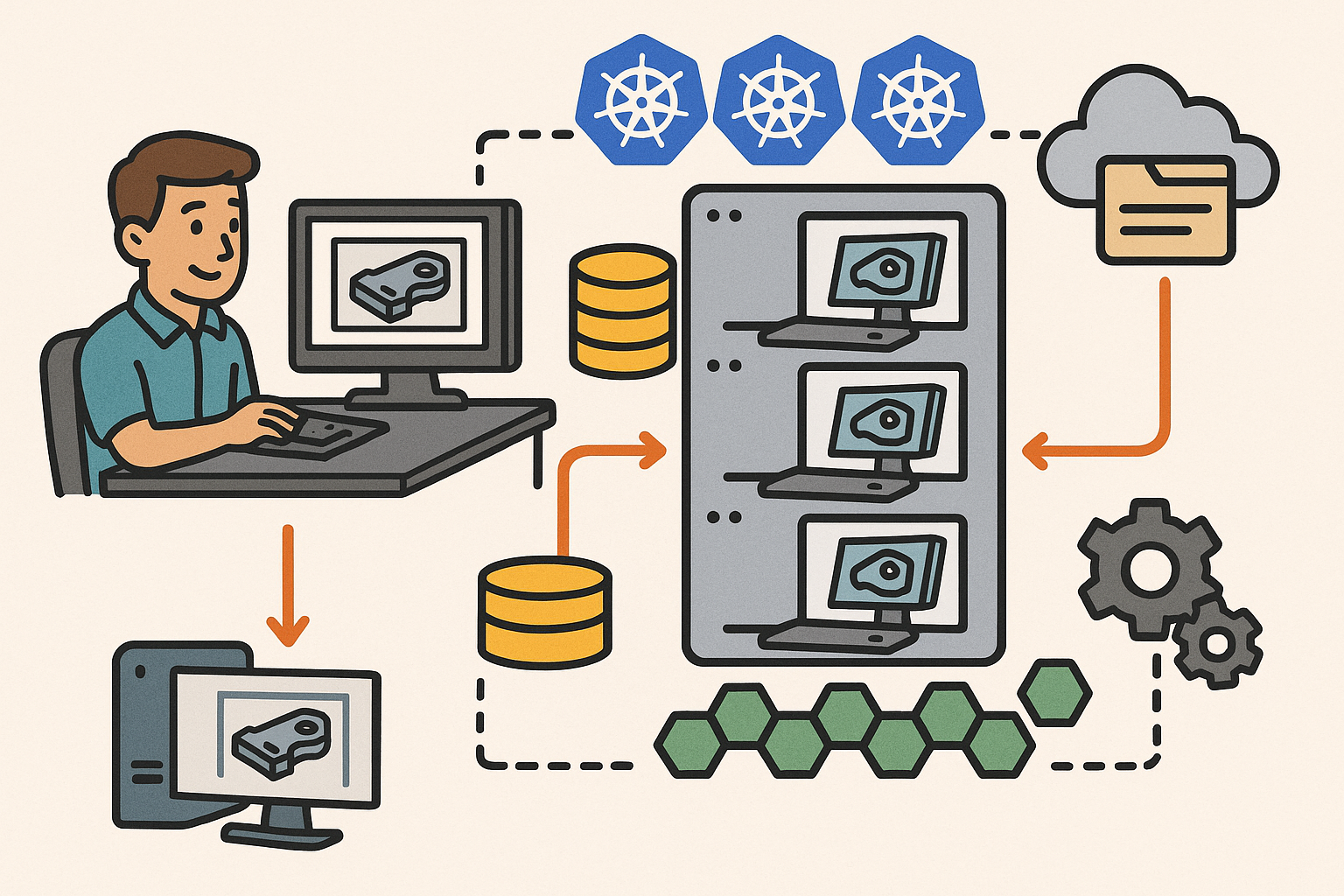


From desktop to cluster: a reference architecture for CAD on Kubernetes
Workload taxonomy
Moving CAD from a workstation to a cluster begins with a precise workload taxonomy. Interactive modeling and design review require low-latency, bidirectional streams that map well to WebSocket or WebRTC transports; the rendering can run server-side on GPUs with encoded frames streamed to the browser, or the client can drive headless kernel calls for parameter changes and feature recomputations while visualizing locally. Batch and simulation jobs—meshing, FEA/CFD pre/post-processing, translation, thumbnailing, and exports—fit cleanly into asynchronous pipelines where throughput and cost efficiency matter more than sub-100 ms responsiveness. Collaboration services maintain a real-time edit graph using OT/CRDT to synchronize features, sketches, and annotations, while presence and comments provide context. Around everything sits data and metadata services responsible for versions, PMI/attributes, search, and auditability. A good taxonomy keeps the system honest: isolate latency-sensitive paths, make batch elastic, and ensure collaboration is consistent under concurrency. Practical examples include splitting a part regeneration request into fast-path dependency analysis (interactive) and slow-path regeneration (batch), or running a WebRTC render pod next to a headless kernel so control operations and frame updates share cache locality. This separation drives predictable SLOs and allows teams to evolve each dimension—rendering, computation, and collaboration—independently without cross-contaminating performance envelopes.
Core components
The reference stack starts with an ingress and API gateway—Envoy or NGINX—with sticky sessions, JWT/OIDC auth, and per-tenant rate limits. Sticky routing ensures interactive sessions don’t thrash caches, while JWT scopes map to model permissions and export policies. CAD kernel abilities—B-rep ops, tessellation, feature regeneration—ship as gRPC microservices with strong typing and backpressure; simulation and meshing backends expose queue-aware endpoints. GPU render pods attach via the NVIDIA device plugin; on A100/H100, MIG partitions let clusters slice accelerators into predictable fractions for isolation and binpacking. A job system—Kubernetes Jobs paired with KEDA and a durable queue like SQS, NATS, or RabbitMQ—handles asynchronous work with retries, poison-queue isolation, and idempotent processors. State stores divide neatly: Postgres or Spanner for relational metadata and revisions; Redis for session and cache; and an object store such as S3/GCS for large binaries, including STEP, JT, meshes, and simulation fields. The storage plane uses CSI-backed block/file volumes for active workspaces, with snapshots and replication for DR. These components interlock around SLOs: low-latency services avoid service mesh overhead unless mTLS needs demand it; batch favors throughput with wide fan-out; and state stores provide consistency and retention without blocking hot paths.
Deployment patterns
Stateless services run as Deployments with horizontal scale and fast rollouts; stateful components use StatefulSets with well-tuned PodDisruptionBudgets for safe upgrades. Multi-pool nodes separate CPU-only, GPU, high-IOPS NVMe, and memory-optimized pools so the scheduler can avoid noisy neighbors and keep interactive pods on the fastest paths. NetworkPolicies and mTLS protect east–west traffic; a service mesh can layer in zero-trust, but beware the latency tax on WebSockets and HTTP/2—pin critical routes to minimal-filter chains and short hop counts. Practical patterns include using TopologySpreadConstraints to keep render and kernel pods near caches, configuring anti-affinity to avoid collocating heavy GPU pods on the same NUMA domains, and provisioning separate DaemonSets for node-feature discovery so schedulers know which hosts support NVLink or PCIe Gen5 lanes. For data, prefer ReadWriteMany file systems for shared workspaces and ReadWriteOnce block volumes for per-pod scratch; use CSI snapshots before rollouts that touch file schema. Finally, keep a thin but strict admission policy: resource requests/limits, image signatures, and allowed capabilities mitigate regressions and reduce cost surprises by preventing runaway allocations on the cluster.
Licensing and compliance
Commercial kernels and solvers often require tamper-resistant licensing. Run a license server as a clustered service with leader election and health checks, and expose a minimal, private endpoint to kernel pods. Admission controllers enforce resource requests/limits, image provenance, and IP protection rules: only signed images, no hostPath volumes for sensitive workloads, and egress policies that constrain where geometry can go. Gate interactive pods based on license availability: a mutating webhook can inject a sidecar that acquires a seat before the main container starts, releasing it on preStop. Track entitlements per tenant, mapping OIDC claims to allowed CAD capabilities, export formats, and solver tiers. For audits, log every export and bulk download with model IDs and hash digests; watermark viewer sessions with identity overlays and time-bounded, signed URLs. Encrypt at rest with KMS, and use envelope encryption for sensitive PMI. Where data residency applies, separate clusters or dedicated namespaces and StorageClasses per region ensure that tenant isolation and policy boundaries hold under failure, maintenance, and cross-region collaboration. This scaffolding keeps compliance from becoming a bottleneck, while making license utilization observable and predictable.
Scaling interactive CAD and simulation workloads
Autoscaling strategies
Autoscaling hinges on treating interactivity and batch differently. Use HPA/VPA for CPU-bound kernels with signals from CPU, memory, and custom metrics like feature-regeneration duration. For batch, KEDA scales workers on queue depth, visibility timeouts, and rate of arrivals—when NATS or SQS backs up, KEDA increases Job or Deployment replicas; when it drains, resources shrink. Pair Cluster Autoscaler with workload-specific node groups so GPU nodes grow only for render-heavy bursts, while NVMe-rich pools spin up for meshing or I/O-bound pre-processing. To avoid cold-starts, keep pre-warmed pods for the most popular GPU sizes and kernel images, using image pre-pullers and initContainers to prime caches and load model predictors. GPU scheduling combines binpacking, time-slicing, or MIG partitioning: time-slicing suits bursty edits, while MIG guarantees isolation at the cost of coarser steps. Use PriorityClasses to ensure interactive sessions preempt batch during spikes, and put guardrails on maximum batch concurrency to prevent starvation. The principle is simple: interactivity gets first-right-of-refusal on scarce resources; batch flexes with queues and budget constraints.
Real-time UX budgets
Define crisp SLOs: P95 end-to-end viewport latency below 120 ms and feature-rebuild feedback within 500 ms keep modeling “live.” Achieving this across hops means consolidating render, kernel, and cache via Affinity/anti-affinity and TopologySpreadConstraints; keep them in the same zone and, ideally, the same rack when possible. For transport, compare TCP and QUIC: QUIC’s stream multiplexing and loss recovery can outperform TCP for cellular or long-RTT users, while TCP may deliver steadier throughput in datacenter-to-browser paths. Tune Envoy/NGINX for WebSockets with long keepalives, smaller write buffers to reduce latency spikes, and conservative read timeouts to handle intermittent stalls. Keep encoder settings adaptive: adjust bitrate and frame pacing based on input velocity and scene complexity, preferring frame pacing over raw FPS to maintain smooth interaction. Precompute dependency graphs to stage feature calculations and return partial updates quickly. Finally, use edge CDNs to cache viewer assets and glTF/USD payloads near users so that the first paint is fast and the server only handles dynamic deltas.
Collaboration at scale
Collaboration rides on event streams. Publish edit ops to NATS or Kafka and shard by document or room, with leader pods orchestrating OT/CRDT merges. Keep ops compact, compress deltas, and periodically snapshot state to bound replay times; snapshot + delta compaction keeps long-lived documents healthy. Use deterministic routing keys for sticky sessions so a user returns to the same leader when reconnecting; build a fallback path that migrates sessions quickly on node drain or pod failure. Maintain presence, comments, and review threads as separate, lightweight channels so chatty interactions don’t starve core edit traffic. Apply flow control per client to prevent heavy editors from saturating leader loops. Keep discovery and room assignments in Redis with TTLs, and make leaders stateless by externalizing state to Postgres and object storage—leaders then become fast multiplexers with low recovery time. This architecture scales horizontally with the number of documents, while ensuring merge consistency and predictable latency under bursty multi-author edits.
Reliability and cost controls
Reliability starts with Pod Disruption Budgets: protect interactive tiers by setting maxUnavailable to zero during rollouts, and stagger drains so leaders can transfer sessions. Define SLOs per tier—render, kernel, data—then attach autoscaling guardrails so bursts cannot starve the control plane or DB. Use spot or preemptible nodes for non-interactive jobs, with checkpointing so interrupted simulations resume cheaply. Observability spans RED/USE metrics, GPU utilization, render FPS, queue depths, and traces that cross kernel → render → DB. Instrument reconnection rates, encoder stalls, and P95 feature regen time; alerts should target user-perceived health, not just pod counts. Control cost by right-sizing GPU partitions (MIG), downscaling pre-warmed pools during off-hours, and avoiding overzealous replica counts for collaboration leaders whose CPU is mostly idle. Finally, practice failure: kill leaders, drain nodes, and rotate certificates during load to validate that sticky routing and session migration work as designed, and that budget thresholds really reflect the experience you intend to deliver.
State management, persistent volumes, and data governance
Document and session state
Separate the ephemeral from the durable. Keep short-lived session state in Redis—cursor positions, selection sets, active tools—while persisting durable document state in Postgres with event-sourced revisions. Each edit appends a delta; periodic checkpoints produce full snapshots for fast loading and forensic audits. This design enables time-travel debugging and precise blame/trace across complex feature histories. For large models, switch to content-addressed storage (CAS) for geometry and meshes: store bodies, faces, tessellation, and fields by hash, and assemble documents from references. CAS lets you deduplicate across variants and share common subassemblies cheaply. During load, fetch the latest snapshot and stream deltas for the active session; background prefetch pulls likely-needed geometry into cache based on the user’s viewport and assembly graph. When simulations produce large fields, store them in chunked formats with indexes to support quick slices by time, region, or variable. This tight separation of session vs document state keeps hot paths in memory, long-term consistency in a relational store, and bulky assets in object storage.
Storage architecture
Active editing benefits from ReadWriteMany file systems—EFS, FSx for ONTAP, CephFS, or Portworx—backing shared workspaces and team sessions, while ReadWriteOnce block volumes provide high-IOPS per-pod scratch. For transient compute, emptyDir on local NVMe is ideal, especially for meshing and tessellation bursts. On the artifact and archive side, object storage (S3, GCS, or Azure Blob) holds versions, thumbnails, and simulation results; lifecycle tiers push older data to colder, cheaper classes without sacrificing integrity. Distribute viewer assets and glTF/USD payloads via a CDN so users get fast, cacheable fetches that don’t hit your origin. Practical patterns include: a “staging” RWX share for in-flight edits, “snapshots” in Postgres with pointers to CAS objects, and an “exports” bucket with signed URLs and virus-scanned artifacts. Use pre-signed POST for uploads to avoid proxying big binaries through the API gateway. This layered storage approach aligns latency to value: ultra-fast for in-edit files, durable and cheap for history, and globally cached for viewing.
CSI, provisioning, and performance
Dynamic provisioning with StorageClasses keeps teams agile: define classes for RWX file systems, RWO NVMe-backed block, and archival object gateways. Enable online expansion where supported to absorb surprise growth, and wire in CSI snapshots with tools like Velero for disaster recovery and point-in-time restore. Tune I/O: pick ext4 or xfs based on workload (xfs for parallel writes, ext4 for metadata-light operations), adjust readahead for mesh streaming, and disable atime to cut write amplification. For large assemblies, parallel I/O—striping reads across files and prefetching in chunks—keeps renderers fed. Manage consistency with optimistic concurrency around features and parameters; apply advisory locks for exports to serialize steps that must not overlap. When users collide on param or PMI edits, rely on merge tools and conflict-resolution semantics in OT/CRDT to stitch intents rather than drop changes. The outcome is predictable I/O behavior, rapid snapshots for DR, and clear workflows that minimize editor friction without sacrificing data integrity.
Data protection and compliance
Encrypt everything at rest with KMS, and enforce mTLS in transit; use envelope encryption for sensitive PMI so data remains opaque even to operators. Tenant isolation is non-negotiable: per-tenant namespaces, dedicated StorageClasses, and separate keys/buckets compartmentalize risk and simplify audits. Build a thorough audit trail—who viewed which model, who exported what, and when—along with signed checksums for artifact integrity. Apply watermarking in the viewer and strict download controls for IP protection. Front all uploads with a virus/malware scanning pipeline; quarantine suspicious content and only issue signed URLs after clean verdicts. For data residency, tag models and artifacts with region metadata and route storage and compute accordingly. Finally, retain logs and events with a well-defined policy that balances forensic value against privacy and cost. These controls, surfaced in dashboards, give security and legal teams confidence while enabling engineering to move quickly. The net effect: governance by construction, not by exception.
Conclusion
Kubernetes can reliably host interactive CAD, rendering, and heavy simulation
When designed around clear workload boundaries, Kubernetes comfortably hosts interactive CAD, GPU rendering, and heavy simulation. The winning pattern separates low-latency services from elastic batch pipelines and pairs both with a purpose-built storage plane. Interactive lanes demand sticky routing, GPU-aware packing, and fast state caches; batch thrives on queues, idempotent workers, and spot instances. Storage weaves through both: RWX for shared workspaces, RWO and local NVMe for scratch, and object storage for versions and simulation results. Observability stitches it all together with RED/USE metrics and end-to-end tracing across kernel, render, and data tiers, so SLOs mirror user experience—P95 viewport and feature feedback budgets, not just CPU utilization. The result is a system that feels like a local workstation but scales like a cloud: smooth viewports, quick rebuilds, resilient collaboration, and predictable cost envelopes. This approach doesn’t water down CAD; it enhances it by giving teams programmable infrastructure that adapts to the shape of their workloads in real time.
Focus on three pillars: scalability, state and storage, governance
Operational excellence accrues from three pillars. Scalability means GPU-aware scheduling, pre-warmed pods, event-driven autoscaling, and collaboration-aware routing that preserves session locality. State and storage require a crisp split between session and document state, a pragmatic mix of RWX/RWO volumes with CSI snapshots, and CAS-backed versioning to tame large assemblies. Governance covers licensing, security boundaries, encryption, and deep observability tied to SLOs. Translate these pillars into actionable patterns: PriorityClasses and MIG for interactivity, KEDA on queue length for batch, OT/CRDT for merges, and admission controls that enforce resource policies and signed images. Keep storage classes explicit, capture snapshots before schema-affecting rollouts, and wire audit signals through exports and downloads. With these guardrails, teams can evolve kernels, renderers, and solvers independently, swap out infrastructure as hardware improves, and maintain confidence that data remains secure, auditable, and recoverable—while users experience consistent, desktop-grade responsiveness.
Start with a thin vertical slice and expand deliberately
Begin with a thin vertical slice: one interactive workflow, one batch pipeline, one storage class, and targeted SLOs. Instrument that slice end-to-end—view latency, feature regen time, queue depth, GPU utilization—and iterate until it holds under bursty traffic and node failures. Pre-warm the specific GPU image you need, tune WebSocket keepalives, optimize a single tessellation path, and validate snapshot/restore for the related StorageClass. Only then expand to multi-tenant and multi-region, reusing the same patterns: deterministic routing keys for session stickiness, CAS for artifacts, and KEDA for batch elasticity. Add collaboration incrementally—presence first, then comments, then synchronized edits—and measure compaction and snapshot costs as documents grow. This approach surfaces bottlenecks early and keeps architectural decisions grounded in user-visible outcomes. By the time you scale, you have SLOs that mean something, guardrails that enforce them, and a playbook for growth that avoids guesswork and rework.
Common pitfalls and how to avoid them
Four pitfalls recur. First, under-provisioned RWX performance leads to stutters and timeouts; pick a file system with known throughput and test with realistic parallel access, then cache aggressively with Redis and local NVMe. Second, unpredictable GPU queues derail interactivity; apply priority classes, MIG partitioning, and warm pools to guarantee low-latency starts. Third, lack of sticky routing for WebSockets breaks state locality; set deterministic session keys and enforce sticky sessions at the gateway, with fast migration on drain. Fourth, missing snapshot/DR plans turn incidents into outages; adopt CSI snapshots, periodic full backups, and run restores as drills. Others include overusing service mesh on hot paths, skimping on queue backoff/retry policies, or leaving license seat management as an afterthought. Address these early with admission policies, autoscaling guardrails, and chaos tests focused on user experience. Do this, and you deliver desktop-grade responsiveness at cloud scale—reliably, observably, and cost-effectively.
Also in Design News



