Your Cart is Empty


Real-Time Ready in 3ds Max: Retopology, Bake-Safe Topology, and LOD Optimization Workflows


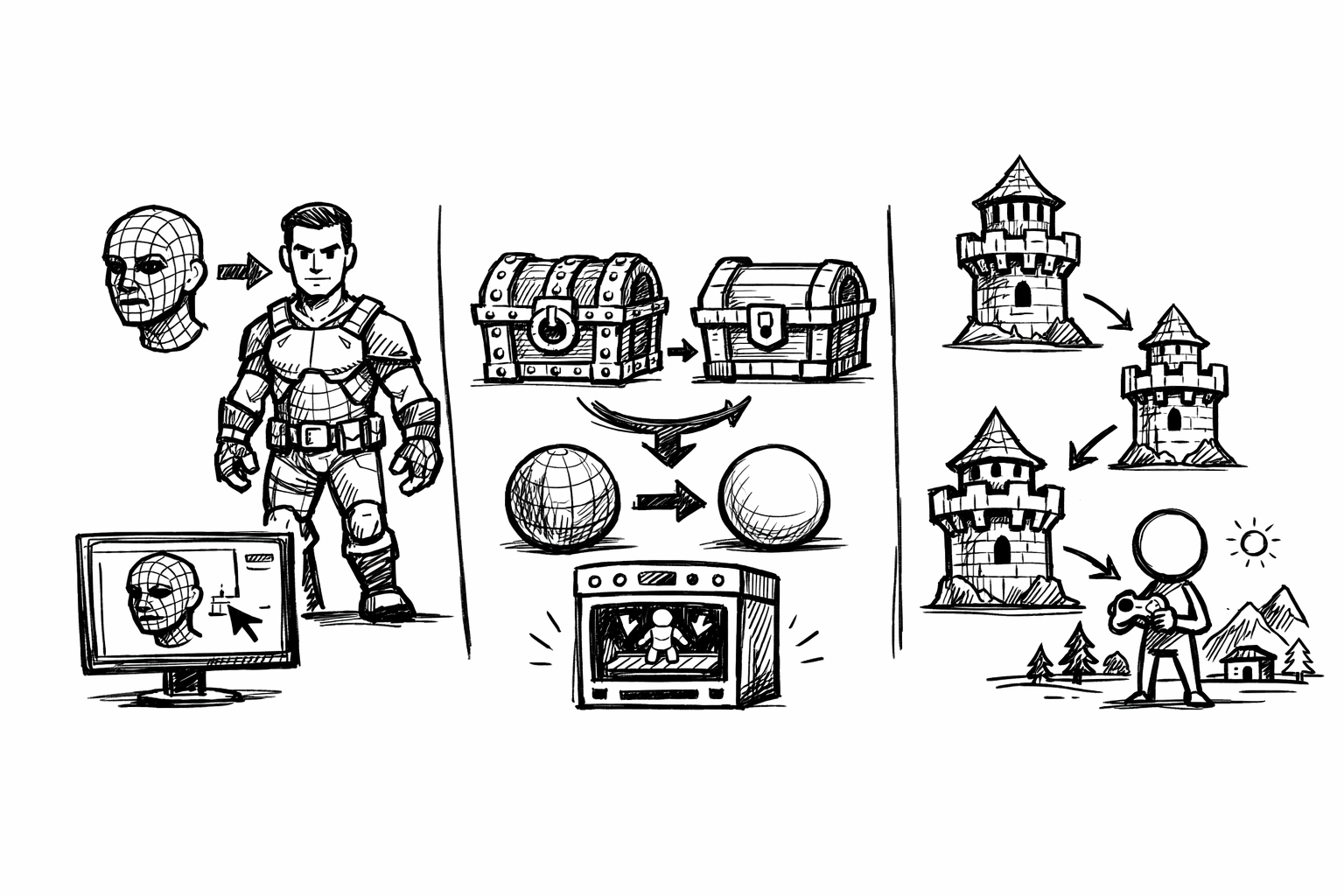
This article focuses on retopology and optimization workflows inside and around 3ds Max for real-time pipelines—games, VR/AR, and interactive ArchViz—where performance budgets, predictable shading, and repeatable exports matter as much as raw polygon counts. The goal is not “perfect topology” in isolation, but production-ready meshes that survive baking, LOD transitions, and engine import without surprises.
Across the tools discussed, the evaluation stays consistent:
- Speed vs. control: fully automatic results versus guided/manual workflows that enforce intent.
- Topology quality: edge flow, pole placement, quad dominance, and deformation readiness.
- UV/normal integrity: bake friendliness, tangent-space stability, and predictable shading across triangulation.
- LOD readiness: ability to generate stable reductions and prepare for draw-call reduction strategies.
- Interop/export: FBX/GLTF robustness, naming conventions, smoothing groups, explicit normals, and consistent vertex normals.
The recurring production pattern is simple but unforgiving: high poly → clean low poly → bake/transfer details → optimize (LODs/decimation) → validate in-engine. Each stage introduces opportunities for drift (shading changes, UV distortion, mismatched tangents), so every tool choice should reduce variance, not just time.
3ds Max Retopology (ReForm / Autodesk Retopology)
Native retopology in 3ds Max belongs in real-time production because it is immediate, version-controlled with your scene, and often good enough for rapid iteration when speed outweighs artisan-level edge flow. In a typical asset lifecycle—blockout, design churn, frequent boolean edits—its biggest advantage is that you can keep moving without leaving the DCC or building toolchain complexity.
Why it fits real-time work
Real-time content is rarely built in a single pass. Hard-surface meshes go through repeated boolean operations, kitbash merges, and late silhouette changes driven by art direction and gameplay. In that context, a “fast baseline” retopo is valuable even if you later refine it. Native retopology integrates naturally with iterative modeling, modifiers, and stack-driven experimentation, and it avoids round-tripping that can break naming, smoothing groups, or scene conventions.
Where it performs best
- Hard-surface cleanup after boolean-heavy modeling or kitbash merges, especially when topology is temporarily chaotic but the silhouette is known.
- Fast low-poly generation for blockouts, prototypes, and early lighting tests where you need stable shading and roughly controlled density, not production-final deformation loops.
Workflow outline inside 3ds Max
- Prep the mesh: fix non-manifold edges, remove internal faces, unify normals, and isolate problematic areas (thin shells, intersecting parts, micro-details that should be baked instead of modeled).
- Run Retopology with a target face count; enable symmetry when the asset truly supports it (not “almost symmetric,” which can introduce mirrored artifacts).
- Perform a post-pass in Edit Poly and Graphite tools to reintroduce intent: reinforce silhouette loops, add support where specular needs stability, and redirect edges around functional features.
Real-time criteria that matter
Density allocation should follow screen impact. A practical mental model is “silhouette-first, shading-second, interior-last.” If the tool spreads faces evenly, you often get wasted triangles on flat planes and under-resolved curves. After the auto pass, you want to deliberately increase density where the camera reads curvature and reduce it where normals and textures do the work.
Pole placement is another quiet failure mode. Poles near deformation zones (shoulders, elbows, hinges, cloth pinch points) can produce compression artifacts and unpredictable normal bakes. Even for hard-surface, poles placed near a chamfered edge can create specular flicker once triangulated in-engine. The auto result may be acceptable for static props, but it should be reviewed aggressively for anything that moves.
Tangent-space stability is the make-or-break factor for normal maps. In 3ds Max, you should treat smoothing groups and explicit normals as first-class data, not afterthoughts. If the retopo changes vertex normals or introduces unexpected splits, the bake may look correct in the baker and still break in-engine due to tangent basis differences or triangulation changes.
Pitfalls and mitigation
Automated results can ignore animation-friendly loops, producing topology that “technically deforms” but does not preserve volume. Mitigation is straightforward: accept the auto mesh as a starting point, then manually define guide loops afterward where deformation or shading needs predictability.
Tight features can become over-triangulated, especially around thin grooves or small cutouts. That extra triangulation may not improve silhouette, but it will increase vertex count (after splits for UVs and normals) and can destabilize shading. When this happens, re-route with manual loop inserts and remove redundant loops that do not materially affect the read.
Graphite Modeling Tools (Freeform Retopo utilities)
Graphite’s freeform retopo tools are the “surgical” option: slower than one-click solutions, but capable of producing deformation-ready topology and consistent shading with a level of intent that automation rarely matches. For real-time assets where bake quality and edge flow are non-negotiable, this is often the most reliable path.
Why it fits real-time work
Real-time meshes must behave well under triangulation, LOD reduction, and engine-specific tangent computation. Manual retopo can be designed to anticipate these downstream constraints: you can align loops to curvature, place poles off high-curvature regions, and build predictable quad grids that triangulate in a controlled way. This yields fewer surprises during baking and fewer “mystery shading seams” that appear only after import.
Where it performs best
- Character body parts, cloth folds, and deformation-driven props where loop direction controls how volume holds under animation.
- Hero assets where the silhouette is close to camera and where small shading errors are more noticeable than moderate increases in polygon count.
Workflow outline for guided retopo
Start by laying down the loops that encode intent: around eyes and mouth for characters; around joints; along feature seams; and across curvature transitions on hard-surface pieces. With Conform and draw-on-surface approaches, you establish the “primary topology rails” before filling in secondary areas. Then use Step Build and Extend to grow quad patches and maintain even distribution.
A practical tactic is to preview with TurboSmooth—not to subdivide for the final game mesh, but to visually test whether your flow is coherent, whether poles sit in low-stress areas, and whether curvature is being described efficiently. A clean TurboSmooth preview is often a strong indicator of stable shading once the mesh is triangulated.
Real-time criteria that matter
A consistent hard-edge strategy is essential: align smoothing group breaks with UV seams when possible, because the baker will often split vertices at those boundaries anyway. This alignment reduces tangent discontinuities and helps produce cleaner normal map bakes. It also makes shading artifacts easier to debug: if a seam exists, you can usually find it in both UV and smoothing data.
Edge allocation should follow function: dedicated loops for silhouette and deformation, reduced density in interior flats and hidden backsides. In real-time, triangle budget is only part of the story—vertex count and overdraw can dominate in VR/AR—so unnecessary splits from dense topology often cost more than expected.
Predictable triangulation is frequently overlooked. Even if you build in quads, the engine will render triangles, and the diagonal direction matters for shading and deformation. For critical surfaces, decide triangle direction before export, either by adding supporting edges or explicitly triangulating selectively, so the in-engine result matches your bake and viewport validation.
Pitfalls and mitigation
The obvious cost is time. Mitigate it with modular thinking: build reusable loop “templates” for recurring forms—knees, elbows, common cloth junctions, standard panel transitions—then adapt rather than rebuild. In environment production, even hard-surface elements benefit from reusable topology motifs (vents, bevel bands, inset panels).
Another failure mode is over-perfect topology in areas that never deform and barely contribute to silhouette. The cure is intentional simplification early: decide which surfaces are “texture-driven” (detail comes from normals/roughness) and keep their geometry sparse, reserving loops for places where silhouette or specular highlights will reveal faceting.
Quad Remesher (Exoside)
Quad Remesher is a modern auto-quad remeshing solution that often produces a better baseline than older remeshers, especially when dealing with complex sources like sculpts, CAD conversions, or scan-derived geometry. Its value in real-time work is the ability to land quickly on a quad layout that preserves edge flow well enough to become production topology after a focused refinement pass.
Why it fits real-time work
Many real-time pipelines now start from high-density sources: ZBrush sculpts, photogrammetry, or CAD tessellations. The bottleneck becomes not modeling detail, but converting chaotic triangulation into a manageable mesh that bakes cleanly and can be optimized. Quad Remesher is effective as a bridge: it outputs a quad-dominant mesh that can be edited, UV’d, and reduced in a controlled way.
Where it performs best
- ZBrush sculpts and high-frequency surfaces where you need a controllable quad baseline before deciding final density.
- CAD conversions and scan data that require cleanup for UV unwrapping, smoothing group control, and predictable triangulation.
- Mid-to-high complexity assets where manual retopo would be cost-prohibitive, but a pure decimation mesh would be too unstable for baking.
Workflow outline for production use
Begin by deciding what you need from the remesh: a near-final in-game mesh, or a field of clean quads that you will later optimize. Set a target quad count and symmetry where appropriate, and choose a hard-edge preservation strategy that matches the asset. Where the tool supports it, guide curves should be used around cylinders, panel borders, and functionally important seams so loops naturally wrap in a predictable direction.
After remeshing, return to 3ds Max for the “production-making” steps: add support loops where hard edges need controlled shading, remove loops that don’t affect silhouette, finalize smoothing groups, and prepare UV seams to align with shading breaks. This post-process is where a good auto result becomes a reliable game mesh.
Real-time criteria that matter
Sharp crease respect is critical for baking and specular stability. If creases are softened by the remesh, you might still recover the look with normal maps, but you risk highlight drift and aliasing when roughness is low. Ensuring that major planar breaks remain planar and that key edges remain sharp (through topology or explicit normals) improves consistency across lighting conditions.
Density behavior should be assessed as “uniform versus adaptive.” Uniform density may be easier to edit, but it is wasteful for real-time. Adaptive density that prioritizes silhouette and curvature is preferred, provided it does not introduce micro-topology noise that explodes vertex splits or destabilizes bakes.
Export friendliness is often underestimated: a quad mesh is only valuable if it triangulates predictably. You want a layout where triangulation produces stable edge directions on curved and reflective surfaces. If the remesh produces random diagonals across glossy panels, you can see subtle shading waves once in-engine, especially under HDR lighting.
Pitfalls and mitigation
Auto remeshing can “average out” intentional planar breaks, turning crisp form language into soft transitions. Mitigation includes using guide/crease strategies and, afterward in 3ds Max, reintroducing planar discipline: straighten edge loops where the form is meant to be flat, and enforce supporting edges around critical transitions.
Another common issue is thinking the remesh is the finish line. In real-time production, it is usually a baseline. Plan for a follow-up optimization pass that removes unnecessary loops, establishes a consistent hard-edge/UV policy, and ensures the mesh behaves under engine triangulation and LOD reduction.
ProOptimizer (3ds Max) for LODs and controlled decimation
ProOptimizer remains a pragmatic, production-proven choice for generating LODs quickly, especially for props and environment assets where topology purity matters less than a stable triangle/vertex budget. When configured carefully, it can preserve critical boundaries and shading data well enough to ship without requiring a dedicated external optimization system.
Why it fits real-time work
LOD generation is not optional in most real-time contexts, particularly VR/AR and large interactive scenes. ProOptimizer is valuable because it is built-in, fast, and works directly on meshes that already adhere to your naming, material, and scene organization conventions. For teams that need per-asset control without building a batch pipeline, it can be the most straightforward path.
Where it performs best
- LOD chains for environment props where silhouette changes can be managed via screen-size thresholds.
- Secondary assets where triangle budget and draw performance matter more than perfect loop flow.
- Quick “what-if” reductions to estimate performance impact early in production.
Workflow outline for reliable LODs
Start by building LOD0 intentionally: it should have the best shading, clean UVs, and the intended smoothing/explicit normal setup. Then duplicate the mesh for LOD1, LOD2, and so on, and apply ProOptimizer with targets defined either as percentages or face counts. The choice should be driven by platform budgets and expected on-screen size, not a generalized reduction ratio.
After generating reductions, validate silhouette breakpoints at expected camera distances. This validation should be done with the same field of view and approximate distance ranges used in the target experience (especially in VR, where perceived scale and motion parallax can make popping more visible).
Real-time criteria that matter
UV integrity is the biggest technical risk. If decimation distorts UVs or changes vertex order and splits, you may see texture swimming or bake mismatches. When the asset relies heavily on baked normals or trim sheets, it is often safer to keep UVs stable and allow geometry reduction primarily on areas least tied to texture projection expectations.
Preserving smoothing groups and explicit normals is essential for consistent specular highlights across LODs. If LOD1 changes vertex normals enough, you can get a “sparkle” or highlight jump during LOD switch, even if the silhouette change is minimal. Always compare LODs under a harsh, glancing light and high-contrast roughness to reveal shading discontinuities.
LOD thresholds should be based on screen-size metrics rather than arbitrary poly budgets. An LOD that triggers too early can cause visible shape loss; too late and it provides no performance benefit. Establish asset category policies (small props, medium props, large architectural elements) and tie reductions to measurable screen coverage.
Pitfalls and mitigation
Decimation can introduce shading artifacts. For assets with heavy normal map reliance, a robust mitigation is to re-bake normals per LOD or transfer normals carefully from LOD0 using a consistent tangent basis workflow. If rebaking is too costly, at least ensure the triangulation and vertex normals remain as consistent as possible across LODs.
Over-aggressive reduction on silhouette edges is another frequent issue. The fix is to protect boundaries: lock critical edges, segment the model so silhouette-critical parts are optimized less aggressively than interior or hidden parts, and validate under the exact camera movement patterns expected in the final experience.
Simplygon for LOD and optimization pipeline integration
Simplygon represents the “pipeline-scale” approach: automated LOD generation, aggregation, and material simplification driven by rules. When content volume is high—large environments, ArchViz libraries, or kit-based production—its value is consistency: the same policies applied across hundreds or thousands of assets with deterministic results that can integrate into builds.
Why it fits real-time work
Manual LOD creation does not scale. Even if a team can produce high-quality LODs by hand, keeping them consistent across a growing library is difficult, and the opportunity cost becomes substantial. Simplygon allows you to define optimization intent as profiles: hero assets retain more silhouette and materials; background assets reduce aggressively; modular kits follow rules that preserve snapping and silhouette boundaries.
Where it performs best
- Large environment sets and asset libraries where automation has a strong ROI and where manual LOD authoring would bottleneck production.
- Teams that require consistent LOD policy across many contributors and frequent iteration cycles.
- Projects where you need both geometry reduction and draw-call reduction via material simplification or controlled aggregation.
Workflow outline for policy-driven optimization
Start by defining optimization profiles per asset category—hero, standard, background—based on how close the camera gets and how sensitive the asset is to shading or silhouette loss. Batch-generate LODs using screen-size targets rather than triangle counts, because screen coverage better predicts perceived quality.
Where appropriate, include texture/material reduction (such as texture sizing policies and material baking) and mesh aggregation for draw-call reduction. Aggregation must be used carefully: reducing draw calls is good, but merging can break occlusion culling efficiency and can reduce flexibility for instancing and modular assembly.
The final step is always in-engine validation: measure performance, check LOD popping, and verify shading continuity across lighting scenarios. A deterministic pipeline is only valuable if it consistently produces outputs that behave under real engine constraints.
Real-time criteria that matter
Draw-call and material count reduction can produce larger gains than raw triangle reduction, especially on CPU-bound scenes or VR. The tradeoff is between merging and instancing: merging reduces calls but can harm culling and memory reuse; instancing keeps modularity but may maintain higher call counts. The right choice depends on scene structure, engine batching, and how assets repeat.
Preservation of hard edges, UV seams, and normal map fidelity should be treated as constraints, not preferences. Optimization that destroys seam logic can force rebakes, introduce visible shading discontinuities, or break trim/atlas assumptions. The most effective profiles codify these constraints explicitly.
Deterministic outputs matter for CI/build pipelines. If the same input asset can produce different results across machines or versions, debugging becomes costly. A stable toolchain, fixed profiles, and clear source-of-truth mesh management are key to making large-scale automation trustworthy.
Pitfalls and mitigation
Over-optimization can harm modularity and occlusion culling. If you aggregate too much, you may reduce draw calls but increase overdraw and render more than necessary because culling becomes coarse. Mitigate this by setting rules per asset type and by keeping aggregation aligned to spatial and logical groupings that match how the engine culls.
Material baking and atlas workflows can complicate iteration: if every small change forces a rebake and propagates through LODs, iteration slows down. Mitigation is a reversible workflow with a clear source-of-truth: keep original meshes and materials intact, generate optimized derivatives automatically, and ensure you can regenerate outputs without manual patching.
Conclusion
A practical decision framework emerges when you evaluate tools against speed, topology quality, UV/normal integrity, LOD readiness, and export reliability. Use native Retopology + Graphite when you need tight iteration inside 3ds Max and want direct control over the final mesh. Use Quad Remesher to accelerate high-quality quad baselines from complex sources like sculpts, scans, or CAD. Use ProOptimizer for fast, per-asset LOD generation once LOD0 is disciplined. Adopt Simplygon when you need scalable, policy-driven optimization across a large library with repeatable outputs.
The most robust approach is stacked rather than exclusive: retopo (manual or auto) → enforce shading/UV discipline → validate bakes and tangent behavior → automate LODs where sensible → verify performance and visual continuity in-engine. When each stage is treated as an engineering constraint—rather than a one-time art task—you get assets that are not only efficient, but predictably shippable across platforms and iterations.
Also in Design News