Your Cart is Empty


Master Interactive Product Displays in 3D: KeyShot XR Tutorial
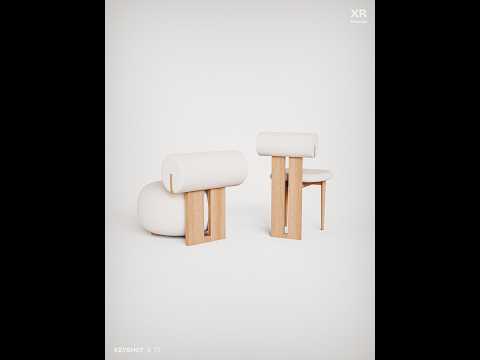

Video From YouTube: KeyShot
Learn how to create engaging, interactive 3D product experiences for websites with Luxion’s step-by-step KeyShot XR workflow. This tutorial demonstrates how to prepare, optimize, and export responsive XR animations using a lounge and dining chair set from NORR11. Viewers will discover model optimization techniques, including the Retessellate tool for reducing millions of polygons while preserving visual quality. The walkthrough also explores XR Wizard configuration, animation setup, and web-ready export settings designed for smooth performance. Ideal for product designers, marketers, and visualization professionals, this guide helps transform static presentations into immersive, interactive product displays that encourage exploration and enhance customer engagement.
If you like this content please subscribe to the KeyShot YouTube Channel

Browse Luxion Products
Advanced Lighting Technology
Also in Design News