Your Cart is Empty


DraftSight Interoperability Playbook: Preserve 2D Intent for Faster, Cleaner 3D Handoffs
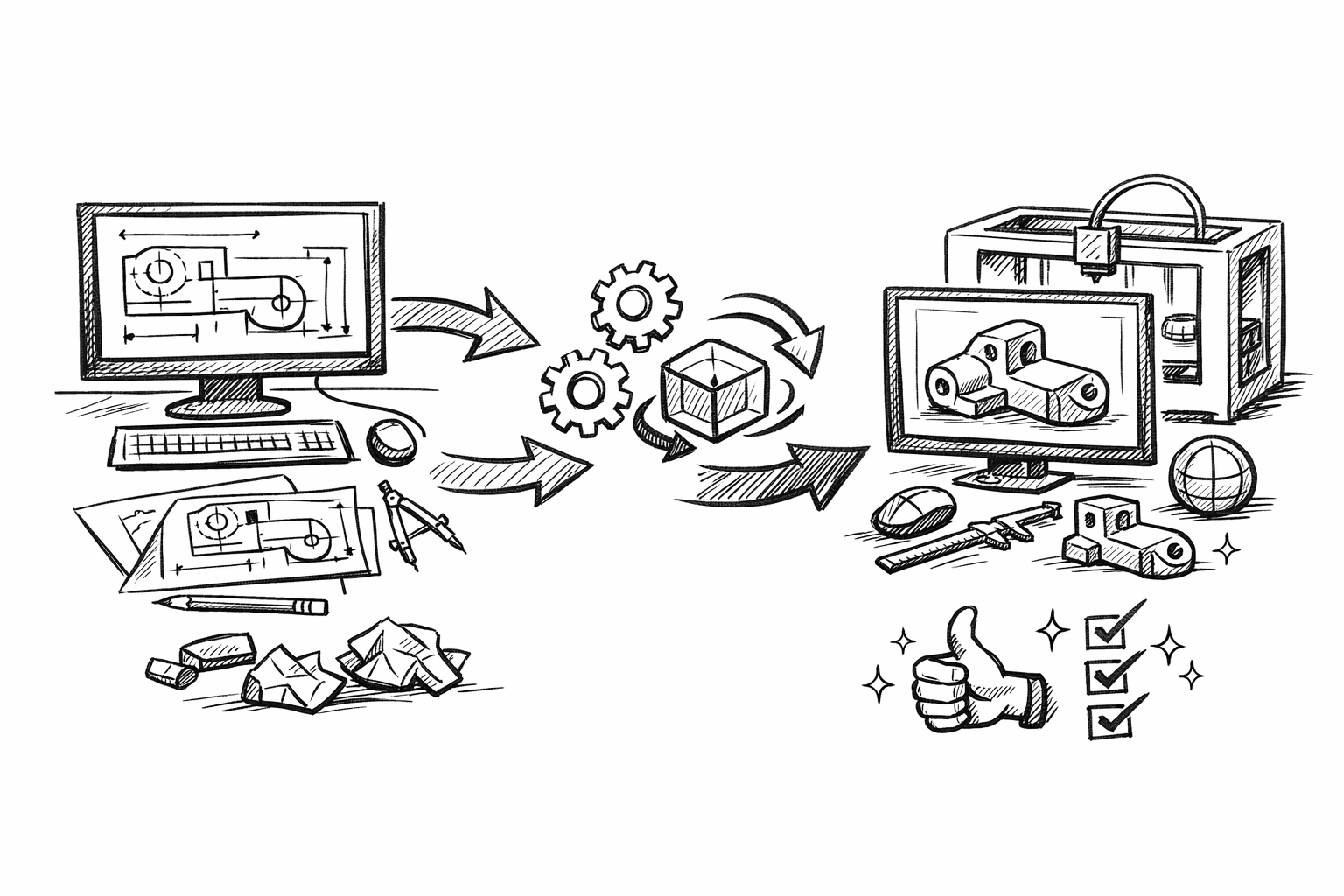


Interoperability—not just “can I open this file?”—is the most reliable bridge between 2D intent and 3D execution. When DraftSight drawings can travel into downstream CAD/BIM/visualization tools without semantic loss, teams spend less time rebuilding geometry and more time making engineering decisions. After reading, you should be able to move drafting data into 3D workflows with fewer rebuilds, fewer translation errors, and clearer design intent. The scope here assumes 2D drafting in DraftSight, with 3D design/engineering completed in other platforms, and focuses on features and practices that reduce rework rather than adding drafting complexity.
Native DWG/DXF fidelity that preserves drafting intent (layers, linetypes, blocks, text)
In 2D-to-3D transitions, “fidelity” is not about whether lines appear in the right place. It is about whether the drawing’s structure survives in a way that downstream tools can interpret, filter, and reuse. The most expensive failures happen when geometry arrives but intent does not—when a 3D modeler can see a profile but cannot tell which edges represent a machined slot versus a reference datum, or which repeated symbol is meant to become a repeated component instance.
What fidelity actually means when converting 2D → 3D
Layer and linetype semantics are often the first “hidden data model” in a DWG/DXF. When layers are meaningful (not just “Layer1”, “Layer2”), they become selection sets, isolation filters, and feature-driving groupings in downstream workflows. A 3D team can quickly identify what must become solid geometry, what is explanatory, and what is construction/reference.
Block structure is the second major carrier of intent. A repeated bolt symbol, fixture marker, or equipment tag expressed as blocks is more than a convenience: it is a proxy for repeatable logic. Many 3D environments can map a block definition to an instanced component, a library reference, or a placeholder that triggers component placement later.
Text, dimensions, and annotations are the third pillar. Even if dimensions do not directly drive parametric constraints downstream, they carry manufacturing notes, tolerance expectations, fit intent, and assembly sequencing. If annotation scales and styles are inconsistent, those notes become fragile—easy to misread, mis-scale, or strip during translation.
Practical interoperability wins
When DraftSight DWG/DXF content is organized for fidelity, exchange becomes stable and predictable across CAD ecosystems. That stability is not merely “nice”; it eliminates the cleanup tax that often consumes the first hours—or days—of any 3D effort: purging junk layers, repairing exploded blocks, reconciling duplicated geometry, and reinterpreting what the drawing “meant.” The downstream benefit is straightforward: 3D modeling starts with trusted selection logic and fewer misinterpretations.
2D-to-3D handoff checklist
- Standardize layer naming to map to 3D categories and feature intent (for example: HOLE, SLOT, DATUM, CENTERLINE, HIDDEN, ANNO-NOTES). Use names that describe purpose, not appearance.
- Convert ad-hoc repeated geometry into blocks where repetition matters (fasteners, mounting patterns, symbols, tags). Treat blocks as future component instances, not just drafting conveniences.
- Normalize annotation scales and units so dimensions and notations are not misread downstream. Confirm whether the drawing is effectively “model space true scale” or relies on paper space scaling conventions that external tools may not mirror.
The critical mindset shift is to draft as if the 2D file is a structured data source for 3D—not an image. Doing that does not require turning 2D into pseudo-3D; it requires making layers, blocks, and annotations unambiguous and reusable.
Underlay and reference workflows (PDF/DGN/other underlays) to reconcile legacy 2D with emerging 3D
Interoperability is not limited to DWG/DXF exchange. Real projects often inherit vendor PDFs, DGN details, archived drawing sets, and scanned markups. Underlay workflows matter because they let a team treat external sources as reference truth while building a new 3D baseline without destroying traceability.
Why underlays matter for interoperability
Underlays enable a controlled relationship between “what exists” and “what is being rebuilt.” In practice, that means a PDF or DGN can be positioned, scaled, and used as a frozen truth for alignment and verification. Instead of importing everything and risk polluting the DWG with ambiguous geometry, you reference it, reconcile it, and explicitly decide what becomes authoritative geometry.
This is especially relevant in hybrid projects where legacy drawings coexist with emerging 3D. Underlays provide a mechanism to preserve context (vendor tolerances, regulatory notes, historical revisions) while you reconstruct cleaner parametric representations in 3D tools.
Key uses that directly accelerate 3D creation
One of the fastest paths to reliable 3D is to reconstruct parametric features while continuously verifying against legacy 2D. Underlays allow you to overlay legacy details and check critical profiles, hole patterns, and interface locations as you rebuild, reducing the chance that “interpretation drift” creeps into the new model.
Underlays are also effective for comparing revision deltas. When a 2D source changes, a visual overlay can quickly reveal which areas are truly different. That helps downstream 3D teams avoid unnecessary remodels by focusing only on geometry-impacting changes.
Best practices for reference-driven reconciliation
- Use underlays as alignment targets; do not draft over chaotic references without an explicit snapping strategy. Decide whether you will snap to underlay geometry (when reliable) or trace manually with controlled reference points.
- Lock and fade underlays for safer tracing and fewer accidental edits. Treat them as read-only truth sources, not editable geometry.
- Maintain a reference log including file version, source, date, and intended use (verification versus tracing). This prevents “mystery references” from silently shaping 3D output.
The goal is not to turn everything into editable entities immediately. The goal is to preserve provenance: the 3D baseline should be defensible, and every traced decision should be anchored to a known reference source.
Data extraction and structure: turning 2D drafting metadata into 3D-ready information
One of the most overlooked aspects of interoperability is that a drawing can be computationally useful, not just geometrically readable. When drafting metadata is structured correctly, it can power schedules, part lists, and assembly definitions—long before 3D tooling finishes the model. This is where DraftSight becomes a staging environment for the information that 3D systems, PDM, PLM, ERP, and visualization pipelines depend on.
What this feature class enables
Data extraction is about pulling structured information from the 2D source: block attributes, layer-based counts, and object properties. If block attributes are defined with consistent keys, the drawing becomes an indexable database. That database can generate BOM-like outputs, seed component naming conventions, and reduce manual transcription.
Interoperability impact
3D teams move faster when counts, naming, and component definitions are coherent before modeling begins. If your 2D drawing already defines “what parts exist” and “how many,” the 3D effort can prioritize modeling the right components at the right level of detail. This reduces mismatches between what is drawn and what is built because the informational backbone is shared across representations.
Equally important, extraction reduces accidental ambiguity. Two circles on a layer called “MISC” may look identical, but if one is a hole and one is a clearance marker and neither is annotated consistently, the 3D team is forced to guess. With structured attributes and disciplined layers, the drawing communicates purpose.
Making 2D computable
- Define block attributes for items that will become 3D components (for example: PartNo, Description, Material, Finish, Revision, Supplier). Keep the attribute names stable across the project.
- Use consistent naming conventions so extracted tables map cleanly to 3D component libraries. If the 3D library expects “PN-####” patterns, match that pattern in 2D instead of inventing a parallel naming system.
- Export extracted data into common formats such as CSV so it can feed 3D assembly creation, PDM records, procurement checks, or downstream automation scripts.
A practical way to think about this is: you are not merely drafting geometry; you are authoring a dataset that can be re-consumed. The more coherent that dataset is, the fewer human interpretation steps sit between 2D authoring and 3D execution.
Standards alignment: CAD conventions, templates, and mapping that keep 2D/3D teams synchronized
Standards are often treated like bureaucracy, but in interoperability work they function as features. Every time a downstream user must interpret a drawing convention—guess units, infer scale, deduce what a layer means—you introduce potential translation error. Standards reduce those interpretation steps and make handoffs reproducible.
Why standards are interoperability features
A DWG/DXF file can be “correct” and still be unsafe for downstream use if its conventions are idiosyncratic. Interoperability improves when the file encodes decisions consistently: units are explicit, annotation is predictable, and layer schemas behave like a contract between teams. This contract is how you prevent a 3D team from modeling in the wrong unit system, or from turning reference geometry into manufactured geometry.
What to standardize for reliable transitions
Start with the fundamentals that most commonly break translation:
- Units, drawing scales, dimension styles, and text styles so measurements and notes are interpreted identically across tools.
- Layer schemas that mirror 3D classification (structural, mechanical, electrical, manufacturing, reference, annotation). This allows immediate filtering and mapping.
- Title blocks and revisioning fields that survive handoffs, including consistent project identifiers and drawing status indicators.
Implementation that reduces rework
Standards only work when implemented as defaults, not as after-the-fact cleanup. DraftSight templates can encode the conventions from day one so every new drawing starts life interoperable rather than becoming interoperable through last-minute repair.
- Build project templates that embed layer sets, units, dimension styles, text styles, and annotation conventions. Treat templates as the front line of error prevention.
- Create layer-to-category mapping guidance for the 3D team in a simple “layer legend” document. The goal is that a 3D modeler can interpret the drawing without tribal knowledge.
- Establish QA checks before export: avoid exploding blocks unnecessarily, use purge strategies to remove unused definitions, and run an annotation audit to confirm legibility and scaling.
One of the most effective QA habits is to ask: “If a different team opens this file in a different tool tomorrow, what will they misinterpret?” Standards exist to eliminate that uncertainty.
Collaborative interoperability: markup, review, and change-control loops that protect design intent
The most damaging assumption in 2D-to-3D workflows is that the handoff is one-way. In reality, iterations are constant: clarifications, engineering changes, coordination reviews, and documentation updates. Interoperability must therefore include collaborative mechanisms that keep intent aligned across tools and across time.
The real problem: 2D-to-3D is rarely a one-way export
Even with perfect DWG/DXF fidelity, the 3D team will ask questions, propose modifications, or discover clashes that trigger updates to the 2D source. Without a disciplined feedback loop, design intent fractures into competing “truths”: a newer 3D model that no longer matches an older 2D drawing, or a revised 2D drawing that never makes it back into 3D. The cost is rework, and the risk is fabrication or construction errors.
Feature outcomes that enable faster iteration
Effective review workflows make it unambiguous what feedback must become geometry versus what is documentation-only. Markups should clearly distinguish “model this” from “note this.” The more explicit your markup conventions, the less time 3D teams spend guessing whether an instruction implies a physical change.
Revision discipline is equally important. If the authoritative 2D record changes, 3D updates must be synchronized in a way that prevents drift. This is less about tools and more about behavior supported by consistent metadata and naming.
Closing the loop without losing traceability
- Use consistent revision tagging in filenames and in drawing fields so downstream teams can validate they are modeling against the correct version.
- Separate “design changes” from “documentation changes” so 3D teams focus on geometry-impacting edits first. If a change is purely annotation, it should not trigger a remodel.
- Maintain a change log that links notes and markups to specific drawing versions and to corresponding 3D update commits or deliverables. This preserves traceability when questions arise later.
The objective is a controlled iteration loop: every change has an owner, a reference version, and a clearly stated impact. With that discipline, interoperability becomes a continuous process rather than a crisis during deadlines.
Conclusion
Reducing 2D→3D rework is primarily an interoperability problem, not a modeling speed problem. The biggest leverage comes from five areas: DWG/DXF fidelity that preserves layers/blocks/annotations as intent, reference and underlay reconciliation for legacy sources, metadata extraction that makes 2D computable, standards alignment through templates and mapping, and collaborative change-control that keeps iterations traceable.
A useful next step is to audit one active project against these five areas and measure rework time before and after applying one improvement: introduce a single template or layer mapping standard, and add a minimal block-attribute schema that enables reliable extraction. Track how many rebuilds and translation errors disappear when intent is structured at the source.
Also in Design News