
Your Cart is Empty


Create Beams from Custom Profiles in VisualARQ

Create Beams from Custom Profiles in VisualARQ
Creating beams from custom profiles in VisualARQ opens a highly flexible workflow for architects, designers, and modelers who need more than a limited catalog of standard structural shapes. Because VisualARQ operates within Rhino 3D, users can leverage Rhino’s precise modeling environment while adding intelligent architectural objects that remain editable and style-driven. This combination is especially valuable when a project demands unique beam geometry, nonstandard sections, or path-driven structural elements that must respond to design changes quickly.

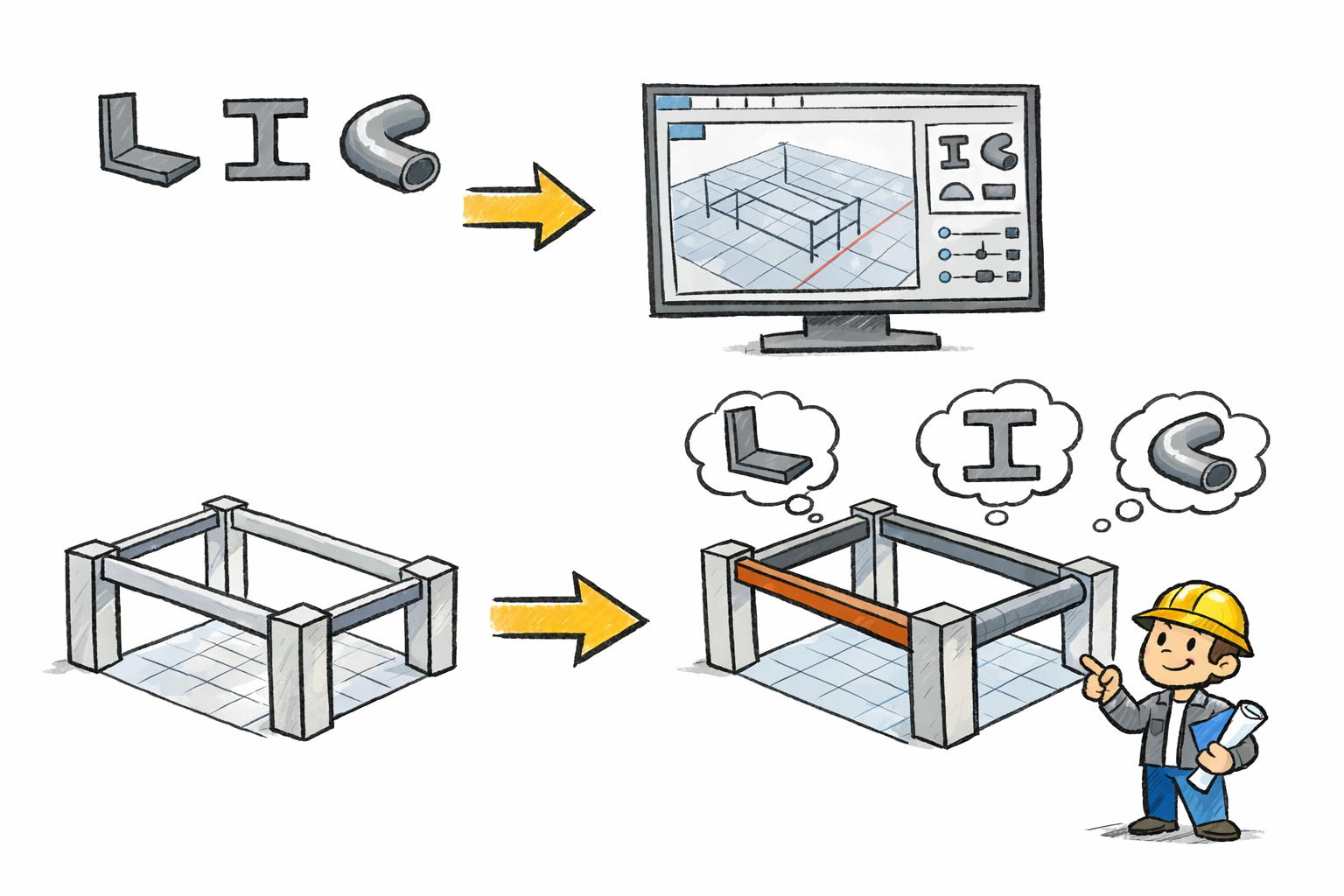
At its core, the VisualARQ beam tool generates geometry from two key ingredients: a profile and a path curve. This simple but powerful logic gives you direct control over both the cross-sectional shape and the spatial direction of the beam. Instead of being constrained to a generic extrusion or a rigid library item, you can define exactly how the beam should look and where it should go. For design teams working on custom residences, interiors, exhibition environments, timber structures, renovation projects, or concept architecture, this capability can significantly improve accuracy and productivity.
How VisualARQ Defines a Beam
VisualARQ beams are not just static solids. They are architectural objects that understand style, profile, and placement. A beam is generated from a 2D section profile and a curve that acts as the beam path. This means the same profile can be used across multiple beam instances, while the path can vary from straight runs to more complex shapes. The result is a modeling method that is both parametric and intuitive.
This approach is useful because structural and architectural beam conditions are rarely identical throughout a project. One area may require a standard rectangular member, another an elegant curved glulam section, and another a highly specific decorative or fabricated profile. In VisualARQ, the beam system accommodates all of these scenarios without forcing users into disconnected workflows.
The templates supplied with VisualARQ include a broad set of standard structural profiles, including rectangular, circular, I, L, T, U, and hollow sections. These profiles provide an efficient starting point for many common beam and column applications. However, the real strength of the platform becomes evident when standard options are not enough and a project calls for a custom section.
Why Custom Profiles Matter
Custom beam profiles are essential whenever design intent extends beyond standard engineering catalogs. In practice, this can happen for several reasons. A designer may be working with fabricated steel sections tailored to a specific span or facade detail. An interior architect may need exposed beams that serve as both structure and visual identity. A timber project may use laminated members with unusual contours. A restoration effort may require matching an existing profile found on site. In all of these cases, being able to model a beam from a custom 2D profile is far more efficient than building each object manually.
VisualARQ allows you to create your own custom profile as a 2D curve and assign it to a new beam style. Once that style is defined, it becomes available for both existing beams and future beam creation. This is an important productivity advantage. Rather than redrawing geometry repeatedly, you establish a reusable standard inside the project. The beam style can then support consistent modeling, documentation, and revisions.
This reflects a broader reality in design software today: the tools are sophisticated and affordable enough that any professional who can benefit from them should be using them. The gains in productivity, consistency, and return on investment are too significant to ignore. A custom beam workflow in VisualARQ is a good example of how intelligent modeling reduces repetitive work while improving design freedom.
Building and Managing Custom Profiles
The process begins with a well-drawn 2D curve in Rhino. Since VisualARQ is built for Rhino, users can rely on Rhino’s robust curve creation and editing tools to construct precise closed profiles. Once the profile curve is prepared, it can be incorporated into the VisualARQ environment as part of a beam style. This makes the profile reusable and centrally managed rather than embedded as one-off geometry.

A key feature in this workflow is the Profile Manager. The Profile Manager lets you create, extract, delete, or edit custom profiles that can be used on different VisualARQ object types and style components. This centralized control is especially valuable in larger projects, where multiple custom sections may be used across beams, columns, and other architectural elements. By maintaining profile definitions in a managed system, teams reduce the risk of inconsistencies and simplify later updates.
If a custom profile needs refinement, the style-based structure makes revision much easier. Update the profile definition and the corresponding beam style can reflect the change throughout the model. This is considerably more efficient than remodeling individual solids. It also supports a more disciplined BIM-oriented workflow within Rhino.
Creating Beams from Curves
One of the most compelling aspects of VisualARQ beams is that they can be created from curves in virtually any shape. Straight beams are only the beginning. Because the beam follows a path curve, designers can generate beams that arc, bend, or trace more complex forms while preserving control and editability. The resulting beam inherits the same control points as the original curve, which means shape adjustments can remain fluid even after the object has been created.

This is particularly useful in architectural projects that incorporate non-orthogonal geometry. Canopies, freeform roofs, custom stair supports, feature ceilings, pavilions, and expressive timber or steel frameworks often require members that do not align with conventional Cartesian logic. In these cases, beam-from-curve functionality allows structure and design expression to develop together rather than in conflict.
Because Rhino itself is a standalone program with a large number of plug-ins, this workflow can be extended into many specialized domains. Rhino is not a plug-in; it is a powerful modeling platform that supports plug-ins for jewelry design, computational fluid dynamics, naval engineering, architecture, and many other disciplines. VisualARQ benefits from this larger ecosystem by operating inside a modeling environment already known for flexibility and cross-disciplinary use.
Parametric Possibilities with Grasshopper
For users who need even more control, VisualARQ supports beam styles created from Grasshopper definitions. This introduces an advanced level of parametric design without the typical limitations of fixed object libraries. With a Grasshopper-based beam style, geometry can respond to rules, inputs, formulas, and external data, making it possible to generate highly customized beam families for complex projects.

This capability is valuable when a beam system must vary across a structure according to span, load logic, facade rhythm, or fabrication strategy. Rather than creating numerous independent styles manually, a Grasshopper definition can drive variation systematically. This makes VisualARQ attractive not only for conventional architectural production, but also for computational design workflows where repeatable intelligence is essential.
For users working in Rhino who want enhanced surfacing support alongside custom architectural workflows, xNURBS is also worth noting. xNURBS is compatible with Rhino and works only with Rhino, making it relevant for teams that combine freeform surface development with detailed architectural modeling. While it is not a beam tool, it can complement Rhino-based workflows where high-quality surface creation is part of the broader design process.
Handling Beam Joints and End Cuts
Good beam modeling is not only about profile creation. Intersections and terminations are equally important. VisualARQ includes beam joints and end cuts that help resolve practical construction conditions in the model. When two beams join at their ends, they solve their intersection automatically. Beam cuts at ends can be horizontal, vertical, or perpendicular to their path.

These options matter because structural members rarely end as raw extrusions. They are cut, fitted, mitered, or shaped according to connection logic and assembly requirements. By incorporating joint and end-cut behavior into the beam object itself, VisualARQ helps users generate more realistic and project-ready geometry without resorting to extensive manual trimming.
This is especially helpful in design development and construction documentation, where accurate joins improve clarity and reduce downstream coordination problems. It also reinforces the advantage of using intelligent architectural objects rather than unmanaged modeling primitives.
Benefits for Design Coordination and Visualization
Custom beam styles in VisualARQ support more than geometry creation. They also improve consistency across the project model and make coordination with other software workflows more effective. Since Rhino commonly participates in broader design pipelines, beam geometry developed in VisualARQ can become part of rendering, detailing, analysis, and presentation processes.
For example, teams looking to visualize Rhino-based architectural models can explore rendering tools such as V-Ray, which is widely used for high-quality visualization. If downstream presentation and animation are part of the process, products from MAXON may also be relevant depending on the studio pipeline. For rapid product-style or design visualization workflows, KeyShot can be useful in compatible export scenarios. The broader point is that a carefully structured beam model in VisualARQ creates better source geometry for every step that follows.
In firms where Rhino is used alongside drafting and BIM tools, custom beam modeling can also help bridge conceptual and technical phases. When design teams can define custom structural intent early, they reduce rework later and improve communication across disciplines.
Conclusion
VisualARQ makes beam creation far more capable than a simple extrusion workflow by allowing users to generate beams from standard or custom profiles along virtually any path. With reusable styles, centralized profile management, curve-based modeling, Grasshopper-driven parametrics, and practical beam joint and end-cut tools, it provides a refined solution for architects and designers working in Rhino 3D. For teams that need to extend Rhino further, compatible tools such as xNURBS can complement advanced surfacing workflows, while visualization solutions like V-Ray and KeyShot can support presentation and rendering needs.
The ability to define and reuse custom beam profiles is exactly the kind of capability that demonstrates how modern design software increases productivity and delivers measurable value. For more information about the newest and most advanced design software technology, contact our sales team at NOVEDGE.
Also in Design News



